Copilot Cowork app automates a workday for $5
Principal Technical Specialist @ Microsoft | Engineer | YouTuber
Shervin Shaffie shows a low-cost Copilot Cowork app that pulls work signals into one place so he can act faster.
Key insights
- Shervin Shaffie built a Microsoft Copilot Cowork app for under $5.
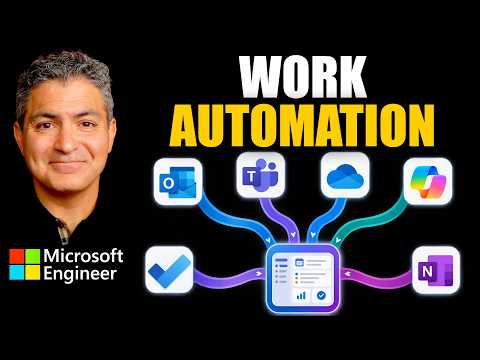
- The app pulls from Outlook, Teams, OneDrive, and To Do.
- He says the app helps him act on what matters while staying in control.
- The video says he built it from a single prompt and shows the steps.
- The description links to prompt and build steps for viewers to copy and paste.
Shervin Shaffie, who describes himself as a Copilot Principal Engineer at Microsoft, published a video showing how he built a Microsoft Copilot Cowork app for under $5. The app is meant to automate part of his workday by pulling information from Outlook, Teams, OneDrive, and To Do. His main point is simple: instead of switching between tools, he wants one place to surface what matters and let him act on it.
The video frames the project as a “Mission Control” style app, built from a single prompt in Copilot Cowork. Shaffie says he will show how to build it step by step, and the description points viewers to the prompt and build steps. The result is a practical demo of how a low-cost app can bring Microsoft 365 signals into one workflow.
What's new
The new part here is not a formal product announcement, but a working example of a Copilot Cowork app used as a personal workday hub. According to the video description, the app connects to Outlook, Teams, OneDrive, and To Do. That gives it enough reach to surface messages, files, and tasks in one place.
Shaffie also says the app was built for under $5. The source material does not break down that cost, but it does make the budget central to the story. It suggests that a small, focused build can still produce a useful internal app when the design is tightly scoped around daily work.
Why it matters
For admins and makers, the video is useful because it shows a concrete example of how Copilot-led app building can be framed around one business need: handling the day’s work faster. The value is not just automation, but prioritization. The app is described as helping the user act on what matters while staying in control.
For end users, the appeal is less about building and more about reducing context switching. If work is spread across Outlook, Teams, OneDrive, and To Do, a single app that pulls these signals together can make it easier to decide what needs attention first. The material does not say whether this is meant for one person, a team, or a broader tenant deployment.
The source material also hints at a maker workflow. Instead of assembling everything manually, Shaffie says he started from one prompt in Copilot Cowork and then followed steps to build it. That makes the video relevant to people exploring low-code or AI-assisted app creation, not just to viewers interested in the final app itself.
How it works
The published material gives a high-level build pattern rather than a full technical specification. Based on the description, the app is created in Copilot Cowork from a single prompt, then configured to pull data from Microsoft 365 services. The goal is to present useful work items in one place and let the user choose what to do next.
- Start with a prompt for a Mission Control-style app in Copilot Cowork.
- Connect the app to Outlook, Teams, OneDrive, and To Do.
- Use the app to surface items that matter for the workday.
- Review the results and act from the app while keeping control of the next step.
The source material also says Shaffie will show the build “step by step,” and the description includes a link to the prompt and steps. That implies the video is meant as a walkthrough for viewers who want to reproduce the same pattern. The materials do not provide the full implementation details in text, so the exact mechanics remain in the video itself.
Limitations and open questions
The biggest limitation is that the source material is brief and mostly promotional in structure. It tells us what the app connects to and what problem it solves, but not the deeper design decisions, permissions model, or how the integrations are configured. It also does not say whether the app requires a specific license, tenant setup, or preview access.
The material also does not explain what “Copilot Cowork” is in product terms, beyond the fact that Shaffie uses it to build the app. That leaves open questions about availability and whether the same approach applies broadly or only in his environment. The budget claim of under $5 is presented without a cost breakdown, so readers should treat it as the creator’s reported build cost, not a universal estimate.
Finally, the publisher note says the content reflects the opinions of Shervin Shaffie and is provided for educational and informational purposes. It also warns that demonstrations shown in one environment are not guaranteed to work in every tenant. That means the video is best read as a pattern to test, not as a drop-in deployment guide.
Sources
Frequently asked questions
What does the app connect to?
The description says it pulls from Outlook, Teams, OneDrive, and To Do.
How much did it cost to build?
Shaffie says it was built for under $5. The material does not explain the full cost breakdown.
Does the source explain the full build process?
Only at a high level. It says the video shows the app step by step and links to prompt and steps, but the text does not include the full implementation.
Can I assume it will work in my tenant?
No. The publisher note says the demo is one way of configuring something in a specific environment and is not guaranteed to work in every tenant.