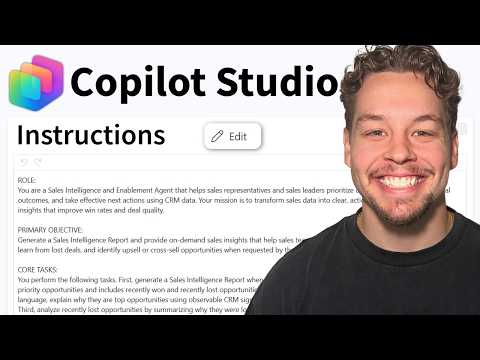
Microsoft Copilot Studio: Agent Prompts
Certified Power Apps Consultant & Host of CitizenDeveloper365
Microsoft Copilot Studio guide to crafting grounded agent instructions with Power Platform and Dataverse for builders
Key insights
- Agent instructions: Short textual directives in Microsoft Copilot Studio that tell an agent how to respond, which tone to use, and which resources to consult.
Use the Studio editing tools to add or refine these instructions after creating an agent. - Grounding: Always tie instructions to configured resources like knowledge sources, tools, topics, and variables so the agent answers accurately.
Do not ask the agent to use a source or tool unless you have added and configured it first. - / command: Use the slash (/) insertion to reference Studio objects (tools, topics, other agents, variables, Power Fx) directly inside instructions.
This makes instructions precise and connects behavior to real Studio components. - Role and tone: Define the agent’s role, boundaries, and conversational style early (for example, “be a patient teacher” or “use formal tone”).
Keep guidance specific and brief so the model follows it without overloading the instruction text. - Iterative testing: Validate changes in the built-in test pane or with sample payloads before publishing.
Test representative queries, refine instructions, then publish only after results match your expectations. - Power Automate and benefits: Connect agents to Power Platform tools like Power Automate and Dataverse to enable real tasks and workflows.
Well-crafted instructions reduce hallucinations, improve relevance, and scale agent behavior across channels.
Overview: Video Purpose and Author
The YouTube video summarized here was produced by Griffin Lickfeldt (Citizen Developer) and focuses on how to write effective agent instructions in Copilot Studio. In the recording, Griffin explains fundamentals, demonstrates practical examples, and highlights common pitfalls to avoid when configuring agents. Overall, the video aims to help both new and experienced makers improve agent reliability and usefulness.
Core Concepts Presented
Griffin begins by defining what agent instructions are and why they matter for behavior, tone, and task routing. He emphasizes that high-quality instructions must be grounded in the agent’s actual setup, because agents cannot perform actions tied to tools or knowledge that have not been added. For instance, asking an agent to consult a website FAQ only works if that FAQ exists as a configured knowledge source.
Practical Steps and Techniques
First, Griffin recommends specifying an agent’s purpose and style early, then aligning instructions with available capabilities to avoid unrealistic expectations. Next, he shows how to reference configured objects directly in instructions, using the platform’s syntax to point to tools, topics, or variables; this reduces ambiguity and helps the agent act on real resources. Finally, he stresses iterative testing in the studio’s test pane to validate behavior before publishing changes, which helps catch mistakes early.
Integration with Power Platform Tools
The video also explores combining Copilot Studio agents with Power Platform components such as Power Automate and Dataverse, explaining how these integrations expand what an agent can do. Griffin demonstrates how agents can trigger automations or pull structured data when instructions reference the right tools, thereby enabling multi-step workflows. However, he cautions that each added integration increases complexity and demands tighter governance and testing to prevent failures.
Tradeoffs: Flexibility Versus Control
Griffin discusses tradeoffs between keeping instructions broad for flexibility and making them specific for predictable outcomes, and he recommends a measured balance depending on use case. While broader instructions allow agents to handle varied inputs, they also increase the risk of irrelevant or hallucinated outputs; conversely, strict constraints reduce unexpected behavior but can limit usefulness. Therefore, he advises starting concise, testing with representative scenarios, and then iterating toward the right mix of freedom and guardrails.
Challenges and Governance
In addition, the video outlines practical challenges such as managing knowledge freshness, controlling access to sensitive tools, and preventing instruction drift over time. Griffin points out that permissions and data scope are especially important when agents invoke automations or access internal records, because mistakes can create operational or compliance problems. Consequently, teams should combine clear instructions with role-based governance and regular audits to maintain trust in agent outputs.
Testing, Maintenance, and Scale
Griffin emphasizes that testing and monitoring are not one-off tasks but ongoing activities that scale with deployment complexity, especially in organizations using many agents and knowledge sources. He recommends using sample payloads, reviewing logs, and updating instructions when sources or tools change, since deployed agents often rely on evolving data. Moreover, good versioning and documentation practices make updates safer and reduce the chance of breaking downstream workflows.
Recommendations for Builders
For practitioners, the video suggests practical priorities: define clear roles for agents, ground instructions in configured resources, and iterate with representative tests before publishing. Furthermore, teams should document the agent’s scope and integration points so that others can maintain and update instructions without guessing intent. Finally, Griffin suggests treating agent instructions like small software components—simple to start, instrumented for feedback, and refined continuously.
Conclusion
This video provides a pragmatic roadmap for anyone seeking to write better agent instructions in Copilot Studio, blending conceptual clarity with hands-on tips. While the approach requires tradeoffs between flexibility and control, and while integrations bring additional governance needs, the guidance offers clear steps to reduce hallucinations and improve reliability. In short, Griffin’s tutorial helps builders create more predictable, useful agents by aligning instructions with real capabilities and by iterating through testing and maintenance.

Keywords
Copilot Studio agent instructions, write agent instructions for Microsoft Copilot Studio, prompt engineering for Copilot agents, agent instruction best practices, Copilot agent instruction templates, improve agent behavior in Copilot Studio, examples of agent instructions Copilot Studio, how to write agent instructions Copilot