Power Platform Admin plugin: visualize governance reports
Software Development Redmond, Washington
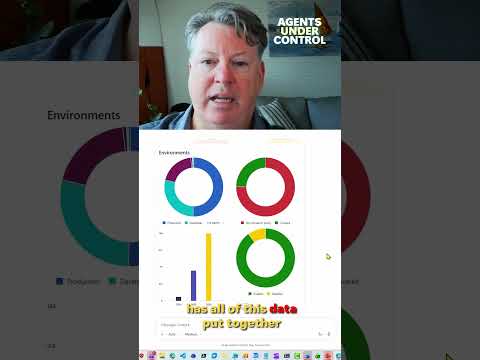
Power Platform administrators can use natural-language questions to investigate governance data and shape findings into reports.
Key insights
- The preview plugin uses natural-language questions to investigate Power Platform governance data.
- Reported areas include environments, apps, flows, usage, ownership, connectors, licensing, and capacity.
- The plugin is described as read-only; it provides insights and guidance rather than executing admin changes.
- The research notes say users connect through Power Platform for Admins V2.
The Power Platform Admin plugin for Microsoft Copilot Cowork lets administrators investigate governance data with natural-language questions and turn findings into report-style outputs. It is aimed at administrators reviewing tenant environments, apps, flows, usage, ownership, licensing, and governance risks. Microsoft’s material describes the plugin as a preview capability for that work.
What's new
The plugin is intended to bring governance information from several areas into one conversational investigation. Instead of starting with a fixed report, an administrator can ask a question, refine the results, and then request a format suited to its audience. That can include a summary or a report with grouped results.
The research notes describe possible outputs such as HTML briefings, Word reports, and PowerPoint slides. They also describe recurring briefings based on a saved question. These are capabilities reported in the research notes; the supplied Short transcript does not provide details to verify a particular output or workflow.
Who it is for and what you need
This capability is relevant to Power Platform administrators investigating tenant governance. The research notes say deployment requires a Microsoft 365 tenant administrator or a Copilot administrator. Users also need access to Copilot Cowork and permission to create a Power Platform for Admins V2 connection.
The feature is described as a preview, so its experience and capabilities may change. The available material does not specify licensing requirements, regional availability, or a rollout schedule. Results depend on the authenticated account and its permissions, according to the research notes.
How it works
- Make the plugin available to users, then open Copilot Cowork and go to Customize.
- Find Power Platform Admin (preview) under installed plugins and select Connect.
- Connect using Power Platform for Admins V2 and OAuth authentication. Review any approval prompt before allowing the request.
- Ask a focused governance question, then use follow-up questions to narrow scope or group findings.
- Ask Cowork to present the findings as a report or briefing. The notes describe filterable and sortable tables as one possible HTML output.
Limitations and open questions
The plugin is described as read-only, so it investigates and reports rather than carrying out administrative changes. The supplied material does not establish which specific governance fields are available to every user, or confirm that every listed report format is supported in all configurations.
Licensing, tenant eligibility, geographic availability, and rollout timing are not specified here. Because the feature is in preview, administrators should verify current requirements before planning a production reporting process. The provided Short transcript is empty, so its precise on-screen steps cannot be confirmed.
Sources
Frequently asked questions
What does the Power Platform Admin plugin do?
It is described as a preview plugin for investigating Power Platform governance data through natural-language questions and shaping findings into reports.
What do users need to connect the plugin?
The research notes specify access to Copilot Cowork and permission to create a Power Platform for Admins V2 connection. They describe OAuth authentication.
Does the plugin make changes to Power Platform environments?
The research notes describe it as read-only, providing governance insights and guidance rather than executing administrative actions.
What license or region is required for the plugin?
The available material does not specify licensing requirements or regional availability.