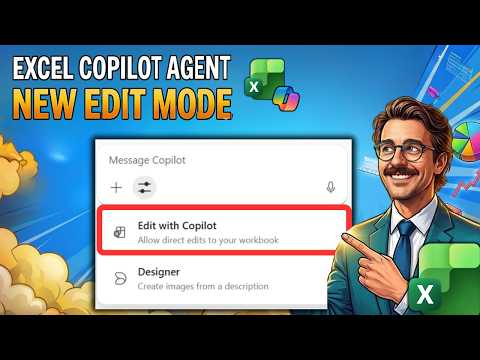
Copilot in Excel: New Edit Mode Tips
Microsoft expert guide to Copilot in Excel Edit Mode: productivity tips, hands on training and Microsoft Copilot mastery
Key insights
- Video summary: This how-to video explains the new Edit Mode in Excel, showing how Copilot can act like an assistant that plans, edits, and explains changes directly in your workbook.
It replaces the older “Agent Mode” name and focuses on interactive, step-by-step edits you can watch and control. - How to use: Open a workbook, open the Copilot pane (Home > Copilot), then type a natural-language request (for example, “create a revenue forecast chart”).
Copilot outlines a plan, applies live edits, and shows its reasoning—use the Stop button or review before accepting changes. - Key capabilities: Copilot can insert formulas, build charts, set conditional formatting, merge data across sheets, and create forecasts.
Edits use native Excel features so results stay fully editable and compatible with normal workflows. - Requirements: You need a supported Excel app (web, Windows, or Mac) and an active Microsoft 365 Copilot license.
Direct edits work best with cloud-saved files; local file queries and edits support .xlsx, .xlsb, .xlsm, and .ods on Windows and Mac. - What’s new: The feature is now integrated as standard Edit Mode (no separate agent mode).
Microsoft expanded EU availability and added local file querying and broader App Skills integration, with a wider rollout planned by March 2026. - Practical tips & limits: Allow a few minutes for complex edits and always review Copilot’s plan before applying changes.
Keep backups and ensure files are signed in and synced—edits apply only under the right conditions, and you can pause or stop at any time.
Overview
Piggy Bank Accountant's latest YouTube video walks viewers through how to use Microsoft Excel's new Edit Mode for Copilot, a feature that was formerly called Agent Mode. The presenter demonstrates live examples and explains how Copilot reasons, plans, and edits workbooks in real time while keeping the user in control. Consequently, the video serves both as a how-to guide and a practical look at tradeoffs between automation and manual review. Overall, it offers a clear entry point for accountants and small teams considering AI-assisted workflows in spreadsheets.
How Edit Mode Works
In the video, Piggy Bank Accountant shows that Edit Mode transforms Copilot from a simple chat assistant into an interactive editor that can apply formulas, build charts, and format data directly in a workbook. First, the tool analyzes the sheet, then it proposes a step-by-step plan and begins making edits that are visible as they happen, allowing users to pause or stop the process if something looks off. He also explains the basic activation steps in plain language and demonstrates several common requests. For quick reference, the presenter highlights simple steps viewers can follow to get started:
- Open a workbook and select the Copilot pane to enable editing.
- Enter a natural language prompt describing the task.
- Review the plan that Copilot shows, then let it apply changes live.
- Use the stop or undo options to maintain control over edits.
These steps emphasize that the assistant is meant to be iterative rather than fully autonomous, which helps keep edits transparent and traceable. Additionally, the video stresses that edits use native Excel features so the results remain editable and compatible with existing workflows. Thus, teams can adopt the tool without breaking their file structure or losing the ability to fine-tune outputs. This approach reduces the risk of ending up with a locked or unusable result after automation runs.
Advantages and Tradeoffs
Piggy Bank Accountant focuses on productivity gains, noting that Copilot can save hours on repetitive tasks like merging sheets, building forecasts, or generating charts from raw data. At the same time, he points out tradeoffs: while automation speeds work, it also requires careful review to avoid inadvertent formula changes or misapplied formatting. Therefore, the video recommends a balance where Copilot handles routine structure and the user validates business logic and numbers. This balance helps teams gain efficiency without sacrificing accuracy.
Furthermore, the presenter highlights that the integration into Excel preserves editability, which contrasts with tools that produce static outputs. However, there are practical tradeoffs related to where files live: direct edits often require cloud storage, whereas local file support is improving but not yet identical across platforms. Consequently, organizations must choose between faster cloud-based editing and the control of local file workflows. The video encourages viewers to consider version control and backup practices when they let AI modify important reports.
Practical Challenges and Limitations
The video does not shy away from limitations, explaining that Copilot may take several minutes for complex tasks and that its reasoning steps should be inspected for logic gaps. Piggy Bank Accountant also underscores licensing and rollout issues, meaning not every user will see the feature at once, and some edits work only when certain app versions or cloud conditions are met. In addition, the speaker warns about potential privacy and governance concerns when AI reads sensitive workbook content. Thus, teams will need to align IT policies and compliance checks before wide deployment.
Another challenge the video covers is the risk of overreliance: users who stop validating results may let subtle errors propagate through reports. To mitigate this, Piggy Bank Accountant suggests workflow rules such as mandatory human review, sample testing, and clear undo practices. He also recommends training sessions to teach staff when to trust automation and when to dig deeper. Overall, the video frames these challenges as manageable with sensible controls and team guidelines.
Takeaways for Teams
In closing, the presenter recommends piloting Edit Mode on lower-risk tasks to learn how the assistant behaves before applying it to critical financial models. He advises balancing speed gains with governance by setting clear review points and keeping original copies of important files. Moreover, Piggy Bank Accountant stresses that training remains important; even a well-designed tool becomes risky if users do not understand its limits. As a result, the video positions Copilot in Excel as a helpful partner rather than a replacement for professional judgment.
For organizations thinking about adoption, the video offers a practical checklist: start small, validate outputs regularly, document changes, and expand use as confidence grows. Finally, Piggy Bank Accountant’s clear demonstrations make it easier for accounting teams to weigh benefits against risks and plan a staged rollout. By explaining the practical tradeoffs and showing live examples, the video helps viewers make informed decisions about using AI in spreadsheet work.

Keywords
Copilot Excel edit mode, Excel Copilot tutorial, Copilot formerly Agent Mode, how to use Copilot in Excel, enable Copilot in Excel, Excel AI assistant tips, Copilot Excel productivity features, Excel Copilot demo