Microsoft Copilot Studio
Sep 26, 2026 10:19 AM
Copilot Builder: Reuse Skills in Apps
by HubSite 365 about Ami Diamond [MVP]
M365 Adoption Lead | 2X Microsoft MVP |Copilot | SharePoint Online | Microsoft Teams |Microsoft 365| at CloudEdge
Microsoft expert: make Copilot Builder skills reusable across Copilot apps and PowerPoint with Copilot Studio
Key insights
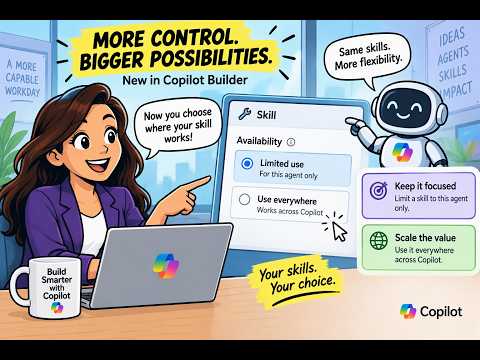
- Use everywhere vs Limited use: You can now mark a skill as Use everywhere to make it available across Copilot experiences, or choose Limited use to keep it inside a single agent.
For example, a skill set to Use everywhere appeared in PowerPoint without extra setup. - SKILL.md and packaging: Skills are usually packaged with a SKILL.md file and any needed resources so builders can add them to agents declaratively.
This makes sharing and installing a skill across projects simpler for multi-agent setups. - How skills are invoked: Supported experiences can trigger a skill automatically when a request matches its purpose, or let users call it explicitly by name or with an @mention.
SharePoint, Excel, and PowerPoint show different UI paths for running saved skills. - Benefits: write once, reuse many: Reusable skills reduce duplicated work, produce more consistent outputs, and cut maintenance effort by updating one shared capability instead of many copies.
- Limitations and availability: Cross-app reuse is improving but not uniform—support varies by product and by preview status.
Expect different behavior across SharePoint, Excel, PowerPoint, Copilot Studio, and GitHub Copilot until the feature matures. - Practical steps for builders: Build a skill as a reusable package, add it to agents that support skills, test it in each host, and update the central package to propagate fixes.
This shifts the mindset from isolated agents to shared, maintainable capabilities across the Copilot ecosystem.

Keywords
reuse Copilot Builder skills across apps, share Copilot skills between apps, export Copilot Builder skills, import Copilot skills into multiple apps, Copilot Builder skill portability, scale Copilot skills across projects, reuse AI assistant skills in multiple apps, Copilot app development best practices
HubSite 365 Apps