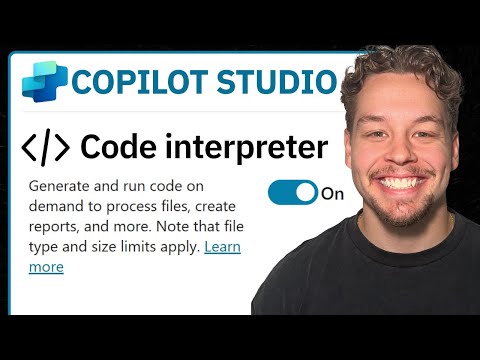
Copilot Studio: Enable Code Interpreter
Certified Power Apps Consultant & Host of CitizenDeveloper365
Enable Code Interpreter in Microsoft Copilot Studio to run Python for analytics, Dataverse and Power Platform AI
Key insights
- Code Interpreter in Copilot Studio lets agents generate and run Python code inside the agent environment to perform tasks like data analysis, file processing (Excel, PDF, Word), and creating charts.
- Agent-level activation: open the target agent in Copilot Studio, go to Configure → Capabilities, toggle Code Interpreter on and save; this enables execution for all prompts and flows in that agent.
- Prompt-level enablement: add a new tool → Prompt in the Tools tab, open the prompt settings (the "..." menu) and enable Code Interpreter for one-off or experimental prompts without changing the whole agent.
- Environment and manifest options: as an admin, enable code generation/execution in the Power Platform Admin Center for the environment so agents can run code; developers can also add "CodeInterpreter" to the agent manifest capabilities (schema v1.2+) when deploying declarative agents.
- Key uses and benefits: supports complex calculations, automated data workflows, dynamic report and visualization generation, and hybrid low-code/high-code solutions that improve analysis and automation for business users.
- Best practices and governance: test in a safe environment, enable the interpreter only where needed, monitor admin settings and outputs, and use principled access controls; consider invoking prompts via Dataverse predict or controlled prompts for production scenarios.
Griffin Lickfeldt (Citizen Developer) published a clear, step-by-step YouTube tutorial that demonstrates how to enable the Code Interpreter feature inside Microsoft Copilot Studio. The video targets both developers and low-code builders and shows practical ways to run Python code inside AI agents. Consequently, the guide frames the feature as a way to extend agent capabilities for tasks like data analysis and file processing.
Moreover, the author organizes the material with short sections and timecodes, which helps viewers jump to parts such as capability explanations, activation steps, and prompt setup. The tutorial balances high-level context with concrete actions, making it accessible for professionals who know Microsoft platforms but may be new to embedded code execution. As a result, the video functions as both an introduction and a hands-on walkthrough.
What the Video Covers
First, the video explains what the Code Interpreter does and why it matters for Copilot agents. Lickfeldt shows how agents can generate and execute Python at runtime to perform calculations, manipulate datasets, and produce visual outputs like charts and reports. Then, the tutorial lists practical use cases, such as processing Excel files and generating downloadable results, which frames the feature in familiar business scenarios.
Next, the video maps these capabilities to straightforward steps, which is useful for viewers trying to replicate the work. The pacing keeps the technical detail light but actionable, while also noting where administrators must change environment settings. Therefore, the tutorial helps both makers and approvers understand when and why to enable the feature.
How to Enable the Feature
Lickfeldt outlines four main activation paths, starting with enabling Code Interpreter directly at the agent level inside Copilot Studio. He then demonstrates a less intrusive method that enables the interpreter only for a specific prompt, which proves helpful for testing or one-off scenarios. The video also explains how administrators can enable execution at the environment level via platform settings, a necessary step before agents in that environment can run code.
Finally, the tutorial describes a developer-focused route that updates an agent manifest to declare the code capability for declarative agents. This manifest approach fits teams that manage agents as source-controlled artifacts and prefer deployment-driven changes. However, the author emphasizes versioning and schema compatibility as critical details when using this path.
Practical Benefits and Uses
According to the video, the immediate benefit of using the interpreter is increased customization because agents can now embed business logic in Python. This enables richer data workflows such as reading Excel tables, transforming them, and returning visualizations without leaving the chat. As a result, teams that combine low-code prompts with small Python routines can deliver faster insights and tighter automation.
Moreover, the capability supports a variety of output formats and integration points, which makes it possible to generate files for reporting or to call Dataverse-based actions for further processing. Thus, organizations can combine AI-driven prompts with existing data stores and processes to streamline decision-making. Yet, the video also notes that workflows should be designed carefully to preserve clarity and repeatability.
Tradeoffs and Challenges
Despite clear benefits, the tutorial also highlights tradeoffs when enabling code execution inside agents. For example, enabling the interpreter at an agent or environment level simplifies use but increases the surface area for errors or misuse, so governance and access controls become essential. Conversely, enabling the feature only for selected prompts limits exposure but requires careful orchestration to avoid repetition and drift across agents.
Security, dependency management, and debugging also present real challenges, the video warns, because dynamic code execution can introduce unexpected data handling or runtime issues. Administrators must balance convenience against compliance and operational risk by logging actions, limiting library access, and testing code paths thoroughly. Therefore, teams should plan for monitoring, least-privilege access, and clear rollback procedures.
Recommendations and Next Steps
Lickfeldt recommends starting in a development environment and using prompt-level activation to pilot scenarios before rolling out broader access. He also suggests documenting code snippets, maintaining version control on agent manifests, and coordinating with platform admins to enable environment-level toggles only when policies are in place. This staged approach reduces risk while enabling teams to learn iteratively.
In conclusion, the video frames the Code Interpreter as a powerful extension for Microsoft Copilot Studio that can unlock more advanced analytics and automation. However, successful adoption depends on balancing flexibility with governance, testing, and monitoring. For organizations that plan carefully, the feature offers a practical way to blend low-code interfaces with the expressive power of Python.

Keywords
enable code interpreter Microsoft Copilot Studio, Microsoft Copilot Studio enable code interpreter, how to enable code interpreter Copilot Studio, Copilot Studio code interpreter tutorial, turn on code interpreter in Copilot Studio, enable Python code interpreter Copilot Studio, Copilot Studio settings enable code interpreter, enable code execution Copilot Studio