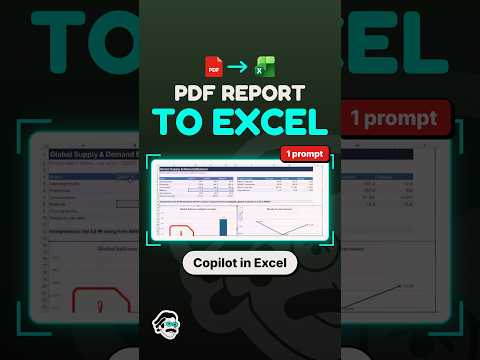
Excel: convert a PDF report with Copilot
Copilot in Excel for the web can extract readable PDF report data into an editable workbook for users to review and analyze.
Key insights
- The described workflow attaches a PDF in Copilot chat in Excel for the web.
- The extracted information is organized as spreadsheet data that can be edited in Excel.
- Clear, structured tables are more suitable for extraction than irregular layouts.
- Check figures, dates, headings, and totals against the original PDF before relying on them.
- Workbook requirements for Copilot in Excel include OneDrive storage and AutoSave.
Copilot in Excel for the web can extract information from an attached PDF report and organize it in an editable workbook. This can help Excel users who need to analyze tables from reports, invoices, or statements without retyping every row. Piggy Bank Accountant is listed as the publisher of a YouTube Short about converting a PDF report with Copilot, but the supplied Short transcript contains no spoken or demonstrated steps.
What it does
The described workflow uses Copilot chat in Excel to interpret a PDF and place its contents into spreadsheet-ready rows and columns. This is an extraction task: the PDF is the input, while the editable workbook is where you review and work with the resulting data. The approach may be useful for reports with clear headings and tables, but it does not establish that every PDF layout will convert cleanly.
Once the data is in Excel, you can edit it and use spreadsheet tools for calculations or analysis. The supplied research notes also describe asking Copilot for follow-up help such as summaries, formulas, or charts. Treat those as possible next steps, not a guarantee that the extracted content is accurate.
Who it is for and what you need
This workflow is aimed at Excel users handling structured report data. The notes specify Excel for the web and state that Copilot in Excel requires a workbook saved to OneDrive with AutoSave enabled. They do not identify a specific license, account type, region, or rollout stage for PDF attachment and extraction, so those details remain unverified here.
A searchable PDF with clearly defined tables is a better candidate than a scan or a document with irregular columns. Password-protected PDFs may need to be unlocked before processing, if you are authorized to do so. Do not upload sensitive reports without considering your organization’s data-handling policies.
How it works
- Open Excel for the web and create a workbook saved to OneDrive with AutoSave enabled.
- Open Copilot chat and use the plus icon to attach the PDF.
- Ask Copilot to organize the report’s contents into spreadsheet data.
- Review the generated workbook against the PDF before using the figures for analysis or sharing.
The supplied material does not provide a verified menu path beyond opening Copilot chat and attaching the file. It also does not include a prompt or a confirmed demonstration in the Short transcript.
Limitations and open questions
Extraction quality can vary with document structure. Scans, ambiguous figures, multi-column text, merged cells, and tables split across pages may need more cleanup. Check totals, dates, account numbers, and other important values against the source report.
No official Microsoft documentation URL was included in the supplied sources, and the Short transcript is empty. Therefore, specific licensing, file limits, availability, and support for particular PDF types are not confirmed by the available material.
Sources
Frequently asked questions
How do I convert a PDF report to Excel with Copilot?
The described process is to open Copilot chat in Excel for the web, attach the PDF with the plus icon, and ask Copilot to organize its contents as spreadsheet data. Review the result against the original.
What do I need to use Copilot in Excel?
The supplied notes say to use Excel for the web and save the workbook to OneDrive with AutoSave enabled. They do not specify a license for PDF extraction.
Will Copilot accurately convert scanned PDFs?
Accuracy for scanned PDFs is not confirmed. The notes caution that scans and complex layouts can require cleanup, so verify extracted values against the source.
Is PDF-to-Excel extraction available to all Microsoft 365 users?
The available material does not establish licensing, rollout stage, or availability across users, regions, or plans.