Power Apps in Cowork and app management
Lead Infrastructure Engineer / Vice President | Microsoft MCT & MVP | Speaker & Blogger
Daniel Christian shows how Cowork can build apps, where they are saved, and which admin settings control them.
Key insights
- Daniel Christian demonstrates a new skills app feature in Cowork.
- The video shows a Tic-Tac-Toe app and a Monthly Potluck app.
- It covers where the app is saved and how to manage it.
- Admin topics include connector settings, sharing, and content security policy.
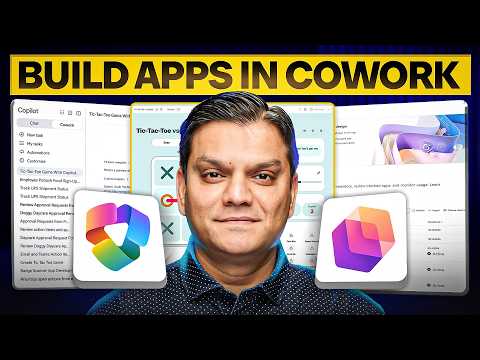
Daniel Christian [MVP] recently published a video on building apps in Cowork and finding where they are managed. His walkthrough focuses on a skills app feature that has released in Cowork and shows how it fits into the Copilot Managed Runtime. The main takeaway is practical: users can build a lightweight app in conversation, then admins can govern it through app settings.
What's new
The video centers on a new skills app feature in Cowork. Daniel Christian introduces Cowork, explains Copilot Managed Runtime, and then builds a sample Tic-Tac-Toe app to show the workflow. He also demos a Monthly Potluck app, which helps illustrate that the feature is not only about a single toy example.
According to the accompanying material, the App skill lets a user describe a business problem in natural language, generate an initial app, and refine it through conversation. The material describes these apps as lightweight and interactive business apps. That positions the feature as a faster way to create task-focused apps rather than a replacement for fully engineered application development.
Why it matters
For makers, the main change is that app building starts inside the Cowork experience instead of a separate design tool. The video suggests a conversational flow where a user explains what the app should do, reviews the result, and asks for changes. That is useful for quick internal scenarios such as team coordination, simple tracking, or collecting structured requests.
For admins, the important part is that the video does not stop at creation. It also covers where the app is saved and which settings govern connector use, sharing, and content security policy. That makes the feature relevant to teams that need to balance speed with control. The research notes say the feature is currently available through Microsoft’s Frontier program, but the video description itself does not state rollout details.
For end users, the value is simpler: the app can be shaped around a specific process and adjusted without restarting the build from scratch. The material shows the app being reviewed and modified, which suggests an iterative approach that may fit ongoing business processes better than one-off forms.
How it works
The video’s table of contents lays out the workflow clearly. It starts with an introduction, a brief overview of Cowork, and a section on Copilot Managed Runtime. From there, Daniel Christian moves into the Cowork Skills App, builds the sample app, reviews it, modifies it, and then shows where it is saved.
The research notes describe the broader flow in four steps:
- Describe the app in ordinary language, including purpose, users, data, and required actions.
- Let Cowork generate an initial version of the app.
- Review the preview and ask for changes through conversation.
- Publish the app and share it with the intended audience.
The material also says that Cowork can use Microsoft 365 sources such as documents, spreadsheets, meetings, and messages, and that it can generate a data schema and connect supported data sources when appropriate. In the video description, the admin sections focus on administration settings, connector setting, sharing setting, and content security policy. Those sections are important because they show that governance is part of the experience, not an afterthought.
Limitations and open questions
The source material is clear on the workflow, but thin on deployment detail. It does not say which licenses are required, which tenants can use the feature, or whether the app-building experience is broadly available. The research notes say the feature is currently in Microsoft’s Frontier program, but that status is not confirmed in the video description itself.
The material also does not explain exactly where the generated app is stored, beyond saying that the video covers that topic. It is likewise unclear which connectors are supported in practice, how publishing works in full detail, or what the security model looks like beyond the named settings. The video description points to the topics, but not the full technical rules behind them.
Sources
- Daniel Christian [MVP] video on building apps in Cowork
- Microsoft documentation for managing apps in Microsoft 365
- Microsoft Copilot Cowork what's new documentation
- Microsoft guidance on scoping access with security groups
Frequently asked questions
What does the video show you can build in Cowork?
It shows a skills app feature in Cowork by building a Tic-Tac-Toe app and a Monthly Potluck app. The material says the app can be created from a conversational prompt and then refined.
Where do admins manage the app?
The video description says it covers where the app is saved and how to manage it. It also calls out administration settings, connector setting, sharing setting, and content security policy.
Is this meant for full enterprise app development?
No. The research notes describe the result as a lightweight, interactive business app. The material does not say it replaces professionally engineered enterprise applications.
Is the feature generally available?
The source material does not confirm general availability. The research notes say it is currently available through Microsoft’s Frontier program, but the video description does not add rollout details.