Copilot Studio : Honors SharePoint Rights
Lead Infrastructure Engineer / Vice President | Microsoft MCT & MVP | Speaker & Blogger
Microsoft expert explains how Agent Builder and Copilot Agents respect SharePoint permissions across access scenarios
Key insights
- Video scenarios: The video demonstrates five practical scenarios showing how agents behave when sharing and site access change.
It covers agents not shared, agents shared without site access, view-only site access, removing site access while keeping agent access, and removing agent access while keeping site access. - Permission enforcement: Agent Builder enforces existing SharePoint permissions so agents only surface content users are allowed to see.
Agents reply based on the viewer's permissions, not on a global agent permission. - Creation and editing: Users need site edit rights to create or edit agents.
After an agent is approved and published, only site owners can modify it; creators who are members cannot change it later. - Sensitivity labels: Files uploaded as knowledge sources keep their sensitivity labels, and agents respect those labels.
Users must have access to a file’s sensitivity label to open or interact with that content through an agent. - Knowledge sources: Agents pull from SharePoint sites, pages, documents, and uploaded files, and each source follows its own permissions.
This prevents agents from exposing content that a user is not authorized to access. - Storage and admin controls: Uploaded files live in tenant-owned SharePoint Embedded (SPE) containers that admins can manage and audit.
There’s no official site-level switch to disable agent creation; breaking permission inheritance may block agent creation and cause errors, so apply clear governance and owner responsibilities.
Introduction
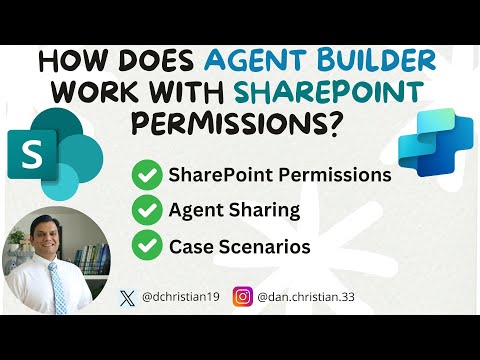
Daniel Christian [MVP] published a concise YouTube video that examines how Agent Builder interacts with SharePoint permissions. In plain terms, the video walks viewers through practical scenarios to show when agents can access content and when they cannot. Therefore, the piece serves as a practical guide for administrators and site owners who want to understand security behavior. Overall, the coverage is hands-on and focused on real-world outcomes rather than theory.
How Agent Builder Enforces Permissions
The video outlines that Microsoft 365 Copilot's Agent Builder follows SharePoint's native permission model and applies sensitivity labels as an additional control. As a result, an agent can only read or use content that the requesting user is allowed to see, and uploaded files inherit labels that restrict who can open them. Thus, permission checks run at multiple layers: site permissions, file permissions, and label-based restrictions. In short, the system enforces existing policies rather than bypassing them.
Scenarios Demonstrated
Christian tests several scenarios, such as sharing an agent without granting site access, granting view-only access, and removing access while maintaining agent sharing. Notably, when an agent is shared but the underlying SharePoint site is not accessible, the agent cannot return content that the user would not otherwise see. Conversely, if a user has site access but not agent permissions, they cannot interact with the agent. These demonstrations clarify the distinction between agent-level sharing and source-level permissions.
Tradeoffs and Practical Limitations
The video highlights tradeoffs, including governance versus flexibility. For example, creating a strict governance model where only site owners can publish agents improves control but reduces agility for contributors. At the same time, breaking permission inheritance on folders like the Copilots folder can restrict agent creation, yet it may produce errors and is not officially supported, which introduces operational risk. Consequently, organizations must weigh security needs against user productivity and supportability.
Administrative Controls and Best Practices
Christian also explains administrative options, such as managing tenant-owned SharePoint Embedded containers and using admin tools to audit uploaded files. Therefore, administrators should monitor the containers, enforce labeling policies, and review who can publish agents to maintain compliance. However, the video notes that there is currently no tenant-wide toggle to disable agent creation at the site level, so careful site design and clear governance policies remain essential. Ultimately, the recommended approach combines correct permission settings, sensitivity labeling, and active oversight to reduce unwanted exposure.
Conclusion
In summary, the YouTube video by Daniel Christian [MVP] makes a practical case that Agent Builder respects SharePoint permissions by design, but it also surfaces real operational tradeoffs. While layered controls like site permissions and sensitivity labels help protect data, administrators must still plan for governance gaps and unsupported workarounds. Thus, organizations should adopt clear policies and monitor agent activity to balance security with usability. The video provides useful demonstrations for teams deciding how to deploy agents safely in their environments.
.jpeg?w=700&output=webp)
Keywords
Agent Builder SharePoint permissions, Agent Builder permissions best practices, how Agent Builder respects SharePoint permissions, Agent Builder access control SharePoint, SharePoint permission inheritance Agent Builder, Agent Builder security and compliance, configure Agent Builder SharePoint permissions, troubleshooting Agent Builder permissions