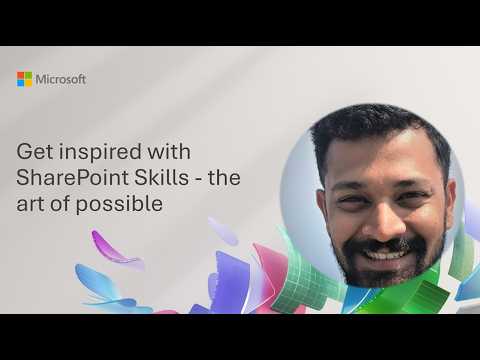
SharePoint Skills: Inspiration & Ideas
Software Development Redmond, Washington
SharePoint Skills demo automates legal review, cleanup and IA with Microsoft three sixty five Power Platform Copilot
Key insights
-
Demo context: This demo video shows how recurring SharePoint tasks become automated, reusable actions called SharePoint Skills.
Presenter Joe Komban walks through real examples like legal review, library cleanup, rename plans, and storage heatmap analysis. -
What a Skill is: A Skill is a simple, reusable workflow written in plain language and stored as markdown in SharePoint.
Skills teach AI in SharePoint how to perform repeatable work so teams reuse expertise instead of rewriting prompts. -
Common uses: Use Skills for routine content tasks such as standardized file naming, document cleanup, report generation, and content-quality checks.
The demo highlights practical scenarios like legal content review and automated cleanup reports. -
How to create and run: Open the AI in SharePoint chat, describe the workflow, confirm details, and save the Skill for later use.
Saved Skills live in the Agent Assets library as editable markdown files and can be invoked by name. -
Key benefits: Skills deliver no-code reuse of team procedures, improve consistency across tasks, and run with the user’s existing permissions for safe execution.
They help codify expert judgment and cut repetitive work and rework. -
Limitations and status: Skills currently run only inside SharePoint and cannot call custom code, external APIs, or webhooks; they respect site permissions.
Microsoft has placed Skills in public preview and publishes guidance and sample Skills for site owners and admins.
Overview
Microsoft 365 released a demo video titled Get inspired with SharePoint Skills - the art of possible that shows how recurring SharePoint tasks can become reusable skills. The demo comes from a Microsoft 365 & Power Platform community call and is presented by Joe Komban, and it shows practical scenarios chosen by site owners and admins. As a result, the video emphasizes how teams can reduce repetitive work by encoding procedures into site-native workflows.
Moreover, the presentation frames Skills as part of a larger push to embed AI into everyday content management through AI in SharePoint and Copilot in SharePoint. The session demonstrates concrete examples such as legal review of marketing content, document library cleanup, and site storage heatmap analysis. Therefore, the demo aims to move SharePoint beyond search and storage into operational automation.
Consequently, the video serves as both a how-to and a vision piece, showing what site owners can do today and what Microsoft plans to enable more broadly. The presenter highlights a sample repository and templates that illustrate common use cases without requiring custom code. In short, the demo is practical, accessible, and focused on reuse.
How SharePoint Skills Work
At the core, a Skill is a reusable, multi-step workflow described in natural language and stored on the site as a text-based instruction. Thus, site teams can define “how to act” for routine tasks and let the AI execute those steps when triggered. This approach lets teams capture knowledge in a way that is readable and editable by humans.
Furthermore, Skills live in an Agent Assets library as simple markdown-style files, which makes them easy to review and change. Users create a Skill by describing the workflow in an AI chat on a site or in a library, then save it for later reuse. As a result, Skills integrate with the existing SharePoint permission model and run with the requester’s permissions.
In addition, the workflow is intentionally no-code and permission-aware, so organizations can adopt it without building custom services. However, this design also sets clear boundaries because Skills cannot call external APIs or run custom scripts. Therefore, the model favors safety and simplicity over deep extensibility.
Demo Highlights and Practical Examples
The demo walks through realistic scenarios such as document naming standardization, cleanup reports, and automated rename plans for libraries. For example, the presenter shows a Skill that inspects a library, suggests renames based on site norms, and prepares a tidy report for reviewers. In practice, these demonstrations illustrate how Skills can reduce manual review and accelerate routine maintenance.
Moreover, the session includes legal review workflows for marketing content and an analysis that surfaces storage heatmaps for administrative decisions. Because Skills work with site data, they can generate structured outputs such as reports and recommendations that teams can act on. Consequently, the video makes clear that Skills support both tactical cleanup and strategic information architecture planning.
Finally, the demo highlights sample repos and templates to help teams get started without building from scratch. The presenter encourages practical experiments and incremental adoption, which helps teams learn by doing. Thus, the video balances inspiration with step-by-step guidance for administrators and content owners.
Tradeoffs and Limitations
While the no-code, permission-aware approach reduces risk and entry barriers, it also limits what Skills can do compared with custom integrations. For example, Skills cannot execute webhooks, call external REST APIs, or run arbitrary code, which constrains scenarios that rely on external systems. Therefore, organizations must balance the safety and simplicity of builtin Skills against the need for specialized automation.
Moreover, Skills inherit the running user’s permissions, which helps enforce access controls but can also restrict automation in low-privilege contexts. This means some tasks may still require an account with broader rights or a hybrid approach that combines Skills with other automation. As a result, administrators must design governance and role models to match operational needs.
Additionally, the performance and accuracy of Skills depend on quality of the prompts and the clarity of site conventions, so teams must invest time in authoring and testing. Although Skills reduce repetition, they require maintenance and occasional tuning as site content and policies evolve. Consequently, long-term value depends on ongoing stewardship and clear ownership.
Adoption Challenges and Next Steps
Adopting Skills at scale raises organizational and technical challenges that teams should plan for, including governance, discoverability, and lifecycle management. For example, teams need processes to review Skills, manage versions, and define who can publish or modify them. Therefore, early adopters should create simple governance rules and measure outcomes like time saved and reduced rework.
Furthermore, training and change management matter because frontline users must learn when to run a Skill and how to interpret outputs. The demo suggests starting with a few high-impact workflows and expanding gradually, which helps surface policy and permission issues early. In this way, organizations can iterate without overwhelming users or administrators.
In conclusion, the video from Microsoft shows a practical path for operationalizing repetitive SharePoint work through reusable Skills, while also highlighting tradeoffs that teams must navigate. As a next step, site owners can pilot Skills on low-risk workflows, document governance, and measure results to build momentum for broader adoption.
Keywords
SharePoint skills, SharePoint inspiration, SharePoint training, SharePoint best practices, SharePoint tutorials, SharePoint art of the possible, modern SharePoint tips, SharePoint productivity tips