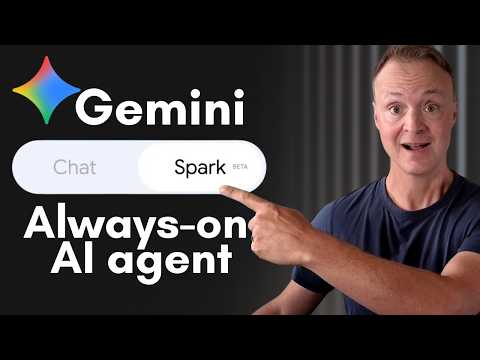
Gemini Spark: Beginners Quick Tutorial
Microsoft expert: map Gemini Spark tips to Copilot and Power Automate for Outlook, OneDrive, Excel with safe approvals
Key insights
- Gemini Spark: Google’s new AI agent that runs multi-step workflows instead of only answering questions.
It works proactively and can keep working even when your device is closed. - Task, Schedule, Skill: a task is the goal you want done, a schedule sets when it runs, and a skill is a reusable way Spark performs that work.
Tell Spark the desired result and it will ask clarifying questions as needed. - Connected apps: Spark links to Gmail, Calendar, Drive and other Workspace apps to read data and produce documents or actions.
This integration lets it pull context and create spreadsheets, PDFs, or draft replies without manual copying. - Automation: use Spark for recurring jobs like daily briefs, deadline checks, and inbox summaries.
Schedule tasks to run automatically and free up time from routine admin work. - Approvals: Spark requests user confirmation before sensitive or browser-based actions, keeping you in control.
Pause, review, or stop any running task if you need to change the outcome. - Setup: switch to Spark in Gemini, describe the task, add a schedule, and select or create a skill.
Start with a simple task, test approvals, and then expand to scheduled or more complex workflows.
In a recent YouTube tutorial, Teacher's Tech walks viewers through Gemini Spark, Google’s new AI agent that moves beyond simple chat. The video demonstrates how Spark can run multi-step workflows across Gmail, Calendar, and Drive, even when a laptop is closed. Moreover, the presenter shows step-by-step setup for tasks, schedules, and reusable skills so the agent can handle routine busywork. As a result, the tutorial helps beginners see both capabilities and practical limits.
Overview of the Video
The tutorial begins by contrasting Gemini chat with Gemini Spark, explaining that Spark acts as an agent to carry out actions rather than just respond to prompts. Next, the host explains what access is required and how to enable connected applications like Google Workspace. The video timeline highlights key moments such as running a first task, creating a scheduled morning brief, and building skills (using Power Automate) to draft Outlook emails automatically. Overall, the demo is paced to help viewers set up and test features quickly.
How Spark Works in Practice
During the live demo, Teacher's Tech runs an inbox task to show how Spark requests approval before sending or changing content. This supervised workflow uses a cloud browser for actions that require web interaction, and the video emphasizes the point at which the agent pauses for user confirmation. Then, Spark demonstrates building Excel spreadsheets and PDFs directly from inbox content, which highlights how it links actions across connected apps. Consequently, the tutorial presents a clear view of how Spark can automate repetitive workflows while keeping the user in the loop.
Benefits and Tradeoffs
On the upside, Spark can automate entire workflows, schedule recurring jobs, and reuse skills, which saves time and reduces manual steps. For example, a scheduled morning brief or a skill that drafts Outlook email replies can streamline daily routines and improve consistency. However, there are tradeoffs: increased automation raises questions about privacy, permission scopes, and over-reliance on a single ecosystem. Therefore, users must weigh convenience against control and carefully set approval behavior and connected app permissions.
Setup Steps and Safety Habits
The tutorial outlines a simple setup: open Gemini, switch to Spark, describe a task, add a schedule, and choose or create a skill. Furthermore, the presenter advises enabling the right connected apps and using the built-in "interview" prompts to refine task instructions. Importantly, Spark will pause for complex browser interactions and ask for approvals, which serves as a safety checkpoint. Thus, the video balances showing automation benefits with practical safeguards to keep users informed. The host also suggests starting simple and using tools like Planner to organize schedules and recurring tasks during initial rollout.
Challenges and Practical Tips
Despite its promise, Spark faces real-world challenges such as handling web page changes, ensuring data accuracy across apps like Power BI, and avoiding unintended actions when permissions are broad. Moreover, building robust skills can require iterative testing and adjustments to prompts so that results match user preferences. To manage these risks, the tutorial recommends starting with small, well-scoped tasks, monitoring early runs closely, and tightening permissions as confidence grows. Ultimately, this approach reduces surprises while allowing users to scale up automation.
Teacher's Tech also highlights useful habits like reviewing activity logs, limiting background access to only necessary apps, and setting conservative approval rules at first. Additionally, the video shows how to stop a running task and explains when Spark will ask the user to intervene, which reinforces the idea of human oversight. Consequently, beginners can adopt a cautious rollout that preserves control while testing value. In this way, the tutorial offers practical steps for balancing automation and safety.
In summary, the video provides a hands-on introduction to Gemini Spark, demonstrating both its strengths and where users must remain vigilant. It presents workflows, schedules, and skills as tools that can save time, but it also underscores the importance of permissions, approvals, and incremental testing. Therefore, readers interested in experiencing agentic AI should consider starting with small automations and monitoring results closely. By following those steps, users can benefit from Spark while managing the tradeoffs of automation.

Keywords
Gemini Spark tutorial, Google Gemini Spark tutorial, Gemini Spark for beginners, Gemini AI agent tutorial, how to use Gemini Spark, Gemini Spark walkthrough, Gemini Spark features and tips, Gemini Spark beginner guide