Microsoft Copilot Studio
Sep 26, 2025 8:20 PM
Copilot Studio: Choose the Right Model
by HubSite 365 about Microsoft
Software Development Redmond, Washington
Microsoft expert guide to Copilot Studio model options and Azure AI, showcased in a YouTube Short for Copilot users
Key insights
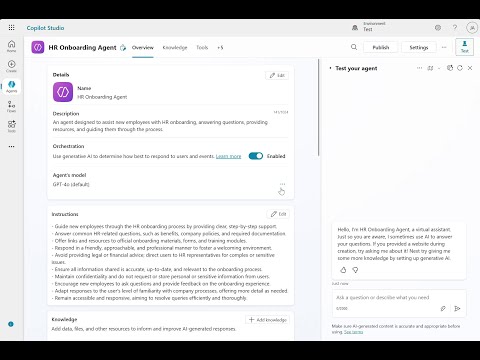
- Copilot Studio: The short shows how to open Copilot Studio and browse available model options quickly.
It demonstrates switching models to see immediate differences in responses and performance. - Latency vs capability: Smaller models run faster and cost less, while larger models give more accurate or nuanced answers.
Pick the model that balances speed and quality for your specific task. - Temperature and max tokens: The video explains basic tuning settings.
Use lower temperature for precise, repeatable answers and higher for creative outputs; adjust max tokens to control response length. - A/B testing: Run the same prompt across models to compare tone, accuracy, and hallucination risk.
Save sample prompts and results to decide which model fits production needs. - Safety and model versioning: The clip highlights using system prompts and built-in filters to reduce harmful outputs.
Keep track of versions so you can roll back if an update changes behavior. - Deployment and monitoring: Choose the model by use case, monitor latency and cost in real time, and iterate on prompts before publishing.
Regularly review logs and user feedback to refine the setup.
Keywords
Copilot Studio model options, Copilot Studio models, choose model in Copilot Studio, Microsoft Copilot Studio guide, customize Copilot model, AI model selection Copilot Studio, best models for Copilot Studio, Copilot Studio deployment options
HubSite 365 Apps