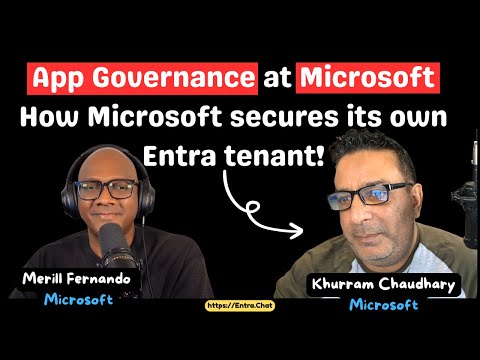
Microsoft Entra ID: Tenant Security Tips
Product Manager @ Microsoft 👉 Sign up to Entra.News my weekly newsletter on all things Microsoft Entra | Creator of cmd.ms & idPowerToys.com
Inside Microsoft Entra ID App Governance: risk scoring, admin consent, automated approvals for Entra app management
Key insights
- Khurram and the team: Khurram is a lead on Microsoft’s internal App Governance assessment team that protects the corporate Entra ID tenant.
He helps design the controls and processes used to evaluate thousands of app requests across the company. - Risk factors beyond permissions: The team evaluates more than OAuth scopes — they look at consent type, redirect URIs, app ownership, token lifetimes, and integration patterns to judge risk.
These signals help spot risky apps that simple permission checks would miss. - Scoring system and permission severity: Microsoft uses a numeric score to rate each app and classifies permissions by severity to drive decisions.
The system makes reviews repeatable and helps prioritize which requests need manual approval versus automated handling. - Automated approvals and workflow: Low-risk apps can be auto-approved by policy, while higher-risk requests follow a defined internal review workflow with staged approvers and owner checks.
Visibility for approvers and clear entitlement steps reduce stale or excessive access. - Tenant protection and authentication controls: Microsoft enforces tenant restrictions at the network/proxy layer and is moving legacy risk rules into Conditional Access for more granular control.
They also adopt FIDO2 passkey options to strengthen phishing-resistant authentication for critical accounts. - AI-driven security and practical advice: AI tools and automation provide real-time signals and help tune policies, but teams must still validate risky cases manually.
Identity admins should use a scoring approach, automate low-risk approvals, review stale permissions regularly, and treat localhost or redirect-URI exceptions with extra scrutiny.
In a recent YouTube episode hosted by Merill Fernando, an internal Microsoft security lead named Khurram offers a rare look at how Microsoft protects its own Entra ID tenant and manages thousands of application requests. The conversation moves beyond basic permission checks to reveal a structured, repeatable approach built around a risk-scoring model, automation, and human review. As a result, the video gives practical guidance for organizations that struggle with App Governance and want to scale decision-making while keeping security strong.
Inside Microsoft’s Risk-Based App Governance
First, Khurram explains the core principle that guides the team: treat each app request as a risk event rather than a simple permission form. Consequently, the team combines multiple signals — not only OAuth permissions but also app provenance, recent activity, and owner responsiveness — to produce a composite score. This scoring system allows Microsoft to prioritize high-risk reviews while automating safe, low-risk approvals to reduce manual workload.
Moreover, Khurram notes that the approach balances speed with safety; while automation speeds approvals, human review remains critical for complex or high-impact cases. Therefore, the model assigns different review paths depending on score thresholds, which reduces both reviewer fatigue and security blind spots. In practice, this layered approach helps the team keep control without becoming a bottleneck for the business.
Technology and Controls: AI, Conditional Access, and Passkeys
Next, the episode touches on technologies that underpin the governance model, including AI-driven analysis, Conditional Access policies, and modern authentication methods like group-based passkey configurations. For example, AI assists by surfacing anomalous patterns and suggesting policy adjustments, while Conditional Access centralizes risk responses across users and apps. Together, these technologies let the team act quickly on signals and maintain consistent policy enforcement across the tenant.
However, Khurram also warns about tradeoffs: automation and AI can introduce false positives and negatives, and strict authentication controls can increase friction for developers and users. Thus, the team continually refines models and uses targeted exceptions to limit business disruption. As a result, Microsoft seeks an equilibrium where security measures are effective yet operationally sustainable.
Scoring System and Internal Review Workflow
Khurram outlines a numerical scoring system that ranks apps by severity and assigns review levels accordingly, which provides transparency and repeatability. Consequently, reviewers follow a defined workflow that includes automated evidence collection, score calculation, and routed approvals for higher-risk cases. This repeatable workflow improves consistency in decisions and creates a traceable audit trail for compliance needs.
At the same time, the system must handle edge cases like legacy apps, transient permissions, or apps that no longer have an active owner. To manage these challenges, the team implements stale-app detection and owner outreach before revoking access, which reduces the risk of breaking critical workflows. Thus, the scoring method becomes not only a triage tool but also a lifecycle management mechanism.
Operational Challenges and Tradeoffs
The episode does not shy away from the difficult tradeoffs inherent in enterprise-scale governance, such as balancing security and business agility. For instance, strict tenant restrictions and network-level headers can block unauthorized token use, but they may also complicate legitimate cross-tenant collaboration. Therefore, the team applies these controls selectively and documents exceptions to keep critical projects moving.
Similarly, Khurram discusses debates like the use of localhost redirect URIs for development: while convenient for developers, localhost can present security concerns if misused. Consequently, Microsoft weighs developer productivity against potential token exposure and often offers safer development alternatives. This pragmatic stance highlights the ongoing need to refine policies as threats and practices evolve.
Practical Advice for Identity Administrators
Finally, the video offers clear, practical takeaways for identity teams: start with a scoring framework, automate low-risk approvals, and keep human review for material decisions. Khurram recommends building visibility into approvals and access lifecycles so teams can detect stale permissions and respond quickly to changes. Above all, he emphasizes that governance must be measurable and adaptable rather than purely reactive.
In conclusion, the YouTube episode by Merill Fernando provides a useful roadmap for organizations seeking to scale App Governance responsibly. While the approach requires investment in tooling, AI models, and clear workflows, it also reduces risk and supports business needs when done carefully. Therefore, identity teams should consider a measured mix of automation and human oversight, continuously revising thresholds and exceptions as conditions change.

Keywords
Microsoft Entra ID security, Entra ID tenant protection, Microsoft identity protection strategies, Protect Azure AD tenant, Entra ID best practices, Microsoft tenant hardening, Zero Trust Entra ID, Identity governance for Entra