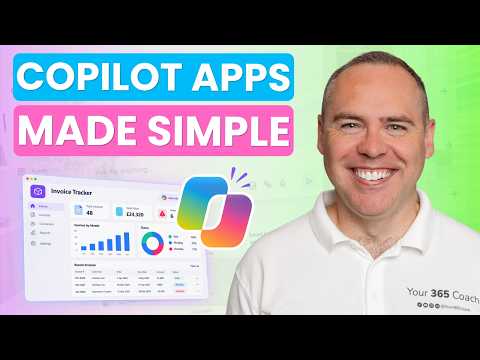
Copilot Code builds a SharePoint invoice tracker
Helping you and your company achieve more in Microsoft 365
Scott Brant’s walkthrough shows Copilot Code generating and publishing an invoice-tracking app, while flagging preview status and usage costs.
Key insights
- The walkthrough creates an invoice-tracking app connected to invoice data in a SharePoint list.
- Natural-language prompts are used to customize the generated app without manually writing code.
- Publishing involves approving the SharePoint connection and authorizing it when opening the app.
- The tutorial covers Copilot Credits, usage-based billing and billing policies.
- Copilot Code is described as being in the Frontier preview.
Scott Brant recently published a walkthrough of Microsoft 365 Copilot Code, showing an invoice-tracking app connected to a SharePoint list. The central takeaway is that the experience can generate and customize a business app from natural-language instructions, but connection approvals, billing and preview status are part of the decision—not details to skip.
What's new
The tutorial focuses on creating an app for tracking invoices rather than on a broad survey of possible Copilot Code projects. Its description says the generated experience includes invoice, data-entry and analytics views, and that the app uses invoice data stored in a SharePoint list. It also demonstrates customizing the app through natural-language prompts rather than manually writing code.
The walkthrough follows the app through publishing and sharing, too. Brant’s description lists approving the SharePoint connection, opening and authorizing the published app, sharing it with a colleague, and locating apps in Microsoft 365. That makes the example relevant not only to the initial generation step, but also to what happens when someone tries to use the result.
The product name in the description is Microsoft 365 Copilot Code. The material presents it as an app-building experience and identifies a particular business scenario; it does not provide a feature-by-feature comparison with Power Apps or other development tools. Readers should therefore treat the tutorial as a guided example, not evidence that every kind of app can be generated or published in the same way.
Why it matters
For makers and business users, the appeal is a shorter route from a described need to an initial app. In this example, the need is to work with invoice information and provide ways to enter, track and analyze it. Prompt-based customization may also make it easier to request changes without directly editing code, although the source does not detail exactly which changes were made.
For admins, the important part is that connecting business data and sharing an app involve authorization. The tutorial explicitly includes approving the SharePoint connection and later authorizing it when opening the published app. Those are practical checkpoints: an app that can be generated is not automatically an app whose data access and sharing are ready for every intended user.
End users may encounter the app after it has been published or shared with them. Brant’s outline indicates that shared apps can be opened and that published apps can be found in Microsoft 365, but it does not specify where in the interface they appear, what permissions a colleague needs, or how access is managed over time. Teams considering a similar app should verify those details in their own environment.
Cost and rollout also affect whether this matters. The tutorial calls out Copilot Credits, usage-based billing and billing policies, and describes Copilot Code as being in Frontier preview. These signals mean organizations should check their own licensing, credit and billing arrangements and treat the experience as preview-stage, rather than assuming a universal entitlement or a settled production service.
How it works
The published description and chapter list provide a high-level sequence, but not the exact prompts or screen-by-screen instructions. At a practical level, the demonstrated flow can be summarized as follows:
- Open Copilot Code. The walkthrough starts by accessing the Copilot Code experience and exploring it. The description also lists adding files and choosing an AI model, but does not explain which files or models were used.
- Describe the app. The example is an invoice tracker. Copilot Code generates a business app from the request, with invoice, data-entry and analytics experiences identified in the description.
- Connect SharePoint data. The app is connected to invoice data in a SharePoint list. The walkthrough includes approving that connection; the material does not specify the exact approval controls or permissions involved.
- Refine the result. Natural-language prompts are used to customize the existing app. The source confirms this approach but does not provide the wording of the prompts or a complete list of supported edits.
- Publish and share. The app is published, opened with its SharePoint connection authorized, and shared with a colleague. The tutorial also covers finding apps in Microsoft 365.
The sequence matters because generation is only one stage of an app’s use. Data access must be approved, the published app must be opened with its connection authorized, and sharing must reach the intended colleague. The description establishes that these stages are covered, but does not set out a full deployment or governance procedure.
Limitations and open questions
The clearest limitation in the source is preview status: Copilot Code is identified as being in the Frontier preview. The description does not say which users, regions, tenants or licenses can access it, so availability should be checked rather than assumed. Nor does it say whether the preview status or its capabilities have changed since the walkthrough was made.
Licensing and costs are also not resolved by the material. It raises the possibility that licenses and Copilot Credits may be required and discusses usage-based billing and billing policies, but gives no specific requirements, amounts or pricing. Organizations need to consult the applicable information for their tenant before estimating costs.
Finally, the description does not establish how the generated app is secured beyond noting connection approval and sharing. It gives no detail about permission models, testing, maintenance, compliance review or suitability for production use. The walkthrough is useful for understanding the shape of the process, but readers should not infer that a successful demo alone answers those operational questions.
Sources
Frequently asked questions
What app does the walkthrough create?
It creates an invoice-tracking app connected to invoice data in a SharePoint list. The description says the generated experience includes invoice, data-entry and analytics views.
Does Copilot Code require writing code?
The walkthrough describes customizing the app with natural-language prompts without manually writing code. It does not explain the underlying implementation or the limits of prompt-based changes.
What should an organization check before using it?
The material highlights SharePoint connection approvals, Copilot Credits, usage-based billing, billing policies and Frontier preview status. It does not give exact license requirements or costs.
Is Copilot Code generally available?
The description identifies it as being in Frontier preview. It does not specify access by tenant, region or license.