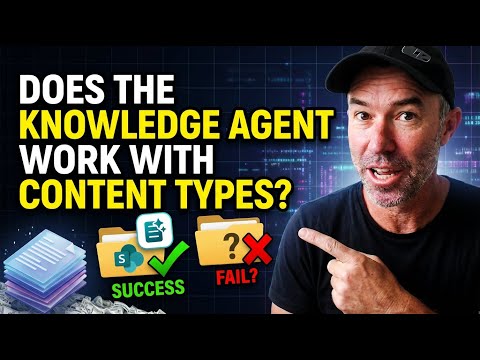
Knowledge Agent: Honors Content Type Hub
A Microsoft MVP 𝗁𝖾𝗅𝗉𝗂𝗇𝗀 develop careers, scale and 𝗀𝗋𝗈𝗐 businesses 𝖻𝗒 𝖾𝗆𝗉𝗈𝗐𝖾𝗋𝗂𝗇𝗀 everyone 𝗍𝗈 𝖺𝖼𝗁𝗂𝖾𝗏𝖾 𝗆𝗈𝗋𝖾 𝗐𝗂𝗍𝗁 𝖬𝗂𝖼𝗋𝗈𝗌𝗈𝖿𝗍 𝟥𝟨𝟧
SharePoint Copilot Knowledge Agent honors Content Type Hub metadata and library columns, making Microsoft cloud AI-ready
Key insights
- Key finding: The Knowledge Agent in SharePoint respects metadata whether columns are added directly to a library or published via the Content Type Hub.
My tests showed both scenarios carry metadata into the AI layer, so existing content-type investments remain useful. - Test setup: I ran two simple scenarios: a standard document library with direct columns and a library using content types published from the hub.
The same metadata fields appeared usable by the agent in both libraries. - Capabilities: The agent performs automatic metadata extraction, including OCR on scanned files, and suggests values to populate columns.
It speeds tagging and helps standardize large or legacy libraries. - AI integration: Proper metadata makes libraries AI-ready and improves responses when Copilot or other agents query SharePoint content.
Structured tags give AI context beyond raw document text. - Operational note: The agent recommends and autofills values, but it generally requires user approval or owner validation before changes become final.
Watch for potential mismatches if tenant-level schemas differ from local library settings. - Recommendation: Keep a solid information architecture, test the agent in a sample library, and validate AI suggestions before rolling them out broadly.
That approach minimizes errors and preserves governance while gaining automation benefits.
In a clear and focused YouTube video, Daniel Anderson [MVP] tests whether SharePoint’s Knowledge Agent recognizes metadata that originates from a centralized Content Type Hub. He runs two practical scenarios and reports his findings plainly: the agent respects both library-level columns and metadata delivered via the hub. Consequently, his conclusion is that existing investments in content types carry forward into the AI layer, which has practical implications for teams preparing content for Microsoft 365 Copilot and other agents. This article summarizes his test, explains the results, and explores tradeoffs and challenges for organizations that want to rely on automated metadata extraction.
Overview of the Test
Anderson frames the question succinctly: does the Knowledge Agent actually see and use metadata published from the Content Type Hub, or does it only work with local library columns and ad hoc suggestions? To answer this, he sets up two comparable libraries so the agent has similar inputs in both cases. The first scenario uses a standard document library where site owners add columns directly to the library, while the second uses libraries configured to consume content types published from a tenant-level hub. By keeping the tests simple and repeatable, he isolates whether the agent reads the source of metadata or only the final column structures.
How the Tests Were Run
In the video, Anderson walks through both libraries and triggers the agent’s metadata suggestion and autofill features so viewers can see behavior in real time. He demonstrates that the agent processes documents, including extracting entities and OCR text where appropriate, then proposes values that map to the existing columns. Importantly, he shows that when the second library uses hub-published content types, the same proposed values appear and can be accepted in the hub-backed columns. Thus, the demonstration highlights that the agent operates at the library field level while still honoring the columns that content types supply.
What the Results Mean
The immediate implication is that organizations that invested in a well-designed information architecture do not lose that benefit when enabling the Knowledge Agent. Instead, metadata reasoning and automated enrichment work with the same column schema whether columns are added locally or published from the hub, which means teams can keep centralized governance and still gain AI-driven efficiency. At the same time, Anderson notes that the agent tends to suggest values based on document content and pattern recognition, and that human reviewers still need to accept or refine those suggestions to maintain accuracy and consistency. Therefore, teams should expect a mix of automation and review rather than a fully hands-off metadata rollout.
Trade-offs and Challenges
Although the test is encouraging, it also exposes trade-offs that teams must manage. First, relying on AI-driven suggestions improves scale but raises the risk of inconsistent tagging if site owners accept suggestions without validating fit against tenant schemas or business rules. Second, the agent’s suggestions appear to be driven by content analysis rather than an explicit query to the hub, which can create subtle mismatches when the hub evolves and libraries lag behind updates. Moreover, accuracy may vary with document quality, OCR reliability, and language nuances, so organizations must plan for quality checks, training, and periodic audits to keep metadata dependable.
Recommendations for SharePoint Teams
Given these results, practical steps can help teams balance automation with governance effectively. First, maintain strong content type and site column definitions in the Content Type Hub so that accepted suggestions map to clear business meanings, and use versioning and communication so libraries stay aligned with hub changes. Second, enable the Knowledge Agent in targeted libraries where it can reduce manual work, but set up review workflows so subject matter experts verify high-impact metadata before it becomes authoritative. Finally, monitor outcomes and adjust rules: over time, feedback to the agent and governance processes will reduce false positives and improve AI-led tagging quality.
In summary, Anderson’s straightforward test shows that SharePoint’s Knowledge Agent respects metadata whether it comes from locally added columns or is published through the Content Type Hub. While automation offers clear efficiency and discoverability gains, organizations should weigh the trade-offs and implement validation, version control, and monitoring to keep metadata accurate and useful. As a result, teams that pair centralized information architecture with careful rollout practices can become truly AI-ready without sacrificing governance.

Keywords
Knowledge Agent metadata, Content Type Hub metadata, Knowledge Agent SharePoint, Content type propagation SharePoint, Metadata synchronization Content Type Hub, SharePoint content type compliance, Knowledge management metadata policies, Does Knowledge Agent respect metadata