Outlook Hidden Features That Save Time
A Microsoft MVP 𝗁𝖾𝗅𝗉𝗂𝗇𝗀 develop careers, scale and 𝗀𝗋𝗈𝗐 businesses 𝖻𝗒 𝖾𝗆𝗉𝗈𝗐𝖾𝗋𝗂𝗇𝗀 everyone 𝗍𝗈 𝖺𝖼𝗁𝗂𝖾𝗏𝖾 𝗆𝗈𝗋𝖾 𝗐𝗂𝗍𝗁 𝖬𝗂𝖼𝗋𝗈𝗌𝗈𝖿𝗍 𝟥𝟨𝟧
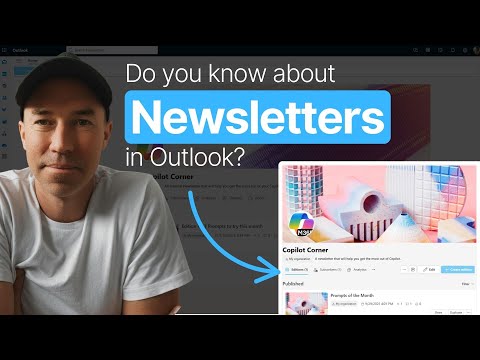
Microsoft expert: Create and publish newsletters in Outlook with Copilot and SharePoint, track subscribers and analytics
Key insights
- Newsletter Hub: The video shows Outlook’s built-in publishing hub in the new interface.
You can create multiple newsletters, set cover images and logos, and pick visibility (private, unlisted, or org-wide) in under two minutes. - Templates & Editions: Use ready-made templates or start from scratch to build editions quickly.
Add sections and components, preview layouts, and assemble each issue like a simple page editor. - Collaboration & Contributors: Invite owners and contributors to edit specific sections or whole editions.
Contributors get email invites, can edit simultaneously, and show as authors on their sections. - Copilot: The walkthrough demonstrates using Copilot to draft and refine newsletter copy.
Copilot can generate welcome notes, pull recent updates, and help format text right inside Outlook. - Subscribers & Distribution: Send editions to subscribers or select recipients with BCC by default.
Staff can discover and subscribe to newsletters across the organization, and you control comments and reactions. - Analytics & Outlook 2025 upgrades: Built-in analytics report views, delivery, engagement, and subscriber growth for each edition.
The video also highlights broader Outlook 2025 improvements like smarter search, calendar enhancements, better offline/PST handling, AI assistance across accounts, and accessibility updates.
In a recent YouTube video, Daniel Anderson [MVP] walks viewers through a lesser-known publishing tool hidden inside the New Outlook. He demonstrates how to create, publish, and track internal newsletters without leaving the app, and he times each step for easy reference. As a result, the video frames Outlook not just as an email client but as a lightweight content hub for teams and organizations.
What the video demonstrates
Anderson opens by locating the Newsletter Hub in the New Outlook interface and then shows the quick setup flow for a first newsletter. He highlights key controls such as visibility settings, cover images, and owner roles, and he points out that setup can take less than two minutes. Furthermore, the video includes practical timestamps so viewers can jump to sections like templates, contributors, or analytics with ease.
Next, the presenter builds an edition using templates and components, showing how sections resemble web parts familiar to SharePoint users. He previews the edition and explains how subscribers will see the layout, which helps make expectations clear for creators. By walking through the entire process on-screen, Anderson underlines how the feature keeps everything inside Outlook and avoids the need for external tools.
Design and edition building
The video emphasizes that creating editions is fast thanks to pre-designed templates and modular components that you can rearrange. Anderson demonstrates adding sections, formatting content, and inserting images and logos to match a team brand, and he shows how the preview mirrors the subscriber view. Because the editor is integrated, teams can iterate quickly without exporting or reimporting content across platforms.
However, the tradeoff for this simplicity is flexibility: while templates speed up production, they may limit highly custom layouts that full-featured marketing platforms provide. Anderson acknowledges that the tool suits internal communications and regular updates better than complex external campaigns. Therefore, teams must balance ease of use with design needs when choosing to publish inside Outlook or via a dedicated email platform.
Collaboration and AI support
A major focus of the video is collaborative editing: Anderson adds contributors, explains owner roles, and shows how people receive invitations to edit specific sections. Multiple editors can work on the same edition at the same time, and each contributor can appear as an author for their sections, which improves accountability and credit. This built-in process helps teams coordinate without toggling between separate tools or managing external file versions.
Moreover, Anderson demonstrates Copilot generating draft text, suggesting welcome messages, and pulling recent updates for the newsletter, making content creation faster. While AI can streamline drafting, he also shows how to refine and format the output within the editor to maintain voice and accuracy. Thus, teams must weigh the speed gains from AI against the need for human review to avoid errors or tone mismatches.
Publishing, discovery, and analytics
When it comes to distribution, Anderson walks through sending editions to subscribers and explains options such as BCC delivery, comment controls, and reaction toggles. He also highlights the discovery experience: colleagues can find and subscribe to newsletters across the organization through a directory, which helps grow an internal audience organically. This makes the feature particularly useful for company-wide updates, team briefings, or ongoing content series that target employees rather than external customers.
Finally, the video covers built-in analytics that track views, delivery, and subscriber growth so creators can measure engagement over time. Anderson points out how these metrics help teams refine cadence and content focus, but he also notes limitations compared with specialized analytics in dedicated marketing platforms. Consequently, organizations should measure whether these insights meet their tracking needs or whether deeper analytics require complementary tools.
Tradeoffs and practical challenges
The video frames the Newsletter Hub as an attractive, integrated option for internal communication, yet it also raises practical questions about governance and scope. For example, administrators must decide on visibility rules, manage ownership when people change roles, and set policies to prevent duplicate or conflicting newsletters across teams. These operational choices demand thoughtful planning to keep the feature effective and prevent information overload.
Additionally, although the tool reduces the need for external platforms, some teams will still require advanced segmentation, A/B testing, or deep third-party analytics that Microsoft 365 does not provide. Therefore, organizations should balance convenience against advanced feature needs and consider hybrid approaches when necessary. In short, Anderson’s walkthrough makes a strong case for using the built-in capabilities for many internal scenarios while being clear about when to look beyond Microsoft 365 tools.

Keywords
Outlook tips and tricks, Outlook productivity hacks, Outlook keyboard shortcuts, Outlook email organization tips, Outlook calendar tricks, Outlook search tips, Outlook rules automation, Outlook Teams integration tips