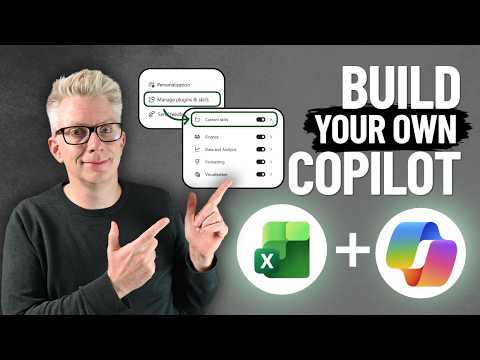
Excel: create and use custom Copilot skills
Excel Off The Grid will show you how to work smarter, not harder with Microsoft Excel.
Excel users can save repeatable Copilot instructions in OneDrive and call a custom skill with @ instead of rewriting the prompt.
Key insights
- A custom skill is a reusable set of instructions that Copilot can apply to prompts.
- The demonstrated setup uses a OneDrive skills folder and a SKILL.md file inside a same-named skill folder.
- The Markdown file starts with frontmatter containing the skill name and description, followed by task instructions.
- Refresh Custom skills in Excel after saving the file, enable the skill, then call it with @skill-name.
- The demonstration says an M365 Copilot license is required for this premium Excel feature.
Excel custom Copilot skills let you save task instructions and call them from a prompt, so you do not have to restate the same process each time. They may help Excel users who repeat reporting or analysis tasks and need Copilot to follow a specified format or set of rules. Excel Off The Grid demonstrates a manually created finance-commentary skill using a Markdown file stored in OneDrive.
What it does
A skill is a reusable set of instructions for a particular task. In the example, the instructions tell Copilot how to draft finance commentary, including preferred sentence structures and how to describe variances. The user can then refer to the skill in a prompt rather than paste the full instructions into every conversation.
This is a way to make a repeated task easier to request; it does not remove the need to check the result. In the demonstration, the user reviews the generated commentary and checks whether the figures and wording follow the instructions. Copilot also spots that the requested Overheads cell reference is wrong and identifies the value in a different cell.
The example is specific to finance reporting, but the underlying method is to store task instructions in a skill file. The Excel coverage on HubSite 365 includes related product guidance.
Who it is for and what you need
This approach is aimed at people who use Copilot in Excel for recurring work and want to provide detailed instructions once, then refer to them again. Finance teams are one possible audience because the demonstrated skill standardizes management-style commentary. The example does not establish how the approach performs for other tasks or workbooks.
The presenter says an M365 Copilot license is required because the Excel feature is premium. The material does not specify a particular license SKU, tenant configuration, region, or rollout stage. Check Microsoft’s Excel Copilot skills documentation for the current product guidance before planning a deployment.
The demonstrated manual method also requires access to OneDrive, where Excel creates or opens the skills folder. The file must be named SKILL.md, and the enclosing folder must match the skill name used in the file’s frontmatter. The transcript does not identify any additional prerequisites or admin controls.
How it works
The steps below follow the demonstrated manual setup. In Excel, open the Copilot pane and use its three-dot menu to reach Manage plugins & skills. Choose Custom skills to see the custom-skill area and the option to create or add skills through OneDrive.
- Use the option to create the skills folder, or use Add and then Add in OneDrive to open its location. In the example, OneDrive contains a Microsoft Excel folder and a skills folder.
- Inside skills, create a folder for the new skill. Give it the same name as the skill, such as finance-commentary-writer.
- In that folder, create a Markdown document and name it SKILL.md. The file begins with three dashes, a name and description, then another three dashes. Add the task instructions after that frontmatter.
- Return to Excel’s Custom skills area and refresh it so Excel reads the OneDrive content. Turn on the listed skill before using it.
- In a Copilot prompt, type @ followed by the skill name and describe the task, including relevant worksheet cells. Review the proposed result before accepting it.
In the example, Copilot makes changes in the worksheet and indicates them with a colored border. The user can choose Undo to reverse the changes or Done to accept them after review. The example also shows that precise cell references matter: a mistaken reference can still be noticed, but users should verify the output themselves.
Limitations and open questions
The walkthrough covers creating a skill manually; it does not demonstrate whether every skill works across different workbooks or users. Nor does it establish how custom skills are shared, governed, or maintained across a team. Those details should not be assumed from an individual OneDrive example.
The presenter notes that the Add button opens the OneDrive skills location; it does not itself create a skill. The manual process then still requires the folder and Markdown file. The example’s instructions say not to calculate figures, but to use numbers visible on the worksheet, illustrating that the skill’s own rules shape the task rather than guarantee accuracy.
Availability, exact licensing requirements, and any administrative settings are not detailed in the demonstration. The Microsoft documentation is the appropriate source for current product requirements; the example alone does not verify rollout or availability for every customer. Treat generated commentary as a draft, particularly when it will inform financial reporting.
Sources
- Microsoft Support: Copilot skills in Excel
- Excel Off The Grid: Create Your Own Copilot Skills in Excel
Frequently asked questions
How do I create a custom skill in Excel Copilot?
Create a skill folder in the OneDrive skills location, then add a SKILL.md file with frontmatter for the name and description and instructions beneath it. Refresh Custom skills in Excel and turn on the skill.
How do I call a custom Excel Copilot skill?
In a Copilot prompt, type @ followed by the skill name, then describe the task and provide relevant worksheet references. Review any workbook changes before accepting them.
What license do Excel Copilot skills require?
The demonstration says an M365 Copilot license is required because the feature is premium. It does not specify a license SKU; consult Microsoft’s documentation for current requirements.
Does the Add button create a skill in Excel?
In the demonstration, Add in OneDrive opens the skills folder location. It does not create the skill file, so you still need to make the folder and SKILL.md.