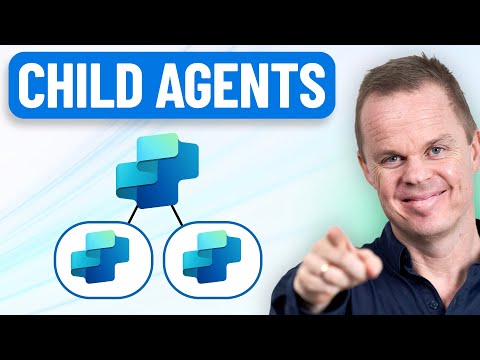
Copilot Studio: One Agent or Many?
RPA Teacher. Follow along👆 35,000+ YouTube Subscribers. Microsoft MVP. 2 x UiPath MVP.
Microsoft Copilot Studio: build modular parent and specialist child agents for reusable, testable, low maintenance AI
Key insights
- Multi-agent orchestration: Copilot Studio moves from one monolithic assistant to a system where multiple agents collaborate.
Each agent handles specific tasks so the whole workflow becomes more accurate and flexible. - Parent and child agents: Build a parent agent to delegate work and smaller specialist child agents to run tasks.
Test child agents independently, then connect them to the parent for coordinated output. - Reusable vs lightweight agents: Use reusable agents for common, shared functions and lightweight agents for narrow, fast tasks.
This split reduces maintenance and makes updates safer. - Cross-platform integration: Agents can interoperate across Microsoft tools like Microsoft 365, Azure AI, and Fabric.
This lets workflows span data, documents, and communication systems without manual handoffs. - Governance and security: The 2025 updates add enterprise controls such as activity auditing, tenant inventory, and customer-managed keys.
These features help teams meet compliance and protect sensitive data. - Scalability and maintainability: Modular agents give sharper answers, clearer ownership, and easier testing and reuse.
Based on a YouTube explainer, this approach helps teams scale AI-driven business workflows with lower risk and higher reliability.
Overview of the Video
The YouTube video by Anders Jensen [MVP] explains how to build effective AI solutions using Copilot Studio by favoring a modular agent architecture over a single, monolithic agent. Jensen demonstrates a clear pattern: a parent agent that coordinates several smaller, specialist agents to improve accuracy, maintainability, and testability. Consequently, the video positions modular design as a practical answer to common pitfalls like vague responses and high maintenance costs that come with one large agent.
Moreover, Jensen places the new capability in context by linking it to recent advancements announced at Microsoft Build 2025, including the launch of multi-agent orchestration. He notes that this functionality moved from private preview toward public preview in mid-2025, enabling organizations to build interconnected workflows spanning Microsoft 365, Azure AI, and Microsoft Fabric. Therefore, the video serves both as a tutorial and as a strategic update about how enterprises can apply connected agents to real business processes.
What the Demonstration Shows
In practical terms, the video walks viewers through building both reusable and lightweight child agents and then connecting them to a coordinating parent agent. Jensen tests each child agent independently to show how isolated testing reduces the chance of cascading failures when the system scales. He further demonstrates how agents can delegate subtasks automatically, for example by fetching Dynamics CRM data, drafting documents, and scheduling follow-ups.
The demonstration also highlights cross-platform integration, explaining how agents created in different Microsoft environments can interoperate within the Copilot Studio orchestration framework. As a result, workflows that span communication, data processing, and document generation become manageable and auditable. Thus, the video gives viewers a hands-on roadmap for creating modular, cross-system automation.
Benefits and Tradeoffs
Jensen emphasizes several clear benefits of modular agents: sharper answers from specialized components, safer targeted updates, and clearer ownership of functionality. Because each child agent encapsulates a distinct responsibility, teams can update one agent without destabilizing the whole system, which shortens release cycles and reduces risk. Consequently, organizations gain a practical balance between agility and control.
However, the video does not shy away from tradeoffs. Orchestrating multiple agents introduces coordination overhead, potential latency from handoffs, and added complexity in debugging multi-agent flows. Additionally, teams must balance granularity: overly fine-grained agents increase management burden, while overly broad agents reintroduce the problems of a monolith. Therefore, Jensen advocates for a pragmatic middle ground that fits an organization’s size and risk tolerance.
Governance, Security, and Operational Challenges
The video outlines governance improvements in the 2025 release wave, such as auditing via Microsoft Purview, integrations with Microsoft Sentinel, tenant-wide inventories, and support for customer-managed encryption keys. These capabilities help enterprises maintain compliance and secure sensitive workflows, particularly when agents access cross-system data. Consequently, governance becomes an integral part of designing multi-agent systems rather than an afterthought.
Still, Jensen flags operational challenges that teams must address: ownership boundaries, incident investigation across agent boundaries, and end-to-end testing of orchestrated flows. Debugging can become particularly difficult because failures may emerge only during agent interactions, requiring new monitoring strategies and observability tooling. Thus, organizations should plan for extended testing, robust logging, and clear team responsibilities before adopting complex agent topologies.
Practical Recommendations and Next Steps
For practitioners, the video recommends starting small: build a few well-defined child agents, test them independently, and then introduce a parent agent to coordinate tasks. Jensen advises documenting interfaces and fallback behaviors so each agent’s contract is explicit and stable. By doing so, teams can incrementally scale complexity while preserving the ability to roll back or replace individual agents.
Finally, the video suggests teams consider deployment channels and user scenarios early, since the 2025 updates expand conversational endpoints beyond standard interfaces to include channels like SharePoint - Lists and other conversational platforms. In summary, Jensen’s presentation balances enthusiasm for multi-agent orchestration with sober guidance about tradeoffs and operational readiness, offering a measured path for enterprises that want to modernize AI-driven automation without taking undue risk.

Keywords
Copilot Studio agents, single vs multi-agent Copilot, multi-agent Copilot architecture, Copilot Studio best practices, designing Copilot agents, Copilot agent orchestration, Microsoft Copilot Studio guide, Copilot Studio implementation tutorial