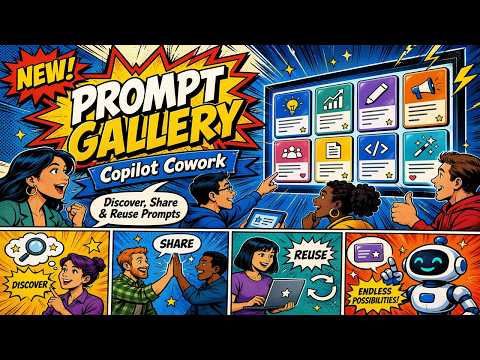
Copilot Cowork: New Tasks Prompt Gallery
M365 Adoption Lead | 2X Microsoft MVP |Copilot | SharePoint Online | Microsoft Teams |Microsoft 365| at CloudEdge
Microsoft Copilot upgrades bring smarter prompts, task gallery and automated meeting summaries in Teams and SharePoint
Key insights
- Copilot Cowork is Microsoft’s task-oriented Copilot for Microsoft 365 that turns natural-language requests into structured actions like managing files, approving items, organizing projects, and automating recurring work.
- Copilot Prompt Gallery acts as a central library across Word, Excel, PowerPoint, Outlook, Teams and agents, where users can discover, save, refine, and reuse prompts organized by role, function, or industry.
- Scheduled prompts and the Tasks view let users run prompts on a recurring schedule, preview outputs, and manage automated workflows from a dedicated Scheduled tab.
- Custom skills and agents are now surfaced more clearly: the system distinguishes installed versus custom skills, can discover custom skills from folders, and the gallery includes prompts specifically for agents.
- Shared prompts improve team consistency by letting users share prompts via link, email, or Microsoft Teams (which displays a Prompts tab), making it easier to repeat effective workflows across groups.
- Rollout status and limitation — Copilot Cowork moved through Research Preview toward Frontier program rollout while the Prompt Gallery reached general availability; note that the combined label “Copilot Cowork New Prompt Gallery (Tasks)” is not a single official product name in Microsoft materials.
Video summary
The YouTube video by Ami Diamond [MVP], who is male, walks viewers through recent updates to Copilot Cowork and the expanded Prompt Gallery for Microsoft 365. In clear, step-by-step segments, Ami demonstrates new models, task-oriented prompts, and features that aim to turn natural-language requests into structured actions. Consequently, the video serves as a practical tour rather than a deep technical dive, and it highlights what everyday users and Teams might expect when adopting these tools.
In addition, Ami showcases hands-on examples such as automated meeting summaries, scheduled prompts, and skill management changes to illustrate real-world use. Therefore, the piece targets busy professionals who want to see how these features behave in live scenarios. The demonstration-style approach helps viewers judge whether the new capabilities fit their workflows.
What’s new and why it matters
First, the video notes the introduction of the Sonnet 4.6 and Sonnet 4.8 models, which aim to offer better performance and expanded capabilities. Ami explains that these model updates can improve response relevancy and help handle more complex prompts, and thus they may boost productivity for knowledge workers. At the same time, he points out that new models often require testing in specific environments to confirm gains for particular tasks.
Second, the demonstration highlights an expanded Prompt Gallery that is positioned as a central place to find prompts across apps and agents. As shown, prompts are now categorized by role, function, and industry, which helps teams discover reusable prompts rather than relying on individual experimentation. Consequently, this change shifts prompt use from a personal habit to an organizational resource with potential for standardization.
How the features work in practice
Ami walks through the new Tasks and prompt gallery experience, illustrating suggested actions like “Catch me up,” “Organize my inbox,” and “Prep for a meeting.” He also demonstrates scheduled prompts that run on a recurring basis and how the Tasks view surfaces a Scheduled tab for managing those jobs. Thus, the system looks to move Copilot from one-off assistance toward repeatable, automated work execution.
Moreover, the video shows improved skill management that separates custom skills from installed ones so users can find the right tool faster. Ami previews prompt outputs and scheduling options, allowing users to tweak results before committing them, which supports higher quality outcomes. Nevertheless, he notes that configuring skills and schedules requires thoughtful setup to avoid redundant or conflicting automations.
Practical advantages and tradeoffs
On the positive side, the video emphasizes faster task start-up and greater reuse, since teams can save and share effective prompts to ensure consistency. This capability reduces the time spent crafting prompts and helps replicate good workflows across a group. However, Ami also discusses the tradeoff between convenience and control: as organizations centralize prompts, they must balance standardization with flexibility for individual needs.
Furthermore, automation through scheduled prompts and meeting summaries can free time and improve information flow, yet it introduces governance challenges. For example, scheduled automation may surface out-of-date or irrelevant results if underlying processes change, and reliance on shared prompts requires clear ownership. Therefore, teams should weigh speed gains against the need for monitoring and regular prompt maintenance.
Rollout status, challenges, and limitations
Ami reports that the Prompt Gallery has reached broader availability while Copilot Cowork was described as moving through a Research Preview toward the Frontier rollout plans. This staged approach means organizations may see parts of the experience sooner than others, and the phased launch helps Microsoft gather feedback. Yet, it also creates uneven access and can complicate planning for IT and change teams.
He also highlights one important limitation: the compound phrase used in community posts—“Copilot Cowork New Prompt Gallery (Tasks)”—does not map to a single, clearly named product in official documentation. Consequently, users and administrators must interpret how the pieces fit together, which can cause confusion during deployment. Finally, Ami signals that while the feature set looks promising, success depends on governance, testing, and thoughtful adoption rather than turning features on and expecting immediate gains.

Keywords
Copilot Cowork prompt gallery, Copilot task prompts, Microsoft Copilot prompt templates, new Copilot prompt gallery, Copilot Cowork tasks, Copilot prompt library, AI productivity prompts for Copilot, Copilot prompt examples