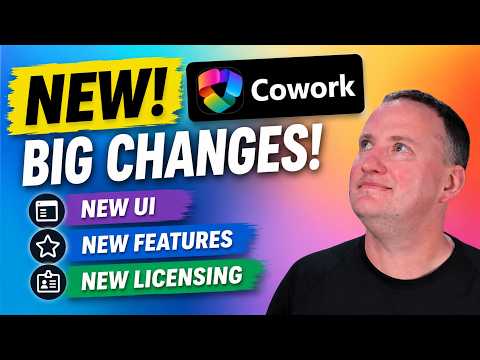
Copilot Cowork GA: Big Changes Explained
SharePoint & PowerApps MVP - SharePoint, O365, Flow, Power Apps consulting & Training
Copilot Cowork GA adds UI revamp, admin controls, consumption pricing and new models for Copilot Studio and Power Apps
Key insights
- Copilot Cowork is now Generally Available (GA), meaning it shifts from drafts to agentic task execution that can run in the cloud and continue even when a device is offline.
It focuses on producing finished outcomes across Microsoft 365, not only answers or suggestions. - Usage-based billing and consumption billing start at GA, so organizations must track Copilot Credit use and set admin budgets or spend limits before usage grows.
Plan and estimate consumption early to avoid unexpected costs. - GA expands model and integration choices: new model options include GPT 5.5 plus Opus and Sonnet variants, and a model picker lets users choose Auto or a specific model.
Microsoft also added more plugins and integrations to connect Cowork to other business systems. - Microsoft tightened security, compliance, and governance controls at GA, including audit logs, eDiscovery, insider risk tools, and other discoverability features; DLP support is coming soon.
Admins get stronger admin controls and policy management to keep Cowork actions inside existing permissions. - The updated Cowork interface improves skill management, adds image generation and templates, and supports browser use via Microsoft Edge for web automation.
These changes streamline handoffs from chat to full task execution and enhance multi-step workflows. - Practical impact: Cowork reduces manual coordination across apps and enables long-running automation, but the consumption pricing model changes rollout math.
Evaluate how Cowork fits with Copilot Studio, Microsoft 365 Copilot, and your governance to balance value and consumption costs.
Quick summary of the video
In a recent YouTube walkthrough, Shane Young [MVP] outlines the general availability of Copilot Cowork and highlights the most significant changes the product has acquired on its path to GA. The video mixes a hands-on demo with practical explanations, helping viewers understand new capabilities, admin controls, and the updated pricing approach. Importantly, Shane frames the change as a shift from draft-style assistance to more autonomous task execution, which he demonstrates across Microsoft 365 apps.
Moreover, the presenter emphasizes that organizations should prepare for consumption-based costs and stronger governance tools. He also explores model options and browser automation, while offering candid views on pricing tradeoffs. Overall, the video aims to help IT and business teams decide where Copilot Cowork fits in their Microsoft AI strategy.
What changed with GA
First, Shane highlights that Copilot Cowork now targets finished outcomes rather than only producing drafts. Consequently, the feature set includes long-running, cloud-hosted task execution that can continue independently of the user's device, and a richer way to orchestrate multi-step work across Microsoft 365 applications. He shows how the interface and skill management were updated to reflect this execution-focused design.
Second, the GA release introduces a broader set of model choices and a new consumption model. For instance, Microsoft now exposes options like GPT 5.5 and variants from other providers, and it adds a model picker so teams can balance cost against quality. Meanwhile, usage-based billing becomes the default billing mechanism, which shifts the financial model and requires new admin controls for spend management.
New integrations, browser use, and security
The video also covers expanded integration capabilities and a notable change: controlled browser automation. Shane demonstrates how browser use enables Cowork to interact with web-based workflows while respecting enterprise policies and access controls. Additionally, Microsoft added a set of partner plugins and deeper links with services such as analytics and enterprise apps, which broaden the scenarios Cowork can manage.
On the security front, Shane notes that Microsoft has aligned Cowork with existing Microsoft 365 governance and compliance tools. Therefore, prompts, generated artifacts, and actions are subject to audit logs, eDiscovery, and other protections, with further features like DLP expected to arrive later. This alignment helps reduce risk, although it also raises the operational task of configuring controls correctly.
How it works in practice
Throughout the demo, Shane runs through typical tasks: scheduling meetings, sending emails, and executing cross-app workflows that require state and sequencing. He points out that the experience is available in browser, desktop, and mobile clients, so teams can use Cowork across devices while the heavy lifting runs in the cloud. As a result, workers see a more consistent, outcome-oriented agent rather than a one-off chat assistant.
Shane also walks through the admin and governance surfaces, showing how leaders can set budgets, monitor usage, and apply policy. He stresses that successful rollouts depend on combining clear business scenarios with conservative pilot budgets, because consumption can grow rapidly if left unchecked. Thus, administrators must pair technical controls with user guidance to keep costs and security in balance.
Tradeoffs and practical challenges
One of the major tradeoffs Shane discusses is cost predictability versus flexibility. While usage-based billing lets organizations pay for what they use, it also introduces uncertainty in monthly spend, especially during early adoption when usage patterns are unknown. Therefore, teams must design robust monitoring and caps, and they might need to re-evaluate which models they select to balance performance and expense.
Another challenge involves governance versus productivity. The more permissive the agent, the more it can automate; however, increased autonomy raises the risk surface for sensitive data or unwanted actions. Shane underscores that integrating Cowork safely requires careful policy design, plugin vetting, and ongoing audits. Moreover, browser automation unlocks powerful scenarios but also demands stricter boundary controls to prevent leakage or improper access.
What IT and business leaders should do next
Shane’s practical advice is to start with small, high-value pilots that clarify outcomes and measure consumption closely. He recommends defining clear use cases, enabling governance guardrails from the start, and educating users so they can take advantage of Cowork without creating runaway costs. In addition, teams should evaluate model choices against expected task complexity and latency needs rather than assuming the most capable model is always required.
Finally, the video suggests that organizations view this release as part of a broader Microsoft AI ecosystem, where Copilot Cowork, Copilot Studio, and Microsoft 365 Copilot will play complementary roles. Therefore, leaders should align technical pilots with change management and cost controls so that the technology delivers measurable business value while keeping risks and spend under control.

Keywords
Copilot Cowork GA, Microsoft Copilot Cowork release, Copilot Cowork features, Copilot Cowork updates, Copilot Cowork availability, Copilot Cowork pricing and licensing, Copilot Cowork enterprise rollout, Copilot Cowork integration with Teams