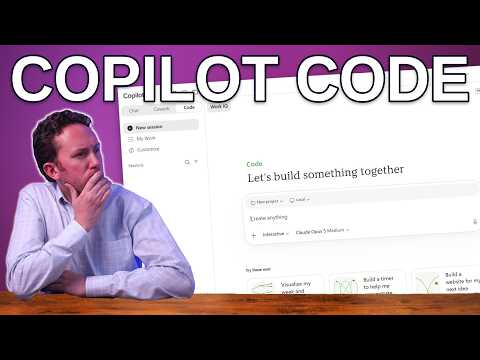
Copilot Code: who it is for and what it requires
Consultant at Bright Ideas Agency | Digital Transformation | Microsoft 365 | Modern Workplace
Copilot Code turns natural-language requests into apps, dashboards and scripts for Frontier users with the required license and spending policy.
Key insights
- Copilot Code is a Code tab in the Copilot app alongside Chat and Cowork.
- The source says access requires Frontier, a Microsoft 365 Copilot license and a spending policy.
- Copilot Code bills usage in Copilot Credits; features and pricing may change during preview.
- Nick DeCourcy found the SharePoint-backed booking app took longer and cost more in Code than in Cowork or Copilot Studio.
- Local Mode and GitHub integration are distinct features; the publisher's tenant offered GitHub Enterprise only.
Copilot Code turns a natural-language description into an app, dashboard, script or static website in the Copilot app. It matters to business users who want to build a small tool, makers evaluating another app-building option, and IT teams managing access and risk. Nick DeCourcy (Bright Ideas Agency) demonstrates starter prompts and compares building a SharePoint-backed booking app in Code, Cowork and Copilot Studio.
What's new
Code is a separate tab in Copilot, alongside Chat and Cowork. Users describe what they want to make, and Copilot Code generates a solution; the research notes describe a workflow that includes a live preview and further refinement through prompts. The aim is to start from the business outcome rather than from programming syntax.
That makes Code relevant to people who understand a work problem but may not be developers. The research notes list examples such as trackers, forms, calculators, dashboards, data views, scripts and small workflow applications. Developers may also use it to prototype or explore an idea, but the notes distinguish this from professional development work in GitHub Copilot.
In the publisher's comparison, the same SharePoint-backed booking app came out close across Code, Cowork and Copilot Studio, but Code was the slowest and most expensive of the three. That is one tenant's test, not a general performance or cost guarantee. The publisher identifies Local Mode in the desktop app and GitHub integration as features that set Code apart.
Who it is for and what you need
The feature is in the Frontier preview, and the source says rollout began in October 2026. According to the publisher's description, using it requires Frontier, a Microsoft 365 Copilot license and a spending policy. Usage is billed in Copilot Credits, so organizations should check their credit policy and expected use before enabling access.
The material does not specify which roles, regions, or license plans beyond those requirements can use Code, nor does it establish access for every tenant. Preview features, availability and pricing may change. Microsoft’s overview and organization-management documentation are relevant starting points for administrators evaluating the feature and its controls.
For business users and subject-matter experts, the practical fit is a contained tool that can be described clearly and tested against a real need. For IT admins, the key questions are who can use it, how spending is controlled, and what data and governance boundaries apply. The supplied material does not give a complete setup walkthrough or a full list of tenant settings.
How it works
Code is outcome-oriented: the user describes the result, inspects what Copilot creates and asks for adjustments. Research notes describe a generated solution with a live preview. They do not provide an exact prompt sequence or menu path, so the steps below summarize the described process rather than prescribe a specific interface sequence.
- Open the Code tab in the Copilot app. It appears alongside Chat and Cowork.
- Describe the solution you want, such as an app, dashboard, script or static website.
- Review the generated result and its preview, then provide further instructions to refine it.
- Consider how it will be run or shared. The publisher says published apps run in Copilot Managed Runtime and discusses Local Mode and GitHub integration as separate options.
The material does not explain the detailed publishing steps or the exact technical boundaries of Copilot Managed Runtime. Administrators should consult Microsoft’s documentation rather than assume that every generated solution is deployed the same way.
Limitations and open questions
Copilot Code is a preview, so its capabilities and pricing are subject to change. The publisher reports that Local Mode, in the desktop app, ran without a sandbox during the preview and sat outside Purview DLP, retention and eDiscovery in the tested setup. That is a material distinction from the sandboxed experience described in the research notes; do not assume those protections apply to Local Mode.
The publisher also reports that GitHub integration in their tenant offered only GitHub Enterprise. This describes that test, not necessarily every organization’s options. The material does not give enough detail to establish precisely which GitHub plans, connection settings or tenant configurations are supported.
Code is not the only route to building an app: the publisher compares it with Cowork and Copilot Studio, and research notes also describe GitHub Copilot as a professional development tool. Which option fits depends on the task and the intended development or governance process. The article’s source material does not establish that Code replaces either alternative, or that its generated output is ready for production without review.
Before wider use, admins should verify current eligibility, credit controls and the difference between standard and local execution in Microsoft’s current documentation. The comparison result and the GitHub Enterprise observation are the publisher’s tenant-specific findings, while rollout and preview status are stated in the supplied source material.
Sources
- Microsoft: Introducing the new Copilot with Home, Code and Autopilot
- Microsoft Learn: Copilot Code overview
- Microsoft Learn: Manage Copilot Code for your organization
- Microsoft Learn: Work with GitHub in Copilot Code
- Microsoft Learn: Copilot Managed Runtime
- Nick DeCourcy (Bright Ideas Agency): Copilot Code
Frequently asked questions
What do I need to use Copilot Code?
The supplied source says users need Frontier, a Microsoft 365 Copilot license and a spending policy. It does not specify additional role, regional or plan requirements.
How is Copilot Code billed?
The source says Copilot Code usage is billed in Copilot Credits. It also warns that preview features and pricing may change.
Does Copilot Code run inside a sandbox?
The source describes a sandboxed environment, but the publisher reports that Local Mode ran without a sandbox during the preview and outside Purview DLP, retention and eDiscovery in their test.
Can Copilot Code connect to GitHub?
GitHub integration is identified as a Copilot Code feature. The publisher's tenant offered only GitHub Enterprise; the material does not establish the options for every tenant.