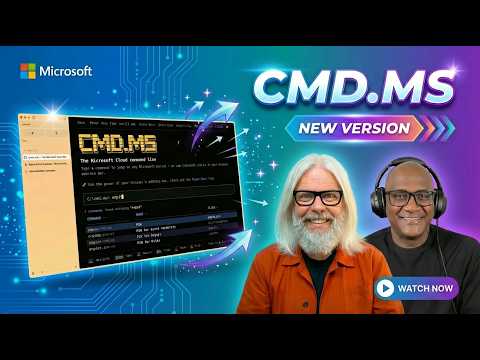
CMD.MS Productivity Hack Microsoft Hides
Microsoft MVP | Author | Speaker | YouTuber
Expert CMD.MS hack: command line tips to navigate Microsoft portals, speed Microsoft three sixty five with Entra
Key insights
- CMD.MS is a command-like admin tool for broadcasting messages across Microsoft 365.
It acts like a quick announcement system tied into the platform’s interfaces and apps. - Use the Microsoft 365 admin center to create or pick message templates and choose delivery targets such as Windows desktops and Microsoft Teams.
Admins can send messages with a point-and-click flow and add scripts for automation if needed. - Deployments usually require proper licensing and workflow checks: many features need E3/E5 licenses and may ask for admin approval before sending.
Demo tenants can show errors, so verify licenses in production tenants first. - Key advantages include guaranteed reach to licensed users, time savings for IT teams, and being native to Microsoft 365 with no third-party tools.
Messages appear as prominent notifications that users are unlikely to miss. - Practical uses cover emergency alerts, policy reminders, IT maintenance notices, and high-priority company announcements.
Use targeted delivery to reach specific roles, devices, or departments. - Follow best practices: test messages before wide rollout, use targeting and audit trails, and avoid frequent broadcasts to prevent fatigue.
Keep messages clear, concise, and relevant to protect user experience and compliance.
Video Overview: A Practical Peek at CMD.MS
In a recent YouTube session, Peter Rising [MVP] teams with Merill Fernando to highlight a lesser-known administration tool, commonly referenced as Microsoft 365. They frame the tool as a command-like interface that helps admins manage messages and announcements across the Microsoft 365 ecosystem.
The hosts open with a short demo that shows how administrators can search for commands and push messages to users on endpoints and apps. Consequently, the video focuses on practical examples rather than high-level theory, making the feature tangible for IT teams.
How CMD.MS Operates in Real Environments
First, Peter and Merill explain that the workflow begins in the admin area where teams pick or craft announcement messages and then choose delivery targets. For instance, administrators can direct messages to devices running Windows 10/11 or to users inside Microsoft Teams, which helps ensure broad visibility.
Next, they show that the interface combines templates with simple controls, so no coding is required for basic use. However, the video also notes that larger deployments can automate parts of the flow with scripting or integration into other admin tools when needed.
Benefits and Practical Use Cases
According to the demo, the biggest benefit is reach: announcements sent this way appear directly in the OS or app UI and are therefore harder to miss than emails. Moreover, because the feature lives inside Microsoft 365, organizations avoid extra vendor costs and integration overhead.
In addition, the hosts explain that admins can use the tool for security alerts, operational updates, or compliance reminders, all while keeping an audit trail for accountability. Therefore, teams gain speed and consistency, which matters most in time-sensitive scenarios such as outages or security incidents.
Tradeoffs and Governance Challenges
Nevertheless, the video stresses important tradeoffs. For example, broad reach can become a liability if messages arrive too often or contain unclear intent, which may lead to alert fatigue and decreased trust over time.
Furthermore, Peter and Merill point out that the capability is license-gated and that the experience differs between demo tenants and production environments, so IT teams must confirm license levels like E3 or E5. Finally, responsible use requires approvals and oversight to prevent misuse, especially when messages can look like urgent system notices.
Implementation Tips and Operational Considerations
During the demo, the presenters recommend a few practical steps: test messages in a controlled pilot group, craft clear and concise copy, and document an approval process before broad rollouts. By doing so, administrators can reduce confusion and measure impact before scaling up.
They also advise tracking delivery and user acknowledgements through logs and audits, which helps teams assess effectiveness and meet compliance needs. In addition, the video mentions emerging integrations with Copilot features for smarter message drafting and better targeting, although those add complexity and require additional planning.
Conclusions and Takeaways for IT Teams
Overall, the session by Peter Rising [MVP] and Merill Fernando presents CMD.MS as a useful, under-advertised lever for internal communications within the Microsoft 365 landscape. Crucially, the tool provides a fast path to reach users across devices and apps, which can improve response times for critical notices.
Yet, the video also makes clear that organizations must weigh speed against governance: they should balance frequency, message clarity, and approval controls to preserve user trust. Consequently, IT teams planning to adopt this approach should pilot carefully, confirm licensing and compliance, and set clear rules for when and how to broadcast messages.

Keywords
CMD.MS productivity hack, CMD.MS commands tutorial, Microsoft hidden features CMD.MS, Windows command line productivity, CMD.MS keyboard shortcuts, Microsoft productivity trick not advertised, Windows power user CMD.MS tips, boost productivity with CMD.MS