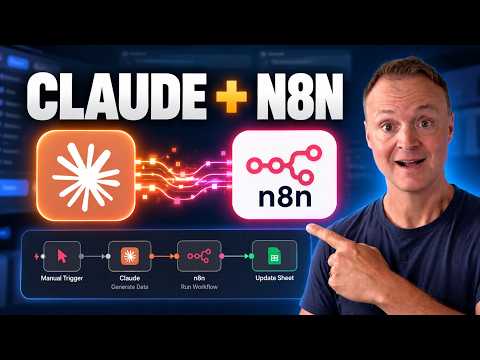
Claude and n8n Workflows Get a Conversational Route
Teacher's Tech shows Claude running an n8n automation and correcting parts of its workflow, making the setup and its access controls worth understanding.
Key insights
- The video connects Claude to an n8n server using n8n's MCP access.
- The example workflow reads an orders table and uses AI to produce a plain-language daily summary.
- Teacher's Tech says Claude identifies three workflow problems and fixes two on the canvas.
- The demonstration includes enabling MCP and reviewing settings related to what access is being handed over.
Teacher's Tech recently published a video showing how to connect Claude to a self-hosted n8n server and use it to run an automation. In the demonstration, Claude also examines the workflow and fixes two of three problems it identifies directly on the canvas. The practical takeaway is that the setup combines workflow execution with AI-assisted editing, while making the access granted to Claude an important part of the configuration.
What's new
The video focuses on connecting Claude to an n8n instance through n8n's MCP access. MCP, or Model Context Protocol, is the connection mechanism named in the description; the video presents it as the route for Claude to interact with the automation. The demonstration is not just a chat about how a workflow might be built: Teacher's Tech shows Claude running the resulting automation and changing parts of its workflow.
The example is deliberately concrete. It starts with a table of orders and adds an AI step that writes a plain summary of how the day went. The description says the video covers creating the data table, building the automation, and addressing where the AI credits come from. It does not specify the full workflow configuration or identify the model used for that AI step.
After the workflow is built, the demonstration turns on MCP access, considers the settings that affect what is handed over, and connects Claude. The creator then asks Claude to run the automation. In a later part of the video, Claude reviews the workflow, finds three issues, and corrects two of them on the canvas. That gives viewers an example of both execution and limited direct workflow editing.
Why it matters
For n8n users, the demonstrated change is a different way to interact with an existing automation environment. Rather than opening a workflow themselves for every run, the creator says users can ask Claude to run the automation. The example also shows Claude inspecting workflow structure and making changes, so the assistant is being used for more than producing instructions for a person to apply manually.
For makers, the video may be useful as a guided setup example: it moves from a new server to a working workflow, then connects that workflow to Claude. The creator says the setup is shown from scratch and without using a terminal. That may help viewers judge whether the demonstrated approach fits their own experience, but the description does not establish that every deployment can be configured in the same way.
For administrators or people responsible for the n8n instance, the access question deserves attention. The video explicitly includes a section on what users are handing over and says it locks down settings that people might otherwise skip. The description does not list those settings or explain the resulting permission boundaries, so it should not be treated as a complete security assessment. Review the actual MCP configuration and the permissions of the connected account before applying the pattern to important workflows.
The example also has an AI-usage component. Teacher's Tech says the walkthrough covers where the AI credits come from, but the supplied description does not provide a cost, credit amount, or billing detail. Readers should therefore treat the video as a demonstration of the setup, not as a basis for estimating the cost of running it.
How it works
The description lays out a practical sequence rather than a formal product specification. Its stages are useful for understanding what the tutorial covers, although it does not provide enough detail in the supplied material to reproduce every setting or node exactly.
- Set up a server and install n8n. The video description says it uses a one-click installation and proceeds to the first login and a free license key.
- Build an automation around an orders table. The workflow reads the table and includes an AI step that produces a plain summary of the day's activity.
- Enable n8n's MCP access and review the settings. The creator frames this as a point to consider carefully because it determines what is being handed over.
- Connect Claude to n8n, then ask Claude to run the automation. The video shows this connection being used to trigger the workflow.
- Ask Claude to inspect the workflow. In the demonstration it identifies three problems and fixes two of them on the canvas.
This sequence links a self-hosted n8n installation, an example automation, and Claude's MCP connection. The description also says viewers do not need to have watched the creator's earlier self-hosting video to follow along. However, it does not name all setup requirements, explain the connection configuration, or specify how the workflow's credentials are managed.
Limitations and open questions
The source material available here is a video description, not a complete transcript or technical configuration guide. It establishes what the creator says the demonstration contains, but it does not let us verify the exact MCP settings, access scope, workflow nodes, or Claude client configuration. Those details matter if an administrator is assessing security or planning a repeatable deployment.
The example uses an orders table and creates a daily summary; the description does not establish how Claude's fixes were validated, whether the remaining issue was addressed, or how the automation behaves with other data. It also does not state deployment availability across n8n plans, licensing requirements for Claude, or the cost of the AI step. Readers should check the relevant product documentation and their own environment before treating the demonstration as a production-ready design.
What the video does show is a hands-on illustration of the workflow: set up n8n, create an automation, enable MCP, connect Claude, and use the assistant to run and edit it. The strongest reason to watch is to see that sequence and consider the access decisions involved. The supplied description alone cannot answer whether the same setup meets a particular organization's security, governance, or cost requirements.
Sources
Frequently asked questions
What does the video demonstrate?
It shows a self-hosted n8n automation connected to Claude through n8n's MCP access. Claude runs the workflow and, in the demonstration, identifies three issues and fixes two on the canvas.
What does the example automation do?
It reads a table of orders and uses an AI step to write a plain summary of how the day went.
Does the description explain the exact security settings?
No. It says the video reviews MCP settings and what access is being handed over, but the supplied description does not list the settings or define permission boundaries.
Does the material state the cost or licensing requirements?
No specific costs or Claude licensing requirements are given. The description says the video discusses where the AI credits come from, without stating an amount.