MCP and AI could help cut Azure costs
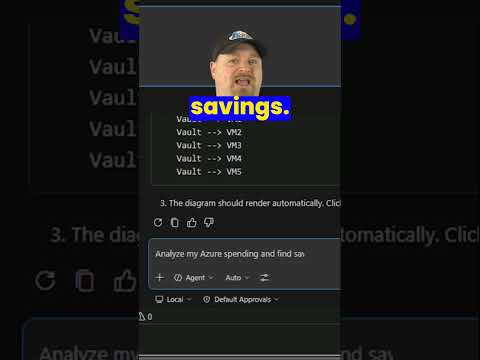
Azure Academy’s short highlights MCP links AI to live Azure cost data, so agents can help spot savings and compare options.
Key insights
- Azure Academy published a short on using AI and MCP to save money.
- MCP is described as an open standard for connecting AI apps to external tools and data.
- Microsoft’s Azure Resource Manager MCP server supports cost-management scenarios.
- The notes say Microsoft Copilot Studio also supports MCP integration.
- Microsoft Learn MCP Server can help agents search docs and code samples.
Azure Academy recently posted a YouTube Short about using AI and Model Context Protocol, or MCP, to save money. The short itself is only 18 seconds long, and the published description contains no transcript beyond “You Tube Short Video,” so the wider context comes from the accompanying research notes. The main takeaway is that MCP can connect AI agents to live Azure pricing and cost data, which can help with spending decisions.
What's new
The research notes describe MCP as an open standard that lets AI applications connect to external tools, data sources, and business systems. In Microsoft’s Azure ecosystem, that means an agent can reach live pricing, usage, budgets, and optimization data instead of relying only on what it already knows. The notes also say Microsoft’s Azure Resource Manager MCP server now supports cost-management scenarios such as historical spending analysis, forecasts, budgets, alerts, pricing, reservations, and Savings Plans.
The same material says Microsoft Copilot Studio supports MCP integration as well. That matters for makers who build agents and want them to work with approved sources and APIs without maintaining every custom connection by hand. The research notes also mention a Microsoft Learn MCP Server for searching documentation and code samples.
Why it matters
For admins and cloud teams, the practical value is faster cost analysis. Instead of moving between a portal, billing tools, pricing pages, and reports, an AI agent can query current data and explain the result in plain language. That can help teams estimate a deployment, compare architectures or regions, review reservations and Savings Plans, and spot underused resources.
For makers, the note about Developer Tools is relevant because MCP turns AI from a general chat interface into something closer to a controlled tool user. The likely audience here is anyone who works with Azure spend, builds copilots, or needs a simpler way to connect decisions with financial impact.
How it works
The notes describe a simple pattern. An AI agent sends a request through MCP, then retrieves current information from approved services or servers. In Microsoft’s approach, the Azure Resource Manager MCP server provides core cost tools by default, and an optional Cost Management toolset adds more detail.
- The agent asks for pricing, usage, or budget information.
- MCP passes that request to the relevant server or tool.
- The server returns live Azure data.
- The agent uses that data to explain options such as on-demand pricing, reservations, or Savings Plans.
The Microsoft Learn MCP Server follows the same idea for documentation: compatible agents can search Microsoft docs, retrieve articles, and find code samples. The notes say that service is publicly available without a usage charge.
Limitations and open questions
The short itself gives very little detail, so the main limitation is that we cannot verify the exact demo shown in the video from the published description alone. The research notes describe capabilities, but they do not confirm which ones Azure Academy demonstrated on screen. The notes also do not say which tenants, licenses, or regions are required for the Azure cost tools.
Another open question is how much setup is needed in practice for Copilot Studio or other agents to use these MCP servers. The notes say MCP reduces manual maintenance for custom integrations, but they do not provide implementation steps or supported configurations beyond the general description.
Sources
Frequently asked questions
What is MCP in this context?
The notes describe MCP, or Model Context Protocol, as an open standard that lets AI applications connect to external tools, data sources, and business systems.
What can the Azure Resource Manager MCP server do?
According to the notes, it supports cost-management scenarios such as historical spending analysis, forecasts, budgets, alerts, pricing, reservations, and Savings Plans.
Does the material say this is available everywhere?
No. The notes do not state tenant, region, or license availability for the Azure cost tools or Copilot Studio integration.