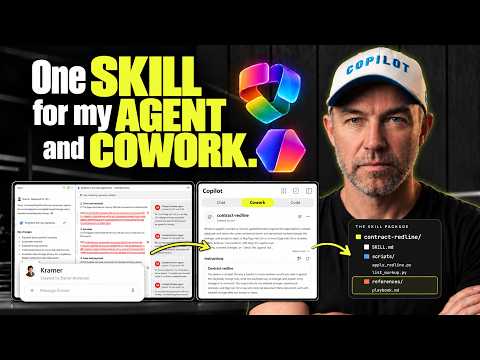
Copilot Agent Builder: Build a contract redlining agent
A Microsoft MVP 𝗁𝖾𝗅𝗉𝗂𝗇𝗀 develop careers, scale and 𝗀𝗋𝗈𝗐 businesses 𝖻𝗒 𝖾𝗆𝗉𝗈𝗐𝖾𝗋𝗂𝗇𝗀 everyone 𝗍𝗈 𝖺𝖼𝗁𝗂𝖾𝗏𝖾 𝗆𝗈𝗋𝖾 𝗐𝗂𝗍𝗁 𝖬𝗂𝖼𝗋𝗈𝗌𝗈𝖿𝗍 𝟥𝟨𝟧
Build a contract redlining agent with a reusable skill that checks a playbook and can add tracked changes and comments to Word documents.
Key insights
- The uploaded skill package includes SKILL.md, a playbook in a references folder and four Python scripts.
- Starter prompts in the example cover a quick risk check, comments only and a full redline.
- The Agent Builder redline creates a new document version; the Cowork demonstration edits the SharePoint document in place.
- In Cowork, the user approves document edits before the task continues.
- The example is a first-pass markup, not legal advice; a person must review and accept or reject changes.
Copilot Agent Builder can use a packaged skill to check a contract against a playbook and produce a Word document with tracked changes and comments explaining which rules prompted each change. This approach is relevant to legal operations and other teams that need a repeatable first-pass review, but it does not replace a person’s legal review. Daniel Anderson [MVP] demonstrates a contract redlining setup using Agent Builder and then the same skill in Copilot Cowork.
What it does
The example combines a short skill instruction file, a rules playbook and Python scripts. The playbook contains the rules used for the redline, while the scripts perform document markup, including tracked changes and comments. This is more than a prompt that asks an agent to suggest edits in chat: the demonstrated result is a Word document with document-level markup.
The agent has three intended tasks: a quick risk check, comments only and a full redline. The risk check presents findings without changing the document. A full redline applies changes and comments. The comments identify the rule associated with a change, giving the reviewer a way to connect a proposed edit with the playbook.
The skill is uploaded as a ZIP containing its files. In the demonstration, Agent Builder unpacks it and displays the SKILL.md file, reference playbook and scripts. Anderson also uses the same ZIP in Cowork, where the user asks to edit a contract stored in SharePoint. The two experiences differ in how they handle the document: Agent Builder creates a new redlined version, while the Cowork task edits the existing document in place.
Who it is for and what you need
This pattern may suit teams that want to test a structured contract-review process using their own rules and sample documents. The demonstrated skill depends on a playbook and scripts, so it requires more preparation than writing a single instruction. The package also includes a sample contract and an example playbook, according to the demonstration description.
The material does not specify required Microsoft 365 or Copilot licenses, tenant configuration, geographic availability, or a rollout stage. It also does not establish that every Agent Builder or Cowork environment supports the same file handling or document-editing behavior. Check the capabilities available in your own environment before planning a production process.
For a meaningful test, prepare review rules that your organization has approved and use a document that is appropriate for testing. The demonstration shows how to replace the skill in Agent Builder after updating it: use the agent’s three-dot menu to upload and replace the skill. The video does not describe security, data-retention or governance settings for sensitive contracts, so those points need separate verification.
How it works
In Agent Builder, the skill is attached to an agent with concise instructions. The ZIP holds the instruction file, its reference material and the Python scripts. Starter prompts give users ready-made choices for the three review modes. The specific text of those prompts and the full script contents are not provided in the transcript.
- Open Agents, choose New agent and proceed past the initial setup step.
- Give the agent a name and add its instructions for the contract-review task.
- Upload the skill ZIP. Check that the skill file, playbook and scripts appear in the agent’s configuration.
- Create or update the agent, then add starter prompts for a full redline, comments only and a quick risk check.
- Upload a contract and select the appropriate task. Review the findings or the resulting marked-up document.
For the full redline, the demonstrated Agent Builder flow creates a new document version with tracked changes and comments. The script controls the displayed comment author: Anderson changes a value in the apply_redline script and says the updated skill must then be uploaded or replaced. In Cowork, the skill is added through Customize and Add. The user selects the contract, requests an in-place redline and approves the edit when prompted.
That approval is a human checkpoint in the Cowork example. After it is approved, the task completes and the edited document can be checked in SharePoint. The comments in that run appear under the user’s name, rather than the configurable “Contract Review Agent” name shown in the Agent Builder example. These are observed outcomes of the demonstration, not a guarantee about every setup.
Limitations and open questions
The creator describes the output as a first-pass markup, not legal advice, and says a person should review and accept or reject every change. A comment that names a rule helps explain a proposed edit, but it does not establish that the rule is appropriate, that the analysis is correct or that the revised clause is legally acceptable.
The walkthrough does not provide accuracy testing, supported file-format details, limits on document size, or a method for validating that formatting and all edits are preserved. It also does not explain how to secure the playbook, review the Python scripts or govern access to contract files. Treat those as unanswered implementation questions, especially before using the pattern with real agreements.
Anderson reports that the particular Cowork run used 113 credits and estimates that as about $1.13. That is a result from the demonstrated task, not a stated standard cost. The material does not establish what determines credit use or what another contract or environment would cost.
Sources
Frequently asked questions
What files are included in the contract redlining skill?
The demonstrated ZIP contains SKILL.md, a playbook in a references folder and four Python scripts. The scripts write tracked changes and comments into the Word document.
Does the contract redlining agent edit the original document?
In the demonstration, Agent Builder creates a new redlined document version. The Cowork example edits the existing SharePoint document in place after the user approves the edit.
What license do I need for a contract redlining agent?
The demonstration does not state a required license or plan. Check the requirements and features available in your own Microsoft environment.
Can AI-generated contract redlines be accepted without review?
No. The example is described as a first-pass markup, not legal advice. A person should review and accept or reject every proposed change.