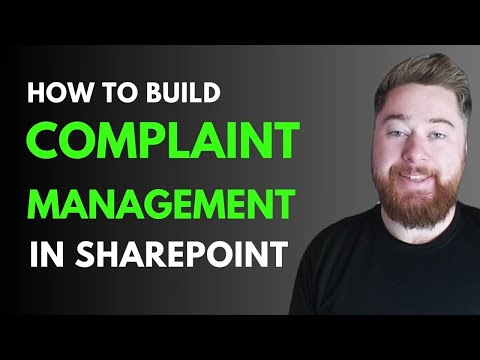
SharePoint: Complaint App in 30 Minutes
SharePoint no code complaint management with Power Automate Power Apps and Power BI for QMS traceability and audits
Key insights
- Complaint Management in SharePoint - Build a no-code complaint handling system in under 30 minutes that logs complaints, assigns owners, tracks status, and records resolutions.
It supports ISO 9001 needs for nonconformities, customer feedback, and corrective actions. - Key Features - Use SharePoint lists for logging and categorization, Power Automate for workflow automation, automated notifications and escalations, role-based visibility for teams, and built-in reporting for audits.
These features make tracking and resolution visible and auditable. - How it works - Create SharePoint lists and columns to capture complaint details, then build Power Automate flows to set due dates, update statuses, and send alerts.
Optionally connect Teams Approvals for sign-offs and add dashboards for real-time monitoring. - Benefits - Deploy quickly without extra software, centralize complaint records in Microsoft 365, improve traceability and customer satisfaction, and speed up resolution times.
It reduces cost by using existing subscriptions and tools. - Extendability - Add Power Apps for mobile complaint submission and Power BI for performance dashboards.
You can also expand with CRM-like modules, follow-up workflows, and custom reports. - Governance & Security - Use SharePoint access controls and lifecycle policies to protect complaint data and meet compliance requirements.
Keep SharePoint updated, monitor automated agents and workflows, and apply governance rules for reliable operations.
Overview of the video and its purpose
In a recent how-to video, Dougie Wood [MVP] demonstrates how to build a complaint management system using SharePoint in what he presents as an under 30 minutes process. The tutorial aims to show practical, no-code steps to capture complaints, assign responsibility, and track resolution inside an existing quality management framework. Consequently, the piece targets quality managers, compliance professionals, IT admins, and Microsoft 365 power users who need a fast, integrated solution for nonconformities and customer feedback.
Furthermore, the video lays out a clear structure with time-stamped sections, including a customer dashboard recap, SharePoint list creation, dashboard building, corrective actions, and a CRM overview. Therefore, viewers can jump to the parts they need most, which supports efficient learning and makes the content suitable for team training. By focusing on compliance needs such as ISO 9001 readiness, the tutorial connects everyday SharePoint work to formal quality standards.
How the solution is built and what it includes
Dougie Wood walks through creating SharePoint lists for complaints and related records, then shows how to add columns and views to capture essential fields. Next, he demonstrates simple Power Automate flows to automate status changes, notifications, and overdue escalations, while integrating approval steps where appropriate. In addition, the video highlights role-based visibility so Quality and Compliance teams see what matters most without exposing irrelevant data.
Moreover, the tutorial suggests extensions such as mobile submission via Power Apps and performance dashboards using Power BI, which can improve accessibility and reporting. The author also reviews a customer dashboard and a CRM-style overview, showing how this lightweight system can support follow-up actions and corrective measures. Thus, organizations can centralize complaint logs, corrective actions, and audit evidence inside a single Microsoft 365 environment.
Advantages and practical tradeoffs
Using SharePoint as the platform offers rapid deployment and cost-efficiency because most organizations already have Microsoft 365 subscriptions. As a result, teams can implement a working complaint management process quickly without purchasing new software, and they can leverage built-in security and governance features. However, speed brings tradeoffs; a fast build may lack deep customization or advanced CRM capabilities that off-the-shelf systems offer.
Additionally, customization through Power Automate and Power Apps enhances functionality, but it also increases maintenance effort and complexity over time. Therefore, teams must balance ease of deployment with the need for robust workflows, reporting, and user experience. In practice, organizations pursuing this approach should plan for iterative improvements rather than expecting a perfect first version.
Challenges and considerations for implementation
Several practical challenges appear when adopting a SharePoint-based complaint system, including permissions management, data integrity, and scalability. For instance, precise role-based access is essential to protect sensitive complaint data while allowing auditors and managers to perform reviews, yet misconfigured permissions can cause visibility gaps or leaks. Moreover, as the volume of complaints grows, list performance and workflow throttling can require design adjustments or additional governance.
Security and compliance also demand ongoing attention, notably because SharePoint and related services receive periodic updates and patches. Consequently, administrators must apply recommended updates and review governance settings to avoid known vulnerabilities and to meet audit requirements such as those for ISO 9001. Finally, user adoption is not automatic; training, clear processes, and sensible form design remain critical to ensure staff consistently log and follow up on complaints.
Best practices and recommended next steps
To reduce risk, organizations should start with a minimum viable process and then iterate based on feedback and metrics. For example, begin by defining required fields, simple automation for status and notifications, and clear owner responsibilities, and thereafter add escalation, reporting, or mobile submission features. Additionally, integrate with Teams Approvals or other Microsoft 365 tools to streamline decision points and keep stakeholders informed.
Governance should accompany development, so keep lifecycle policies, access reviews, and data retention rules in place from the start to support audits and regulatory needs. Finally, monitor performance and user behavior, and plan for periodic review to adapt the system as volumes, business rules, or compliance requirements change. By doing so, organizations can balance speed, control, and long-term maintainability while benefiting from an accessible, cost-effective solution.
Conclusion
Dougie Wood’s tutorial offers a clear route to build a practical complaint management system using SharePoint and the wider Microsoft 365 toolset, emphasizing rapid deployment and ISO-aligned functionality. However, the approach requires thoughtful tradeoffs, including governance, scalability, and ongoing maintenance, to move from a quick prototype to a reliable business system. Ultimately, organizations that combine iterative development with sound governance and user training can gain faster resolution cycles, improved traceability, and stronger audit readiness while keeping costs low.
For teams considering this option, the initial steps start with simple lists and flows, then expand based on operational needs and compliance requirements, which aligns well with modern low-code adoption patterns. Therefore, the method shown in the video serves both as a learning resource and a practical blueprint for teams aiming to improve complaint handling inside Microsoft 365.
Keywords
SharePoint complaint management, complaint management system SharePoint, build complaint tracker SharePoint, SharePoint complaint tracking tutorial, SharePoint workflows for complaints, SharePoint lists for complaint management, how to build complaint management in SharePoint, SharePoint complaint form tutorial