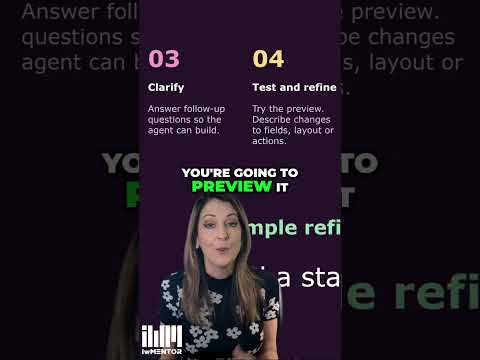
Copilot Studio Apps: build apps by describing them
Copilot Studio’s Apps preview lets makers describe a business need and refine a generated app through conversation.
Key insights
- Copilot Studio lists the app-building experience as Apps (Preview).
- Makers can describe the business outcome, intended users, data, and actions they need.
- The generated app can be refined conversationally and reviewed before publishing.
- Apps can connect to approved business data sources through connectors.
Copilot Studio’s Apps experience lets makers describe a business need and generate an app they can refine through conversation. It is aimed at people who know the process they want to support, including business makers and developers helping shape internal applications. Laura Rogers [MVP] demonstrates the describe-and-build approach in a YouTube Short.
What it does
Copilot Studio presents Apps as a way to start from a description rather than a blank development environment. A maker can explain the outcome, who will use the app, what information it needs, and the actions or rules it should support. Copilot Studio can then generate an interactive application starting point, including elements such as its interface, data model, and business logic.
The maker can continue with conversational requests to change or extend the app. That makes the experience iterative: describe a need, inspect the result, and request changes. It does not remove the need to review the app’s behavior, data connections, or implementation before using it in a business process.
Who it is for and what you need
The feature is relevant to makers who understand a business process and want to turn it into an application, as well as developers who may review or customize what is generated. Copilot Studio identifies the capability as Apps (Preview). The starting point is a clear description of the business problem and the intended users, data, actions, and rules.
For a useful first prompt, describe what the app should help people accomplish and what information it should show or collect. If the app needs organizational data, identify the relevant approved data source and connector as part of the design.
How it works
- Open the Apps experience in Copilot Studio.
- Describe the business problem and desired result, including users, data, actions, and rules.
- Review the generated app and its interactive preview.
- Ask Copilot Studio for changes, then inspect the result and its connections before publishing.
Connectors provide access to business data and services, and the app’s access depends on the configured connection and permissions. Treat those connections as part of the design, especially when an app reads or changes organizational information.
Limitations and alternatives
Apps is a preview experience, so makers should validate the generated result rather than assume it is ready for production. Complex or ambiguous requirements may need clarification and hands-on review. Check the app’s logic, data model, interface, connector configuration, and permissions before sharing it with users.
The conversational approach can provide a starting point, but it does not replace testing or any deeper customization the application needs. Review the generated implementation where appropriate, and confirm that the app’s behavior matches the process it is intended to support.
Sources
Frequently asked questions
Is app building in Copilot Studio generally available?
Copilot Studio lists the Apps experience as a preview.
How do you create an app in Copilot Studio with a description?
Open Apps in Copilot Studio and describe the business problem, intended users, data, actions, and rules. Review the generated app and request changes conversationally.
Can Copilot Studio apps connect to business data?
Apps can use connectors to access business data and services. Access depends on the configured connection and permissions.