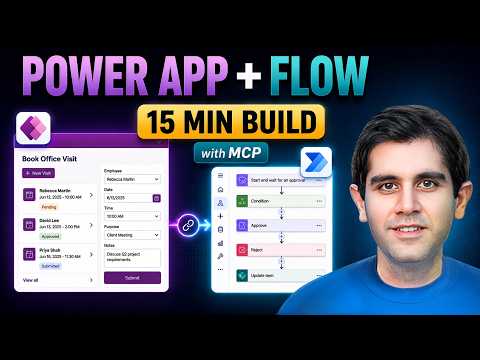
Power Apps: Approval Flow in 15 Mins
Principal Program Manager at Microsoft Power CAT Team | Power Platform Content Creator
Microsoft expert guide: build a Power Apps Canvas app with Power Automate approval flow on SharePoint using MCP and AI
Key insights
- Demo summary: The video builds an Office Visit booking Canvas App connected to a SharePoint List and a Power Automate approval flow, sends approval requests, updates visit status automatically, and tests the full solution in about 15 minutes.
- Core tools: The workflow uses the Power Apps MCP Server, Flow Agent MCP, and an AI coding assistant (Claude Code) to speed creation of app screens, flows, and task automation.
- How it works: The app captures a request, the flow triggers Start and wait for an approval, and the flow branches on Approve or Reject to update the SharePoint item and notify users.
- Key benefits: Faster automation through MCP-driven agents, built-in human oversight via an enhanced agent feed for review and intervention, and tighter integration between Power Apps and Power Automate.
- Limits and rollout: The Power Apps MCP Server is in public preview with phased regional rollout (starting in US early release); the demo shows a working prototype, not a full production deployment, and some manual configuration is still needed.
- Try it next: To reproduce, connect app to cloud flow using a SharePoint trigger, test end-to-end approvals, and adjust settings for production readiness after the quick prototype build.
Reza Dorrani’s recent YouTube video walks viewers through building a complete approval solution in roughly 15 minutes, and the clip doubles as both a tutorial and a proof of concept. In clear steps, Dorrani demonstrates a booking app for office visits that uses a Canvas App connected to a SharePoint list, paired with an approval workflow in Power Automate. Additionally, he shows how an AI coding agent, labeled Claude Code, works with MCP servers to speed parts of the build while keeping human oversight available. As a result, the video offers a practical look at what rapid prototyping can achieve with Microsoft’s newest tools.
What the video demonstrates
First, Dorrani builds a form-based app that captures visitor requests and writes them to a SharePoint list, and then he creates an approval flow that routes those requests to reviewers. Next, he connects the app to the cloud flow so status updates move automatically from the approval results back into the list. Throughout the demo, he relies on the Power Apps MCP Server and a flow agent to automate repetitive tasks while showing where manual steps still matter. Consequently, viewers get a full end-to-end view from form to approval to status change.
The video also includes a short chaptered timeline that highlights build stages and a final test of the working solution. Importantly, Dorrani treats the 15-minute time as a focused prototype exercise rather than a full production rollout. He emphasizes testing the scenario from start to finish so viewers can see the pattern in action. Therefore, the clip aims to teach concept and pattern more than document every enterprise-ready setting.
How MCP servers and AI agents fit in
Microsoft’s Power Apps MCP Server appears in the video as the bridge that lets agents interact with app tasks through the Model Context Protocol. In practice, the agent feed surfaces pending tasks for human review, and agents can perform routine entries using functions such as invoke_data_entry. Furthermore, the preview includes built-in supervision so humans can step in when the agent needs guidance or correction. Thus, the MCP approach blends automation speed with human oversight.
Additionally, Dorrani demonstrates how an AI coding assistant like Claude Code can accelerate the initial app and flow scaffolding, yet he also shows where manual configuration remains necessary. He points out that the MCP public preview is rolling out regionally, which affects early access and testing scope. Therefore, organizations must weigh availability when planning pilot projects. Overall, the video makes clear that agents speed development but do not remove the need for human governance.
Advantages and practical tradeoffs
One clear advantage revealed is faster prototyping: the agent-assisted workflow reduces repetitive work and speeds common tasks. Moreover, the pattern ties together a user-facing Canvas App and a standard approval action in Power Automate, such as Start and wait for an approval, providing a familiar enterprise pattern. However, tradeoffs appear when moving from prototype to production, since the demo leaves security, error handling, and governance to later manual work. Thus, teams gain speed but must invest effort to harden solutions for real-world scale.
Another tradeoff concerns human oversight versus automation. While the agent feed supports review and intervention, adding reviewers can slow throughput and complicate SLA planning. Likewise, agent-driven data extraction can reduce manual entry but requires validation to avoid incorrect records. As a result, organizations should balance agent use with clear approval rules and testing plans.
Limitations and engineering challenges
Dorrani’s 15-minute format naturally focuses on a lean scenario, so it omits many complex topics that arise in larger deployments. For example, enterprise apps often need advanced error handling, retry strategies, and detailed logging that the quick demo does not cover. Also, integrating with larger data models and permission scopes in SharePoint or other stores requires planning and governance. Consequently, teams should treat the demo as a starting template rather than a finished architecture.
Operational challenges also include managing region-based preview features, keeping AI agents’ actions auditable, and ensuring data compliance. Moreover, approval workflows frequently require branching logic, parallel reviews, and escalation paths that demand more design time. Therefore, teams should allocate time to design and test these scenarios thoroughly before adopting similar patterns. In short, the technology helps, but it does not eliminate standard engineering work.
Implications for developers and teams
For citizen developers and small teams, the video shows how to prototype useful workflows quickly and validate user experiences before heavy investment. Conversely, professional developers and IT teams will likely view the pattern as a rapid proof of value that still needs governance, security reviews, and operational plans. Consequently, a hybrid approach works best: use agent-assisted builds for prototypes, then apply disciplined modernization for production systems. This balanced view helps organizations adopt new tools while managing risk.
In conclusion, Reza Dorrani’s walkthrough provides a clear, practical example of how Power Apps MCP and agent tools can accelerate low-code builds while preserving human oversight. Yet, it also highlights important tradeoffs around readiness, governance, and scalability that teams must address. Therefore, readers should use the demo as an educational guide and plan additional work to turn prototypes into robust solutions. Ultimately, the video invites testing and measured adoption rather than a blind rush to automate everything.

Keywords
power apps approval flow, power automate approval tutorial, build power app in 15 minutes, power apps and power automate approval, power automate approval flow example, power app tutorial for beginners, mcp power platform tutorial, quick power automate approval flow