Power Apps: Create PCF Controls with AI
SharePoint & PowerApps MVP - SharePoint, O365, Flow, Power Apps consulting & Training
Learn to build a beginner friendly PCF control in Power Apps using AI and Power Platform with Microsoft expertise.
Key insights
-
Overview: The video shows how to build your first PCF control for Power Apps using AI, aimed at beginners who want a hands-on project.
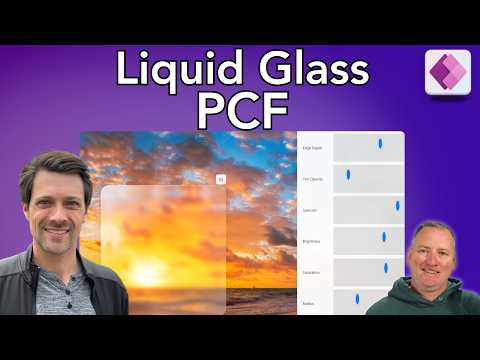
It demonstrates a creative "Liquid Glass" visual as a fun learning scenario rather than a required app feature. -
Key prerequisites: Prepare your environment with VS Code, Node.js, Visual Studio Build Tools, and the Power Platform CLI (pac).
These tools let you scaffold, run, and package PCF components locally. -
High-level workflow: Install and configure prerequisites, gather design knowledge, prompt the AI to generate or recreate component code, enable code components in Power Apps, then install and test the PCF.
The steps focus on scaffolding, local testing, building, and deploying the final solution. -
How AI helps: AI assistants speed up writing boilerplate, reconstructing .tsx files and control manifests, and suggesting fixes during debugging.
Use AI to accelerate scaffolding and reduce repetitive coding tasks while you validate logic and UI. -
Liquid Glass implementation: The video covers techniques that combine CSS and SVG to achieve a liquid-glass visual effect and points to example code repositories and blog guides for reference.
These design tips help you style a PCF control with modern, layered visuals. -
Benefits and use cases: Custom PCF controls deliver richer UI, improved data visualizations, and reusable components you can package and deploy to Dataverse for canvas or model-driven apps.
The approach speeds development, encourages reuse, and helps non-expert builders create polished, interactive controls.
Summary: A Practical Demo from Shane Young
In a recent YouTube video, presenter Shane Young [MVP] walks viewers through building a custom PCF control for Power Apps with help from AI. The tutorial is pitched at beginners and emphasizes hands-on learning rather than deep prior Development experience. Consequently, Shane frames the process as an approachable way to learn how PCF components work while experimenting with creative UI effects.
What the Video Covers
Shane organizes the video into clear stages, beginning with an overview of PCF controls and the prerequisites needed to get started. He then demonstrates how to gather existing component knowledge, craft prompts for an AI assistant, scaffold a control, and finally register and install the control into a Power Apps environment. Notably, the video includes a practical touch: a visual effect often called Liquid Glass, which serves as a playful but meaningful example of what custom controls can deliver.
How AI Is Used in the Workflow
During the demonstration, AI acts as a coding partner that accelerates boilerplate creation and offers suggestions for files like TypeScript and manifest definitions. Shane shows how to prompt the assistant to reconstruct code patterns and produce CSS and SVG guidance for the visual effect, which speeds the initial development phase. Moreover, the presenter stresses that AI is not a substitute for judgment; developers still need to validate output, adjust logic, and test for edge cases.
Tools, Prerequisites, and the Liquid Glass Example
The video highlights practical tools such as VS Code, Node.js, and the PAC CLI for building and testing controls locally. Shane walks viewers through initializing a PCF project, running a local test harness, and packaging the component for deployment into Dataverse or a Power Apps environment. For the visual, he adapts patterns that combine CSS and SVG to create the Liquid Glass look, using those styles as an opportunity to explain how UI complexity can be encapsulated inside a reusable control.
Tradeoffs: Speed Versus Control
Using AI speeds scaffolding and reduces repetitive work, yet it introduces tradeoffs that developers must weigh. For example, while generated code can get a component working quickly, it may include unnecessary dependencies or patterns that do not match a team's style, requiring manual cleanup. Furthermore, relying heavily on AI without understanding the underlying code can make debugging harder and can complicate long-term maintenance.
Challenges and Practical Considerations
There are several practical challenges that Shane highlights implicitly through his workflow: keeping environments synchronized, managing package versions, and ensuring performance and security for custom controls. In addition, testing remains critical because behaviors that appear correct in a local test harness can diverge when a control is deployed inside a large app or on slower devices. Consequently, developers should plan for iterative testing and consider tradeoffs between richer visuals and runtime performance.
Who Benefits and When to Use This Approach
This approach suits makers who want a fast path to prototype custom UI or integrate niche visual features without becoming full-time front-end developers. Conversely, teams building highly critical or widely reused controls may prefer a more conservative path that emphasizes hand-crafted code, strict linting, and full unit testing. Therefore, balancing speed and quality depends on the component's intended lifespan and how broadly it will be shared.
Practical Tips and Takeaways
Shane’s session reinforces a few practical tips: start with small prototypes, validate generated code, and maintain version control for any AI-assisted output. Moreover, document decisions about dependencies and design choices so future maintainers understand why particular patterns were chosen. Finally, treat AI as a helper that accelerates routine work but does not replace learning core concepts of PCF development.
Conclusion
Overall, the video by Shane Young [MVP] offers a clear, practical introduction to building PCF controls in Power Apps while exploring how AI can streamline the process. It balances inspiration with realism by showing an appealing visual effect and by pointing out the need for careful testing and cleanup. For makers and developers, this presentation is a useful roadmap to experiment with custom controls while understanding the tradeoffs involved.

Keywords
Custom PCF control Power Apps, Build PCF control Power Apps, PCF control tutorial, Power Apps PCF using AI, Create PCF component Power Apps, AI assisted PCF development, Power Apps custom control tutorial, PCF development best practices