Power Platform: End-to-End Inventory App
SharePoint & PowerApps MVP - SharePoint, O365, Flow, Power Apps consulting & Training
Microsoft expert demo builds custom inventory on Power Platform with Power Apps Power Automate Dataverse Copilot Studio
Key insights
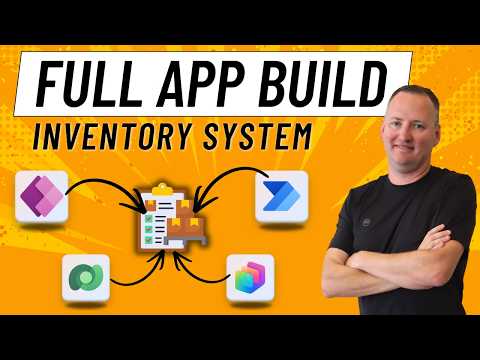
- Power Platform: The demo shows a full inventory system built with Power Apps, Power Automate, Dataverse, and Copilot Studio.
These tools connect to store data, build UIs, automate flows, and speed up development with AI. - Architecture layers: Use a clear stack — Data Layer (Dataverse), App Layer (canvas and model-driven apps), Automation Layer (Power Automate), and AI (Copilot).
This structure keeps data consistent, UIs responsive, and processes automated. - App types and flows: The demo includes a model-driven app with a generative page, a canvas app for inventory management, and a mobile app for packing-slip scanning and tagging.
A Copilot Studio agent helps manage actions and speeds repetitive tasks. - Implementation steps: Create Dataverse tables, build views and forms, add barcode scanning, and implement delegable filters for large datasets.
Then add approval flows and test mobile scanning before rolling out. - Benefits: Expect faster builds, reduced manual errors through automation, seamless integration with Microsoft 365, and easy scaling for larger inventories.
Low-code tools also enable quick customization to match business needs. - Practical tips: Track key fields like reorder point, serial numbers, and images; use approvals for stock changes; and surface insights in Power BI.
Keep mobile scanning simple and validate flows with real users before full deployment.
Introduction
In a recent YouTube demo, author Shane Young [MVP] shows how to build a complete inventory management system using Microsoft tools. The video walks through an end-to-end solution that combines low-code apps, automation, a cloud data layer, and Copilot-driven assistants. Consequently, the presentation highlights how these elements can work together to solve real business needs swiftly and with relatively little code.
Demo Walkthrough
First, Shane Young [MVP] opens with a model-driven app that includes a generative page to surface records and summaries quickly. Then he switches to a Power Apps canvas app that demonstrates how users can browse inventory, update quantities, and view details like images and serial numbers. Finally, he shows a mobile packing-slip scanner and a Copilot Studio agent that helps manage workflows, illustrating an end-to-end flow from scanning to automated approval.
The video is organized into clear segments: the model-driven overview, the canvas app demo, the mobile scanning use case, and the Copilot Studio agent. Each segment focuses on a practical task—viewing stock, editing items, tagging packed goods, and responding to AI prompts. Therefore, viewers can see both the user experience and the automation behind keeping inventory accurate.
Core Components Explained
At the data layer, the demo uses Dataverse to store structured records with fields like quantity, reorder points, images, and lookups to related tables. Dataverse provides strong relational capabilities and business rules that simplify integrity and reporting, but it also adds licensing and administration considerations. For simpler or smaller projects, the demo notes that alternatives such as SharePoint lists or Excel can work, although they come with limits on scalability and delegation.
At the app layer, Power Apps appears both as model-driven and canvas apps to balance rapid layout with tailored user experiences. Model-driven apps give fast, structured forms and views, while canvas apps offer pixel-level control and mobile-friendly layouts including barcode scanning controls. As a result, the combination supports desktop and warehouse-floor tasks without rebuilding core logic.
The automation and intelligence layer uses Power Automate for notifications and approval flows, and Copilot Studio to accelerate building screens, tables, and agent behaviors from natural language prompts. These tools reduce repetitive tasks and speed development, though they require governance to ensure flows and AI agents behave as intended. In practice, the automated alerts and AI-assisted interfaces trim manual work and make the system responsive to exceptions like low stock.
Tradeoffs and Challenges
One tradeoff involves speed versus control: Copilot can generate apps quickly, but outputs sometimes need manual tuning to meet specific business rules or performance needs. Therefore, teams should treat Copilot as a productivity partner rather than a final step, reviewing generated components for security, delegation, and user experience. This approach balances fast delivery with reliable, maintainable results.
Another challenge is choosing the right data store. While Dataverse supports complex relations and business logic, it increases administrative overhead and possible licensing costs compared with SharePoint or Excel. Additionally, delegable queries and row limits affect how well the app performs with large datasets, so developers must design filters and indexing carefully to avoid slow screens or incomplete results.
Operationally, mobile scanning and offline scenarios introduce complexity around synchronization and error handling. Systems that rely on barcode scanning and packing slips need robust validation and retry logic to handle connectivity loss and device variability. Finally, integration with external systems—such as e-commerce platforms or ERP—requires stable APIs and clear mapping between data models.
Practical Takeaways
Overall, the demo by Shane Young [MVP] demonstrates a practical path to build an extensible inventory solution using the Power Platform. The combined approach—model-driven for structure, canvas for tailored UX, Dataverse for relational data, Power Automate for processes, and Copilot for speed—offers a balanced toolkit for many organizations. However, teams should plan for governance, performance tuning, and integration testing to avoid common pitfalls.
For IT leaders and makers, the key is to match platform choices to business scale and priorities: start simple when appropriate, and adopt richer services like Dataverse and Copilot as needs grow. In this way, organizations can gain faster time-to-value while preserving control and reliability as their inventory needs evolve.

Keywords
Power Platform inventory system, Power Apps inventory management, Power Automate inventory workflow, Dataverse inventory solution, End-to-end Power Platform demo, Microsoft Power Platform tutorial, Inventory management app Power Platform, Power BI inventory reporting