Power Apps: Supervise Copilot Agent Feed
Principal Program Manager at Microsoft Power CAT Team | Power Platform Content Creator
Microsoft expert: Supervise Copilot Studio agents in Power Apps with Agent Feed for accountable claims AI
Key insights
- Video overview: The tutorial demonstrates how to build and supervise autonomous agents in Power Apps using Copilot Studio and the Agent Feed.
It walks through creating a claims evaluation agent and connecting agents into an app-centered supervision workflow. - What Agent Feed does: Agent Feed gives a centralized activity stream that records every agent action for easy review.
Teams can monitor suggestions, approvals, and rejections in one place to keep work transparent and traceable. - Build and run agents: Use the plan designer and Copilot Studio to generate a Power Platform solution and author an agent that runs automatically when triggers fire (for example, a new claim submission).
The video shows end-to-end steps to create, enable triggers, and test a Claim Evaluation agent. - Supervision and intervention: Supervisors watch agents live via the activity feed and can jump to the exact record to intervene when human judgment is required.
This makes it easy to approve, correct, or reroute decisions without leaving the app. - Integration with automation: Agent Flows link agents to Power Automate so agents can start workflows, send alerts, or request approvals directly from Power Apps.
Developers can add agents to model-driven apps so agent activity appears alongside core business data. - Customization and benefits: Copilot Tuning lets organizations adapt Copilot models to their data, tone, and processes without code, enabling tailored, reliable outputs.
The combined approach boosts efficiency, supports multi-agent orchestration, and keeps humans in control of automated decisions.
Reza Dorrani’s YouTube video demonstrates how organizations can build and supervise autonomous AI agents using Microsoft Copilot Studio and the new Agent Feed feature in Power Apps. In clear, step-by-step segments, the presenter shows a claims evaluation agent that can autonomously approve or reject claims based on company guidelines, and then connects that agent to a centralized feed for human oversight. Consequently, the video frames Power Apps as a command center where human teams can monitor agent activity, step in when needed, and maintain accountability. As a result, viewers receive a practical look at how low-code tools and agent orchestration can work together in real business scenarios.
Video Overview and Demonstration
The video opens with a brief plan: describe the business case, generate a Power Platform solution, and then build an agent in Copilot Studio. Next, the presenter creates the claims evaluation agent, shows how to make it run autonomously when a new claim arrives, and then tests the agent to verify behavior. Through these steps, the video highlights both the design-time and runtime views, illustrating how the agent handles decisions and when it requests human input. Thus, the demonstration makes the concept tangible for business users and developers alike.
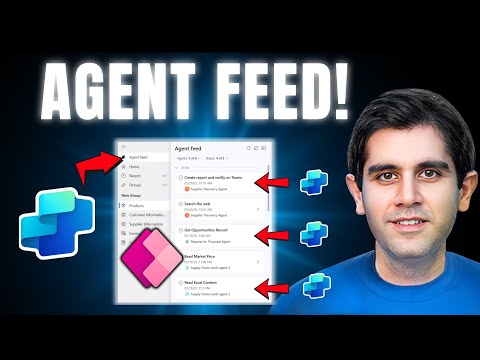
Additionally, the clip includes a tour of the Agent Feed inside a model-driven app, explaining how agents appear in an “Agents” tab and how their activities surface in a centralized activity feed. The presenter explains the importance of having visible, trackable actions so supervisors can quickly identify exceptions and link back to the relevant record. Moreover, viewers see how to trigger automated flows and handle tasks that require human attention. Consequently, the feed becomes a measurable control point for governance and collaboration.
How Agent Feed Changes Supervision
The core value of the Agent Feed is transparency: it surfaces suggestions, activity, and pending tasks from multiple agents in one place. This allows supervisors to monitor agent decisions in real time and to intervene when judgment is required, thereby keeping people in control of automation outcomes. Furthermore, because activities link back to contextual records, human reviewers gain the right data quickly, which speeds up reviews without sacrificing traceability. Therefore, the feed acts as a hub for human–agent collaboration rather than a passive log.
However, introducing a centralized feed also changes operational demands: teams must decide which events require alerts, who reviews them, and how long to retain activity history for audits. In practice, organizations will need simple policies to avoid alert fatigue and to ensure that the feed stays actionable rather than noisy. Consequently, balancing visibility with focus becomes an essential management task as agents scale. Ultimately, the feature supports governance but requires thoughtful configuration to deliver real value.
Customization and Integration with Copilot Studio
The video emphasizes low-code customization through Copilot Tuning, which lets organizations adapt Copilot models to their data, tone, and workflows without deep coding experience. This approach helps teams create domain-specific agents that reflect company language and rules, increasing acceptance and relevance for end users. In addition, Agent Flows connect agents to Power Automate, enabling agents to trigger workflows such as approval processes or alerts. As a result, agents can participate in broader automation scenarios instead of operating in isolation.
Nevertheless, customization introduces tradeoffs: while low-code tuning accelerates deployment, it may not cover complex edge cases that require deeper engineering. Editing and publishing agents ultimately rely on Copilot Studio, so teams must balance rapid configuration against the need for expert oversight when agents handle high-risk decisions. Moreover, integrating agents with existing model-driven apps calls for careful testing to ensure triggers and data contexts behave consistently. Thus, organizations should plan governance, testing, and rollback strategies before wide adoption.
Tradeoffs, Challenges, and Governance
The video makes clear that automation brings clear efficiency gains, yet it also raises difficult tradeoffs between speed and control. For example, granting full autonomy to an agent can speed throughput, but may increase the risk of incorrect approvals unless robust monitoring and escalation paths exist. Consequently, teams must design thresholds for human intervention and retain audit trails to meet compliance needs. In short, the balance between automation and oversight requires deliberate policy and tooling choices.
Beyond policy, technical challenges remain: model reliability, data quality, and multi-agent coordination can produce unexpected behaviors that require debugging and change control. In addition, organizations must weigh privacy and data governance concerns when tuning agents on internal data. Therefore, the video implicitly recommends iterative rollouts with clear metrics and human reviewers during early deployment. By doing so, businesses can scale agent-driven processes while limiting operational risk.
Practical Takeaways for Organizations
Reza Dorrani’s walkthrough offers a practical roadmap: define the use case, build and test an agent in Copilot Studio, enable automated triggers, and then supervise activity through Agent Feed. Along the way, teams should configure alerts sensibly, train reviewers, and ensure that agent outputs link back to records for fast resolution. Moreover, integrating with Power Automate using Agent Flows expands what agents can accomplish within existing workflows, improving end-to-end automation.
In conclusion, the video positions Power Apps as a command center for agent-led automation that keeps humans in the loop. While the tools lower the barrier to create useful agents, the video also signals the need for careful governance, testing, and continuous monitoring. Consequently, organizations that adopt these features should plan for staged rollouts, clear review processes, and ongoing tuning to gain efficiency without sacrificing control.

Keywords
Agent Feed Power Apps, Supervise Copilot Studio, Copilot Studio autonomous agents, Monitor autonomous agents Power Apps, Power Apps agent supervision, Copilot Studio governance, Autonomous agent best practices Power Platform, Agent Feed tutorial Power Apps