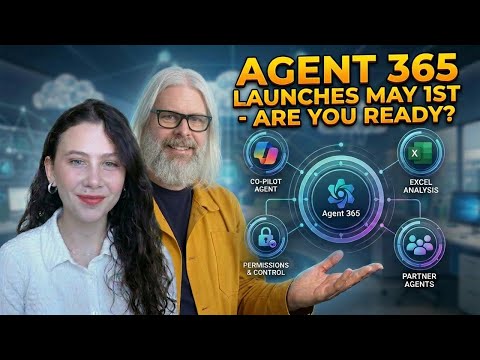
Agent 365: Researcher & Analyst Demo
Microsoft MVP | Author | Speaker | YouTuber
Expert preview: Agent ThreeSixtyFive showcase of Researcher and Analyst in Copilot and governance in Admin Center
Key insights
- Agent 365 Preview: A Microsoft 365 Copilot feature that shows built-in agents for common work tasks.
It highlights how agents can run multi-step workflows to create reports and visual outputs automatically. - Researcher: Searches your emails, files, meeting notes, and approved web sources, then synthesizes evidence into a structured report.
Reports include citations, key findings, and suggested next steps you can edit and share. - Analyst: Analyzes spreadsheets and data files to find trends, anomalies, and patterns, and then generates charts and explanations.
It gives visual insights and exposed query steps without needing deep statistical skills. - agentic AI: Agents plan, execute, and validate multi-step tasks instead of answering single prompts.
They expose reasoning steps inside Copilot so you can review and refine results. - Microsoft 365 Admin Center: Admins can govern agent access, permissions, and policies from the Admin Center.
Agents use secure access to tenant data and follow organizational compliance controls. - Copilot Studio: Organizations can scale and customize agents or use the pre-pinned Researcher and Analyst for faster work.
These tools speed research and analysis but require a Copilot license and follow per-user query limits.
Preview and Purpose
The recent YouTube preview by Peter Rising [MVP] introduces Agent 365 and demonstrates two built-in agents, Researcher and Analyst, within Microsoft 365 Copilot. In the video, Peter and guest Natalia walk viewers through real-world scenarios to show how these agents can handle multi-step tasks that combine searches across mail, files, meetings, and approved web sources. Consequently, the preview aims to shift expectations from single-prompt responses to more autonomous, multi-stage assistance for knowledge work.
Moreover, the segment outlines how these agents are pre-pinned in Copilot apps and how administrators can govern them via the Microsoft 365 Admin Center. The demo situates Agent 365 as part of a broader move toward agentic AI in the enterprise, where systems plan, act, and validate in several steps instead of replying once. Therefore, the video serves as both an introduction for end users and a guide for IT teams preparing rollout and governance plans.
Demo Highlights
Peter Rising times the demo to show the user experience from start to finish, starting with the out-of-the-box agents and moving into the Agent Store and admin controls. During the walkthrough, Researcher compiles evidence, formats a brief, and includes sources, while Analyst reads spreadsheets, discovers trends, and generates charts to explain patterns. These live steps emphasize how agents break complex requests into subtasks and then synthesize results into shareable artifacts.
Additionally, the demo shows how users can attach files and answer clarifying prompts to refine results, which makes the system feel interactive and intentional. This design helps reduce follow-up queries by anticipating clarifications and showing intermediate reasoning for transparency. As a result, viewers get a practical view of the agents working together and the kinds of outputs to expect in everyday workflows.
How Researcher and Analyst Work
Researcher functions like a dedicated research assistant that pulls from internal documents, calendar items, and approved web sources to form a structured report with citations and next steps. In contrast, Analyst acts like a data analyst by ingesting spreadsheets, surfacing anomalies or trends, and producing visual summaries and explanation text. Together, they represent a move toward systems that not only answer but also plan and validate multi-step reasoning across different data types.
Users interact with the agents through conversational prompts in Copilot Chat and can choose an agent from the Agents dropdown to start a session or attach files via the interface. The agents can ask clarifying questions, outline their approach, and then deliver a final product that you can edit or share. Thus, they blend natural language ease with workflow features that support evidence and reproducibility.
Benefits and Tradeoffs
The agents promise clear benefits, such as saving time on synthesis tasks, democratizing data analysis for non-experts, and standardizing outputs like briefs and charts across teams. By contrast, there are tradeoffs including quota limits, licensing considerations, and the need to establish guardrails so agents access only approved data sources. Therefore, organizations must weigh productivity gains against licensing costs and operational limits, such as the preview’s usage allowances.
Moreover, while automation reduces manual work, it can shift responsibilities: employees may need to validate agent outputs and ensure context-specific accuracy, which requires new skills. At the same time, reducing the need for specialist intervention can free experts for higher-value tasks, but it also raises questions about training, role changes, and supplier reliance. Consequently, successful adoption requires balancing efficiency, upskilling, and oversight to avoid over-dependence on automated reasoning.
Governance, Challenges, and Outlook
Peter Rising highlights governance tools in the Microsoft 365 Admin Center that let IT teams control agent availability and data access, and he references options to build custom flows in Copilot Studio. Despite these controls, challenges remain around data privacy, model transparency, and the risk of hallucination when agents interpret ambiguous or incomplete inputs. Thus, organizations must implement monitoring, validation workflows, and clear policies to manage those risks effectively.
Looking ahead, the preview suggests incremental rollout strategies that pair pilot teams with close IT support and clear success metrics for accuracy and impact. In addition, continuous feedback loops and training will help refine prompts and use cases while balancing security and productivity needs. Ultimately, the video from Peter Rising [MVP] frames Agent 365 as a promising advance for knowledge work, while also underscoring that careful governance and realistic expectations will determine real-world value.

Keywords
Agent 365 preview, Agent 365 demo, AI researcher tool, research assistant AI, analyst workflow demo, data analysis assistant, AI agent walkthrough, productivity agent for researchers