Microsoft Purview: govern AI use in Microsoft 365
Microsoft Purview helps security and compliance teams apply data protection and governance controls to Microsoft 365 Copilot and other AI use.
Key insights
- Copilot respects users' existing permissions, so overshared content can still become easier for them to find.
- Purview capabilities include sensitivity labels, DLP, auditing, insider-risk management, eDiscovery, and lifecycle controls.
- AI governance needs to account for external services such as ChatGPT and Claude, not only Microsoft 365 Copilot.
- The material does not specify required licenses, rollout dates, or exact configuration steps.
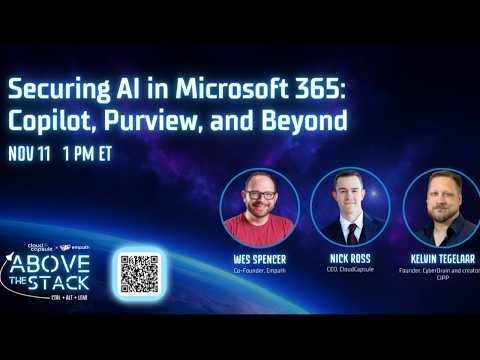
Microsoft Purview gives Microsoft 365 organizations data protection and compliance controls to govern AI use, including Microsoft 365 Copilot. It matters to IT administrators, security and compliance teams, and managed service providers planning or overseeing AI adoption. Nick Ross [MVP] (T-Minus365) is the source of a discussion about securing Copilot, Purview, licensing, and other AI services.
What's new
The central point is that deploying Copilot is not just a licensing decision. Copilot works with information a user is already permitted to access, so existing access problems—such as broadly shared or poorly governed content—can make sensitive material easier for that user to discover. The discussion frames that risk as a data-governance issue to address alongside AI deployment.
Microsoft Purview brings together controls that can help organizations classify and protect data, apply data-loss prevention (DLP), audit activity, investigate compliance concerns, and manage data over time. The research notes also describe Data Security Posture Management and Data Security Posture Management for AI as ways to surface risks and guide governance work. These capabilities support a broader approach: assess the data environment, set policies, monitor use, and improve controls as adoption changes.
That scope extends beyond Copilot. Employees may also use services such as ChatGPT or Claude, which may not automatically follow an organization's Microsoft 365 permissions, labels, retention rules, or investigation processes. An AI policy that covers only the applications IT has purchased can miss other routes through which employees share information.
Who it is for and what you need
This approach is relevant to Microsoft 365 administrators, information-protection and compliance teams, security professionals, and service providers advising customers. It is especially useful when an organization is deciding whether its data and permission practices are ready for Copilot, or when it needs rules for AI applications beyond Microsoft 365.
The material does not identify a required Microsoft 365 or Purview license, a specific role needed to configure each control, or a tenant-wide availability status. It also does not provide a rollout date or region. Purview capabilities and compliance processes can depend on the workload and licensing configuration, so administrators should verify the requirements for the specific controls they intend to use rather than assume every feature is included.
No prerequisite checklist or configuration location is given. The practical prerequisite described is organizational readiness: understand which data is sensitive, who can access it, how it is shared, and which AI services employees use. That assessment helps teams decide which policies and monitoring are appropriate before expanding use.
How it works
The material describes a governance process rather than a sequence of menu clicks. The following stages translate its recommendations into an operational plan; they are not presented as a prescribed product wizard or a complete setup guide.
- Review access and sharing. Assess SharePoint, OneDrive, and Teams content, permissions, external sharing, inactive accounts, and sensitive information. Look for material that is accessible to more people than intended.
- Set identity and data protections. Apply appropriate access controls and use classification, sensitivity labels, and DLP policies to protect information. The research notes identify least privilege and identity controls as part of the wider security approach, but do not specify configuration values.
- Include AI interactions and destinations. Consider prompts, uploaded documents, generated responses, web grounding, agent actions, and use of external AI applications. DLP controls for supported Copilot experiences may help prevent sensitive information from being processed, but the material does not list the exact supported configurations.
- Monitor and refine. Use applicable audit and compliance capabilities to review activity, investigate issues, and adjust policies. Where risks arise from overshared content, remediation is part of the response—not only blocking future activity.
Purview is therefore one layer of a security strategy, not a substitute for reviewing permissions or deciding which AI tools are approved. The goal is to apply controls to the data and user activity that create risk while allowing teams to make informed decisions about AI use.
Limitations and open questions
The available material does not provide a step-by-step demonstration, policy examples, configuration paths, license comparisons, or verified results from a test. It cannot establish which particular Purview feature is included in a customer's plan or whether a control is enabled in a given tenant. Those questions need to be checked against the organization's current Microsoft licensing and product documentation.
There is also no single control described as covering every AI service or data flow. The notes distinguish supported Microsoft experiences from external AI applications, and do not define the precise service coverage or technical prerequisites for each protection. Teams should identify the tools employees use and confirm that intended controls apply to those destinations.
The broader takeaway is to treat Copilot readiness as an access and data-governance exercise as well as a technology rollout. A pilot can help teams evaluate policies and monitoring, but the source material does not prescribe pilot size, duration, or success measures. Nick Ross's discussion is useful context; it is not a substitute for feature-specific licensing and deployment guidance.
Sources
Frequently asked questions
Does Microsoft 365 Copilot bypass users' existing permissions?
The research notes say Copilot respects users' existing permissions. The risk is that users may discover information they already could access but did not know was broadly shared.
Can Microsoft Purview help protect AI prompts?
The material describes DLP controls for supported Copilot experiences that can help prevent sensitive information from being processed. It does not list the exact supported configurations or prerequisites.
What license do I need for Purview AI controls?
The material does not specify required licenses. It notes that compliance capabilities can depend on workload and licensing configuration, so check requirements for each control.
Does Copilot governance cover ChatGPT and Claude?
The discussion treats external services such as ChatGPT and Claude as separate governance concerns. The material does not specify which controls apply to each service.