Microsoft Copilot: 9 Productivity Boosts
Principal Group Product Manager - Microsoft Education
Microsoft expert: new Copilot updates boost navigation with GPT choices, Researcher, PowerPoint and Copilot Notebooks
Key insights
- App launcher — The updated "waffle" and a unified "+" menu make it faster to open apps and start new files across Microsoft 365. These changes simplify navigation and reduce clicks when you move between Outlook, Word, PowerPoint, Teams, and OneDrive.
- GPT 5.5 and model picking — Microsoft added GPT 5.5 options and lets you choose models in places like PowerPoint to balance speed and output quality. Model selection helps tailor Copilot responses for creative work or faster, concise results; some options require Copilot Premium.
- Copilot Notebooks — Notebooks now include an overview page, built-in mind maps, a Study Guide, and a one‑click way to create PowerPoint decks from notebook content. These tools help you organize research, plan projects, study material, and export polished presentations (Copilot Premium features may apply).
- Copilot Library — The new Copilot Library centralizes Copilot-created outputs so you can find, reuse, and manage generated content in one place. This makes Copilot more of a workspace than just a chat box and improves content consistency across teams.
- AI Overviews and Copilot Search — AI Overviews summarize files and search results so you can grasp key points without opening many documents. This speeds up research and helps you find the right files and context faster across your tenant.
- Meeting agendas and prep — Copilot can generate structured meeting agendas and surface prep summaries and insights from related emails and files. These features save planning time, improve meeting focus, and help participants arrive prepared.
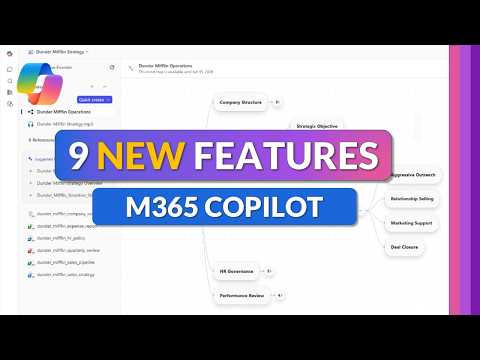
In a recent YouTube video, Mike Tholfsen walks viewers through nine new features that Microsoft has added to Copilot across Microsoft 365. The demo, recorded in May 2026, presents step-by-step examples and clarifies which updates are in preview and which are broadly rolled out, noting that availability depends on tenant settings and licensing. Therefore, organizations should check their tenant and license to know when they can use each feature. Overall, the video frames the updates as efforts to make Copilot easier to navigate, more powerful, and better connected across apps.
Overview of the wave
The update wave focuses on turning Copilot from a chat helper into a workflow assistant that spans Outlook, Word, PowerPoint, Teams, Excel, OneDrive and the Copilot app itself. Moreover, Tholfsen highlights that the platform now emphasizes task-based actions such as meeting prep, content creation, and cross-document summaries rather than only generating text. Consequently, users can expect features that prepare meetings, create structured outputs, and stitch context from disparate files in their Microsoft 365 environment.
In addition, the rollout introduces new model and grounding options, including choices tied to the newer GPT 5.5 family, and expands the agent ecosystem with domain-specific helpers. Furthermore, Microsoft is adding organizational features like the Copilot Library to centralize generated content and a set of enhancements in Copilot Notebooks for project-style work. These changes reflect a push toward making AI-generated work easier to find, reuse, and build on across teams and projects.
Navigation and interface improvements
First, the video demonstrates an updated app launcher and a unified + menu designed to streamline how users start Copilot tasks in different apps. Also, the new Copilot Library inside the Microsoft 365 Copilot app aims to centralize Copilot-created assets so users can reuse or refine outputs without losing context. As a result, navigation becomes more consistent and users spend less time hunting for generated content.
However, there are tradeoffs to consider. While a unified interface reduces friction, it also risks adding visual complexity for users who prefer app-specific workflows. Additionally, tenant administrators may need to manage which elements are enabled to avoid overwhelming people with features they do not need. Therefore, careful change management and training will help get the most value from the design changes.
Model choices and deeper app integration
Next, Tholfsen covers the addition of GPT 5.5 model options and how users can pick models in contexts such as PowerPoint to favor speed, creativity, or accuracy. Moreover, the video shows Researcher updates and model-picking tools that are available to Copilot Premium customers, highlighting how model selection can affect outputs. Thus, users gain more control over how Copilot generates content and which model behaviors best match their goals.
Nevertheless, selecting models introduces tradeoffs between capability, latency, and cost. Newer models often deliver richer results but may increase compute expenses or response times, and they require governance to manage accuracy and regulatory risks. Consequently, IT and compliance teams must balance user productivity gains with budget, performance and trust considerations when enabling model options.
Copilot Notebooks and creative workflows
A major portion of the video focuses on upgrades to Copilot Notebooks, including a new overview page, mind mapping tools, a Study Guide feature, and the ability to create PowerPoint decks directly from a notebook. These capabilities help users move from idea capture to structured deliverables quickly, and they emphasize multimodal workflows that combine text, visuals and structured notes. In practice, the notebook enhancements aim to reduce friction in planning, drafting and iterating on projects.
Still, greater capability brings fresh challenges. For example, while automatic deck generation speeds up creation, it often requires human review to ensure accuracy, branding compliance and clarity. Furthermore, combining multiple data sources increases the need for careful content grounding to avoid hallucinations or misattribution. Therefore, teams should pair these tools with review processes and clear version control to protect quality and context.
Practical implications, adoption and challenges
Finally, Tholfsen highlights productivity features such as Outlook meeting agenda generation, meeting preparation insights, AI Overviews in Copilot Search, and a new Surveys Agent for quickly creating Forms surveys. These additions can save preparation time and improve meeting outcomes by surfacing relevant context automatically. However, using them effectively requires configuring permissions and ensuring data access aligns with organizational policies.
In conclusion, the nine-feature wave offers clear productivity upside but also requires tradeoffs in governance, licensing and user training. Therefore, organizations should pilot selected features, measure the benefits, and prepare governance rules to control access and model selection. Ultimately, as this YouTube walkthrough shows, Copilot continues to evolve into a more integrated work companion, and prudent rollout strategies will determine how much value teams realize from the new capabilities.

Keywords
Microsoft Copilot features, Copilot for productivity, Microsoft AI assistant for work, Copilot workflow automation, Copilot tips and tricks, Copilot updates and enhancements, Boost workplace efficiency with Copilot, Copilot features comparison