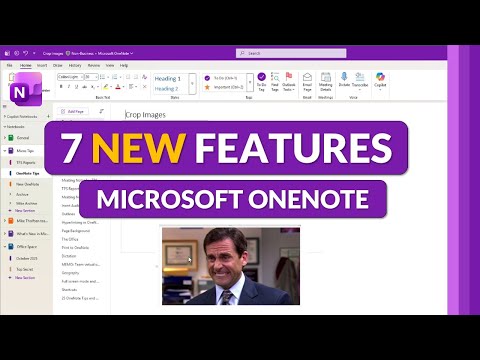
7 new features in Microsoft OneNote for 2026
Principal Group Product Manager - Microsoft Education
Microsoft OneNote: Image Crop, Copilot Chat, Sensitivity Labels, multi language proofing, touch keyboard and To Do tags
Key insights
- Copilot Chat: OneNote now embeds a secure AI chat so you can ask, draft, and refine notes without leaving the app.
It speeds content creation and supports iterative edits as part of Microsoft 365's AI tools. - Image Crop: Crop and perform basic edits on pictures directly inside OneNote.
This removes the need to switch apps and keeps images organized with your notes. - Sensitivity Labels: Apply data-protection labels to notes across Desktop, Web, iOS, Android, and Mac.
Labels help control sharing and protect sensitive content in notebooks. - Multi-language Proofing: Proofing tools now support multiple languages and better language detection.
This improves spelling and grammar checks for notes that mix languages. - Touch Keyboard & Pen/Ink Enhancements: The touch keyboard appears automatically on touch devices, and ink tools add new pen styles, ink replay, auto shapes, a laser pointer, and creative effects like rainbow inking.
These updates make handwriting and inking more natural and expressive. - Tags, Templates, Tables & Meeting Info: Tagging and To Do tag behavior are improved, you can merge tables, and new page templates and layout options boost organization.
Meeting details and Outlook integrations are stronger, and search and linking improvements make notes easier to find.
Some features are still in the Microsoft 365 Insider program and may not be rolled out to all users yet.
Overview
Mike Tholfsen published a video summarizing seven notable updates to OneNote for 2026, drawing attention to features that aim to speed up note-taking and improve organization. The clip lists changes such as Image Crop, Copilot Chat, improved proofing tools, and new Sensitivity labels. It also notes that several items remain in the Microsoft 365 Insider channel and have not completed global rollout. The author clarifies that the video reflects his personal views and is not an official statement from Microsoft.
Reported timestamps in the video guide viewers through each change, starting with image editing and ending with cosmetic updates like a new icon. The presentation balances demonstrations with practical commentary, which helps viewers see both immediate benefits and potential limits. Because many features are in preview, availability varies across platforms such as Desktop, Web, iOS, Android, and Mac. As a result, organizations should expect phased rollouts rather than a single global update.
The video emphasizes how Microsoft increasingly ties OneNote into the broader Microsoft 365 experience. This trend shows up in tighter Outlook integration, search improvements, and AI features that cross application boundaries. Consequently, users who rely on a mixed set of apps may gain more cohesive workflows, while administrators must weigh policy and compliance needs against new productivity options. Overall, the update set appears designed to modernize OneNote without rewriting its core note-taking model.
AI and Productivity: Copilot Chat
The most prominent addition is Copilot Chat inside OneNote, which brings an AI assistant directly into notes. The assistant can draft content, summarize sections, and help reorganize ideas without forcing users to leave the app. This integration reduces friction for common writing tasks and supports iterative content creation right where notes live.
However, the AI feature introduces tradeoffs related to data handling and accuracy. On the one hand, AI saves time and offers creative suggestions; on the other hand, organizations must consider privacy and governance when AI processes sensitive content. Administrators will likely need to balance the productivity gains against control measures like Sensitivity labels and data residency requirements to ensure compliance.
Moreover, relying on AI can shift user expectations about content quality and speed. While Copilot can accelerate drafting, it may not replace careful human review, especially for technical or compliance-heavy material. Therefore, teams should combine AI assistance with review workflows and training so outputs meet organizational standards. This balanced approach helps preserve accuracy while leveraging new capabilities.
Editing and Input Improvements
Built-in photo editing, especially the new Image Crop tool, makes it easier to prepare visuals without switching apps. Users can crop and adjust pictures directly in notes, which simplifies document preparation for classes, meetings, or reports. This convenience can cut task time, but it raises questions about non-destructive editing and original file preservation when users expect to retain source images.
The update also improves inking and touch input, with new pen styles, shapes, and a laser pointer feature for presentations. These enhancements support hybrid note-taking habits, helping both stylus users and presenters. At the same time, touch-focused features such as an automatically appearing Touch keyboard aim to bridge tablet and laptop experiences, though they can occasionally appear at unintended times and disrupt typing flow.
Finally, multi-language proofing tools aim to reduce manual language switching and spelling errors for multilingual users. While this is a clear win for global teams, it adds complexity to how the app detects and applies language rules. Users and admins must balance automatic detection with manual overrides to avoid misapplied proofing suggestions in mixed-language notes.
Organization and Security
Sensitivity labels represent a major step toward enterprise-ready note management by letting organizations classify and protect content. Labels can travel with notes across devices and platforms, which helps enforce policies for confidential information. Yet implementing labels requires administrative planning, training, and sometimes licensing adjustments, which can slow adoption despite clear security benefits.
Tagging, templates, and table management updates also improve long-term organization and reuse. Enhanced tags and merge-table capabilities make it easier to consolidate information from multiple sources, while page templates speed repetitive tasks. Nevertheless, stronger structure can demand more upfront discipline from users; without consistent tagging and template use, benefits are uneven and searchability remains limited.
The strengthened Outlook and calendar integrations help tie meeting notes to action items, but syncing introduces its own tradeoffs. Real-time sync improves collaboration, yet it also increases the surface area for conflicts and requires stable network conditions. Teams must choose between on-device offline workflows and cloud-first collaboration to match their reliability and security needs.
Rollout, Challenges, and Practical Choices
Many of the features Mike Tholfsen highlights remain in the Microsoft 365 Insider program, which means early access but also potential instability. Insiders provide a preview window for feedback, yet organizations should treat such builds as experimental until features reach general availability. IT teams must weigh the benefits of early testing against the risks of exposing users to unfinished behavior and frequent updates.
Cross-platform consistency remains a practical challenge, as some features arrive on Windows before other clients. This staggered delivery can frustrate teams that expect identical behavior across devices. Consequently, decision makers should plan rollouts that reflect real usage patterns, prioritize training, and set clear policies on which clients the organization will support in production.
In summary, the OneNote updates for 2026 bring meaningful improvements in AI, editing, and security, but they also require careful choices. Organizations should test features, plan label and compliance strategies, and align user training with expected workflows. With that measured approach, users can adopt the new tools while managing the tradeoffs that come with modernizing a core productivity app.
Keywords
OneNote new features 2026, Microsoft OneNote 2026 update, OneNote AI features 2026, OneNote collaboration tools 2026, OneNote handwriting recognition 2026, OneNote mobile update 2026, OneNote Windows app 2026, Best OneNote tips 2026