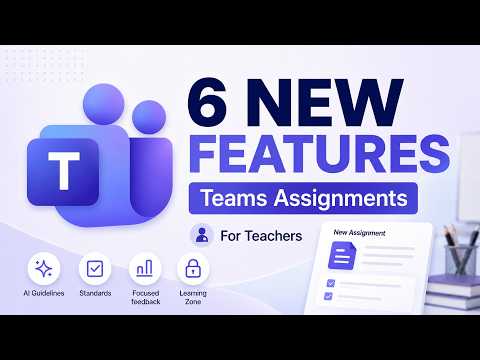
Microsoft Teams: 6 Assignment Upgrades
Principal Group Product Manager - Microsoft Education
Microsoft expert on Teams Assignments updates: AI guidance, standards, rubrics, focused feedback, Learning Zone
Key insights
- Learning Activities: Teachers can add interactive practice types like matching and fill‑in‑the‑blank when they create assignments.
These activities run inside Teams and make practice more active for students. - Learning Zone lessons: Teachers can attach full Learning Zone lessons to assignments for guided instruction.
Student progress and scores sync automatically to help with grading and review. - Expected AI use: Teachers can set clear AI‑use guidelines on each assignment to show what tools students may use.
This helps set expectations and supports fair grading when AI tools are involved. - Flashcards: Flashcards are available as a dedicated assignment activity to boost memory and quick practice.
Teachers can embed them directly so students practice inside the assignment flow. - Information literacy (Search Progress): New features teach students how to evaluate online sources while researching for assignments.
These tools help students think critically about where information comes from and how to cite it. - Enhanced grading and standards support: Assignments now better support rubrics, attaching standards, focused feedback, and locale/language improvements.
These updates speed up grading, keep scoring consistent, and support diverse classroom needs.
Overview of the video
In a recent YouTube video, educator and Microsoft-focused creator Mike Tholfsen outlines what he calls six new updates to Teams Assignments for 2026. The clip walks viewers through improvements that aim to streamline assignment creation, feedback, and student progress tracking. Consequently, the video is positioned for classroom teachers who use Microsoft Teams as their central learning platform. Moreover, Tholfsen notes that his explanations reflect his own perspective and are not official statements from his employer.
What the six features are
Tholfsen groups the updates into several related areas: new interactive activities, AI-use settings, tighter standards support, focused feedback tools, locale and language improvements, and stronger integration with the Learning Zone. He highlights that Learning Activities such as Flashcards and matching questions can now be attached directly to assignments, allowing teachers to embed practice beside graded tasks. In addition, the video shows how lessons from the Learning Zone can sync progress and scores with the Assignments workflow, which reduces manual tracking for teachers.
Integration and workflow improvements
According to Tholfsen, the updates emphasize smoother synchronization between lesson content and gradebooks, which is beneficial for teachers who manage large classes or mixed assessment types. He demonstrates that when a lesson is attached, students' activity and scores are reflected automatically in the assignment records, thereby saving time and reducing errors. As a result, these changes should help teachers keep assessments and learning materials aligned across tools and platforms.
AI controls and information literacy
Another key point in the video is the addition of an expected AI-use setting that lets educators clarify how students may use AI for a given assignment. Tholfsen argues that this control is timely because AI tools are increasingly present in student workflows, and teachers benefit from explicit settings that guide academic integrity and expectations. Furthermore, Microsoft’s information literacy features in Search Progress are presented as a complement, supporting student critical thinking during research and making it easier for teachers to assess reasoning as well as content.
Focused feedback and accessibility
Tholfsen demonstrates the new focused feedback experience, which helps teachers deliver concise, targeted comments and return work more efficiently. He shows how focused feedback combined with rubrics and standards mapping can produce clearer guidance for students, particularly those who need scaffolding or differentiated support. At the same time, the video touches on locale and language improvements that broaden accessibility for multilingual classrooms, ensuring that assignment interfaces and feedback remain useful in diverse teaching environments.
Tradeoffs and classroom challenges
Despite the clear advantages, Tholfsen also implies several tradeoffs that teachers must consider before adopting every new feature. For example, while automated sync and interactive items reduce manual work, they require initial configuration and teacher training to avoid workflow confusion. Moreover, defining permitted AI use can be tricky because expectations must balance fostering student autonomy with academic honesty, and different communities may set very different norms.
Adoption considerations and technical limits
Another challenge is that some features are listed as private previews or are available only through integrations, meaning broader rollouts may take time and require admin support. Tholfsen notes that schools need to confirm that the Learning Zone and standards integrations are installed and configured, otherwise the automatic syncing and standards tagging will not function. Consequently, IT coordination and timely professional development remain necessary parts of a successful deployment.
Practical advice for teachers
Tholfsen’s practical takeaway is that teachers should pilot one or two updates at a time, starting with the tools that solve their most urgent problems, such as feedback speed or progress sync. He recommends testing features with a small group of students to gather quick feedback and to refine how rubrics, standards, and AI expectations are set. By moving incrementally, teachers can harness time-saving benefits while managing the learning curve and preserving clarity for students.
Final perspective
In summary, the video frames the 2026 updates as thoughtful extensions of the existing Assignments experience rather than wholesale replacements of current workflows. Tholfsen balances enthusiasm for interactive content and automation with practical cautions about setup, policy, and teacher training. Therefore, schools considering these features will need to align technical readiness, instructional goals, and assessment policies to make the most of the improvements.

Keywords
Microsoft Teams Assignments 2026, Teams Assignments new features, Microsoft Teams for teachers, Teams grading automation, Assignments analytics in Teams, Teams assignment templates, Teams OneNote integration, Microsoft Education updates 2026