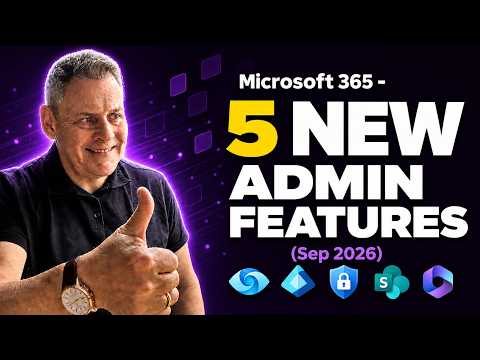
Microsoft 365: 5 Admin Features You Need
Microsoft 365 Expert, Author, YouTuber, Speaker & Senior Technology Instructor (MCT)
New Microsoft three sixty five admin updates: Purview labels, DLP enhancements, Entra Conditional Access and Brand Centre
Key insights
- Purview sensitivity labels for groups and sites
The video explains that admins can now apply sensitivity labels to Microsoft 365 Groups and SharePoint sites to control access, encryption, and sharing.
Why it matters: labels provide consistent protection across Teams, mail, and SharePoint and simplify governance. - Enhanced DLP rules
New Enhanced Rules improve detection accuracy and let admins choose flexible actions for data loss prevention policies.
How to use: tune rules to lower false positives and automatically block or protect sensitive content. - Entra Conditional Access licensing expansion
The update expands Conditional Access coverage to more license tiers so more users gain contextual access control.
Impact: you can roll out tighter access policies without moving many users to higher-cost licenses. - Purview DLP for SharePoint
Purview now gives better DLP detection and response options for SharePoint content and sites.
Benefit: prevent sensitive data leaks in shared sites and automate remediation steps. - Purview DLP for devices
Device-level DLP enhancements let admins enforce data protection on endpoints and on files synced or copied to devices.
Result: stronger protection for corporate data outside the cloud. - Microsoft 365 Brand Centre
The Brand Centre updates help teams apply logos, colors, and templates across Microsoft 365 to create a consistent brand experience.
Practical gain: central brand controls improve user trust and simplify site and app styling.
Introduction
Andy Malone [MVP] published a YouTube video that highlights five new admin features for Microsoft 365 that administrators will likely find useful. The video walks through updates in Microsoft Purview, Entra Conditional Access, Data Loss Prevention, SharePoint, and the Microsoft 365 Brand Centre. In addition, the presentation connects these items to broader admin trends such as centralized app management and adaptive policies. Consequently, the content is relevant for teams balancing security, governance, and user experience.
Purview Sensitivity Labels for Groups and Sites
One major point Andy covers is the addition of sensitivity labels that can apply directly to Microsoft 365 groups and SharePoint sites through Microsoft Purview. This change allows labels to drive protection settings and governance at the group or site level, which can simplify classification across collaboration spaces. However, labeling at scale introduces challenges around label taxonomy and consistent application, so organizations must plan taxonomy and automation carefully.
Moreover, applying labels at the group or site level reduces repetitive work for admins and helps ensure that new content inherits correct controls. On the other hand, misapplied labels can create access friction or overly restrictive settings that disrupt team workflows. Therefore, a staged rollout with monitoring and feedback loops will help balance protection with usability.
DLP Enhancements for SharePoint and Devices
Andy explains the new enhanced rules for Data Loss Prevention that extend coverage for content in SharePoint and on devices. These enhancements aim to detect and act on sensitive data more accurately by using broader detectors and more adaptive conditions. While this improves protection, it also increases the potential for false positives if rules are too broad, which can create extra support work and user frustration.
To manage those tradeoffs, the video recommends testing rules in monitor mode and iterating thresholds before enforcing blocks or removals. Additionally, integrating DLP events with incident response and logging helps teams see where tuning is needed and reduces the operational burden. Thus, organizations gain stronger controls without immediately disrupting users if they adopt a cautious deployment strategy.
Expanded Entra Conditional Access Licensing Coverage
Another update covered is the expanded licensing coverage for Entra Conditional Access, which broadens where Conditional Access policies can be applied. This can give administrators more consistent access controls across identity scenarios, including devices and cloud apps. Nevertheless, broader coverage often requires careful license planning, since the value of expanded controls must be weighed against added licensing costs.
Furthermore, policy complexity grows as more conditions and signals are available to enforce access rules. Consequently, teams should document policy intent and map policies to business cases to avoid conflicting rules. In practice, organizations benefit by aligning Conditional Access with risk tolerance while keeping administrative overhead reasonable.
Microsoft 365 Brand Centre and Admin Experience Shifts
Andy also highlights the latest capabilities in the Microsoft 365 Brand Centre, which help organizations create a consistent branding experience across the suite. This is useful for improving the user experience and reinforcing corporate identity inside apps and portals. At the same time, brand consistency needs to be balanced with accessibility and localization, so teams should test changes across user populations.
Beyond branding, the video notes a trend toward centralizing admin experiences with features like the Microsoft 365 Marketplace, the Integrated Apps Store, and improvements in Purview Roles & Adaptive Scopes and Adaptive Retention Policies. These central tools reduce fragmentation but can increase the scope of admin responsibility, which means governance and role definitions must evolve. Also, options such as Windows LAPS with Microsoft Entra and admin tools for Copilot search point to a more integrated, AI-aware admin center that requires cross-team coordination.
Practical Advice and Conclusion
In practical terms, Andy’s video encourages admins to prioritize staged rollouts, starting with discovery and monitor modes before enforcing new rules. This approach helps teams tune labels, DLP rules, and Conditional Access policies with real usage data, thereby reducing disruption. Additionally, documenting decisions and training support staff will speed adoption and lower helpdesk friction.
Overall, the video provides a clear roadmap for administrators who want to tighten protection and improve governance in Microsoft 365 while preserving user productivity. By weighing tradeoffs such as cost, complexity, and user impact, organizations can adopt these features in ways that match their risk appetite. Finally, the guidance stresses testing and communication as essential steps to succeed with the new capabilities highlighted by Andy Malone [MVP].
https://hubsite365cdn001img.azureedge.net/SiteAssets/TopicImages/marvin-meyer-SYTO3xs06fU-unsplash.jpgKeywords
Microsoft 365 admin features, Microsoft 365 admin center updates, new Microsoft 365 admin tools, M365 admin portal improvements, Microsoft 365 admin automation, Microsoft 365 security admin features, Microsoft 365 compliance features, latest Microsoft 365 admin release