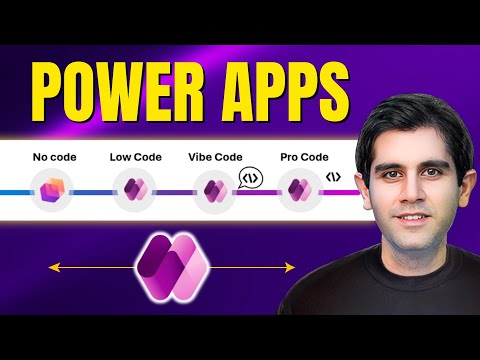
Power Apps: 4 Ways No-Code to Pro-Code
Principal Program Manager at Microsoft Power CAT Team | Power Platform Content Creator
Explore Power Apps No-Code to Low-Code to AI Vibe Code to Pro-Code on Power Platform and Microsoft Copilot
Key insights
- No-Code: The video shows Microsoft 365 App Builder can create apps from natural language for nontechnical users.
Use drag-and-drop, templates, and connectors like SharePoint or Dataverse to produce working apps fast. - Low-Code: Canvas apps and model-driven apps let makers add formulas, workflows, and Power Automate flows for richer behavior.
This path gives power users visual control plus integration with external systems and custom connectors. - Vibe Code: A new AI-driven experience that generates app prototypes from plain language via vibe.powerapps.com and Gen Pages.
It speeds full-stack builds and can produce React-based front ends and AI agents for rapid prototyping. - Pro-Code: Professional developers build Code Apps in Visual Studio Code or other IDEs, using JavaScript, custom components, and APIs.
This route offers full control, enterprise security, Microsoft Entra integration, and advanced extensibility. - AI-Powered Development: AI now assists every stage—planning, process mapping, data modeling, and UI generation with tools like the Plan Designer and Process Mapping Agent.
AI expands low-code capabilities and accelerates app delivery without replacing human makers or devs. - Unified Platform: All four creation paths live in one Power Platform ecosystem so teams can switch methods as needs change.
The platform centralizes hosting, governance, connectors, and inventory reporting for consistent management and compliance.
In a recent YouTube video, Reza Dorrani maps out how artificial intelligence has reshaped Microsoft Power Apps into four clear creation paths. He frames the shift as a move from traditional builders to an ecosystem that serves everyone from information workers to professional developers. Consequently, this article summarizes his claims and considers practical tradeoffs so readers can weigh speed, control, and governance when choosing an approach.
What the Four Paths Mean
Reza identifies four distinct ways to build on the Power Platform: No-Code, Low-Code, Vibe Code, and Pro-Code. Each path targets different skills and needs, so organizations can pick the best fit for a given scenario. Furthermore, Dorrani shows that AI did not replace existing makers but expanded options, letting teams start fast and refine later.
No-Code and Low-Code: Speed Versus Customization
The video explains that No-Code tools, such as the Microsoft 365 App Builder, let non-technical users create apps from natural language and templates. As a result, teams can deliver simple, useful apps quickly without writing code, which benefits frontline workers and analysts. However, this speed comes with limits: complex business logic, advanced integrations, and fine-grained UX control can be hard to achieve without moving into low-code or pro-code.
Meanwhile, Low-Code Canvas and Model-Driven Apps give makers more control through visual designers, formulas, and connectors. This path balances agility and capability because it supports richer automations and data models while still avoiding full coding. Yet, teams must manage tradeoffs: low-code solutions may require more design discipline and testing, and they can grow fragile if many custom workarounds replace proper architecture.
Vibe Code (AI): Rapid Prototyping Meets Ambiguity
Dorrani highlights Vibe Code as the new AI-driven experience that uses natural language and features like Gen Pages to generate working prototypes. Consequently, makers can describe needs and receive a scaffolded React-based app or agent-driven flows, speeding ideation and reducing the time from concept to demo. This approach excels at rapid prototyping and lowering the barrier to experimentation.
However, the video also shows important challenges. For example, natural language inputs can be ambiguous, and AI-generated code may require manual adjustments for performance, security, and compliance. In practice, teams must invest in review and validation processes, because relying solely on AI outputs can introduce hidden bugs or design inconsistencies that surface later in production.
Pro-Code: Control, Scale, and Integration
At the other end of the spectrum, Pro-Code empowers developers to build code-first apps with tools like Visual Studio Code and to extend the platform with custom APIs and components. This path offers full control over architecture, testing, and enterprise-grade security, which is crucial for mission-critical systems. Yet, it also costs more in developer time and operational overhead, so organizations should reserve it for scenarios that need deep customization or scale.
Governance, Team Dynamics, and Practical Tradeoffs
Dorrani emphasizes that all app types run on a unified, managed platform, which simplifies hosting and lifecycle management. Still, mixing development modes introduces governance challenges: policies must cover data access, authentication, testing, and deployment pipelines across no-code, low-code, AI-generated, and pro-code artifacts. Consequently, IT and citizen developers need shared practices to prevent shadow IT and ensure consistent quality.
Moreover, the video points out tradeoffs around skills and cost. For instance, Vibe Code can accelerate delivery, but teams must budget for review and integration work; low-code reduces coding needs but increases the need for architects to manage complexity; pro-code ensures robustness but requires specialized staff. In short, successful adoption depends on clear roles, testing rules, and a governance model that balances speed with maintainability.
Conclusion: A Practical Roadmap
Reza Dorrani’s video frames 2025 as a turning point where AI expands rather than replaces existing app-building paths in Power Apps. Therefore, organizations should view these four options as a toolbox: pick no-code or Vibe Code for fast experiments, use low-code for business-driven apps, and apply pro-code for complex or regulated systems. Ultimately, planning for governance, testing, and skill development will decide whether teams gain speed without sacrificing long-term reliability.

Keywords
Power Apps development, No-code Power Apps, Low-code Power Apps, Vibe Code Power Apps, Pro-code Power Apps, Build Power Apps, Power Apps for citizen developers, Power Apps best practices