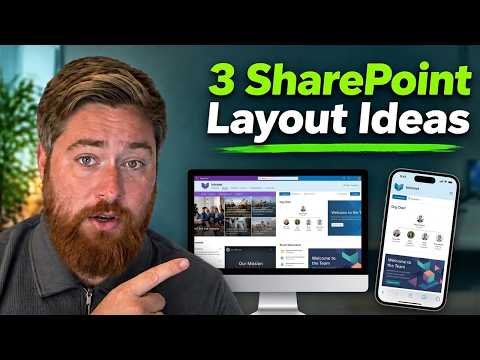
SharePoint Intranet: 3 Layout Examples
Expert Microsoft SharePoint intranet layouts to boost internal communication with web parts, homepages and dashboards
Key insights
- Modern SharePoint intranet and intelligent intranet: A modern intranet is a responsive, mobile-ready internal site that delivers a company homepage, personalized news, search, portals, documents, and links to Microsoft 365 tools.
It helps employees find answers and finish common tasks quickly. - Hub architecture and flat site structure: Build separate sites for teams, projects, and departments, then connect them with hubs instead of nesting subsites.
This keeps navigation simple and makes content easier to manage. - Employee start page and priority actions: Design the homepage around quick value—header/global nav, a short welcome, three to five key actions, targeted news, app links, key contacts, and upcoming events.
Place the most-used tools and info up front to save time. - Web parts and targeted content: Use web parts like hero/slider, News, Quick Links, People, Events, and Highlighted Content to assemble pages.
Target content to roles, locations, or departments so users see only what matters to them. - User-focused design and task-focused experiences: Organize pages by employee needs rather than the org chart; include clear calls to action and searchable content.
That reduces time spent hunting for information and improves daily productivity. - Look Book and no-code configuration: Use the SharePoint Look Book for layout inspiration and ready-made templates, and configure pages with built-in settings instead of custom development.
Adjust web part settings and hub navigation to match your organization’s needs.
Dougie Wood [MVP] presents a concise YouTube tutorial titled 3 SharePoint Intranet Examples Layout Ideas You Need to See, and this article summarizes his guidance for editorial readers. The video demonstrates practical layout options to improve internal communication and employee productivity. Importantly, this summary is an objective take on the video and not authored by Mr. Wood.
Video Overview
The video begins by framing a modern SharePoint intranet as a task-focused digital workplace rather than a static website. Dougie emphasizes the use of modern communication sites, hub architecture, and personalized content to reduce friction for employees. Consequently, the tutorial focuses on configuring out-of-the-box web parts like the hero slider, news, and highlighted content to build engaging homepages without custom code.
Next, the presenter sketches three concrete layouts that organizations can adapt according to size and culture. Each example balances visible calls to action, targeted news, links to common tools, and people information. Therefore, the video is practical for site owners who want speed and clarity over deep technical customization.
Example 1: Employee Start Page
The first example is the employee start page, intended as a daily entry point for staff. It places priority actions, targeted news, quick links to applications, and people search in visible regions so employees can complete common tasks quickly. Dougie shows how to use web parts to create clear sections for news, events, and quick actions without overwhelming the layout.
Moreover, he suggests keeping three to five primary actions on the page to reduce decision fatigue. For instance, links like “Request leave” or “Open a support ticket” should sit near the top where they are easy to find. This approach favors usability but requires governance to ensure actions remain relevant and up to date.
However, there is a tradeoff between centralizing actions and maintaining content accuracy. Centralized pages can become cluttered if teams add links without coordination, which weakens the intended clarity. Therefore, the video recommends standard web parts and a hub strategy to maintain consistency across sites.
Example 2: HR and Employee Self-Service
The second layout focuses on HR and self-service scenarios where employees expect workflows and reference content. Dougie highlights sections for policies, forms, benefits information, and searchable knowledge that reduce calls to HR. He explains how the highlighted content and search web parts help employees find documents and answers quickly.
In addition, the presenter points out that self-service pages must balance completeness with discoverability; too many documents can bury key items. Consequently, filtering and audience targeting become essential so employees see relevant content by role or location. While targeting improves relevance, it also adds complexity to content publishing and requires clear ownership.
Finally, Dougie notes that HR layouts benefit from simple navigation and predictable labels so users learn the site quickly. Yet, teams must decide how much personalization to allow because highly personalized views increase configuration and testing effort. Thus, the video encourages starting with a minimal set of targeted experiences and expanding based on usage data.
Example 3: Corporate and Personalized Dashboards
The third example contrasts a corporate-style homepage with a personalized dashboard for individuals or teams. The corporate page emphasizes leadership news, company-wide announcements, and major events, whereas personalized dashboards surface role-specific tasks, project links, and personalized news. Dougie demos how the same web parts can be arranged differently to serve each audience.
Moreover, personalization increases engagement by showing employees content most relevant to them, but it demands strong information architecture and performance considerations. Personalized feeds rely on profile data and search signals, which means organizations must manage profiles and search schemas carefully. If not, users may see inconsistent results that reduce trust in the intranet.
Therefore, the video recommends combining a consistent corporate frame with smaller, personalized modules rather than building entirely separate intranets. This hybrid approach preserves brand consistency and lowers administrative overhead while still offering individualized utility.
Implementation Tradeoffs and Challenges
Dougie’s tutorial also covers tradeoffs between customization and maintainability, noting that heavy custom development can create long-term support burdens. In contrast, using built-in web parts and templates speeds implementation and simplifies updates, yet may limit visual or interaction uniqueness. Organizations should weigh immediate needs against future maintenance costs when choosing an approach.
Moreover, governance, ownership, and user adoption present practical challenges across all examples. Effective governance helps keep content current, ensures correct permissions, and defines responsibility for sections such as news or HR. At the same time, clear training and measurement of usage are needed to drive adoption and guide iterative improvements.
Finally, Dougie recommends starting small, testing layouts with real users, and iterating based on feedback and analytics. This incremental approach reduces risk and lets organizations refine which web parts and arrangements deliver the most value. Overall, the video offers a realistic path to build a modern, usable intranet using SharePoint tools and proven design patterns.
In conclusion, Dougie Wood’s video provides accessible, actionable ideas for three intranet layouts that balance usability, personalization, and governance. The examples and tradeoffs he presents give site owners a clear starting point while highlighting the operational challenges they will face. Editors and practitioners will find the tutorial useful when planning a SharePoint intranet that supports everyday employee work.

Keywords
SharePoint intranet examples, SharePoint intranet layout ideas, Modern SharePoint intranet design, SharePoint intranet templates, Office 365 intranet examples, SharePoint homepage examples, SharePoint intranet inspiration, SharePoint communication site layouts