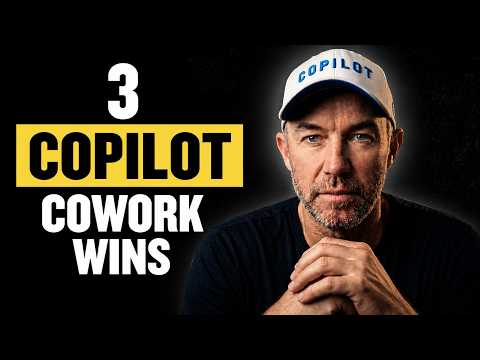
Copilot Cowork: 3 Ways I Use It
A Microsoft MVP 𝗁𝖾𝗅𝗉𝗂𝗇𝗀 develop careers, scale and 𝗀𝗋𝗈𝗐 businesses 𝖻𝗒 𝖾𝗆𝗉𝗈𝗐𝖾𝗋𝗂𝗇𝗀 everyone 𝗍𝗈 𝖺𝖼𝗁𝗂𝖾𝗏𝖾 𝗆𝗈𝗋𝖾 𝗐𝗂𝗍𝗁 𝖬𝗂𝖼𝗋𝗈𝗌𝗈𝖿𝗍 𝟥𝟨𝟧
Microsoft pro: use Copilot Cowork to build sentiment dashboards and AI automate meeting followups with Word and Outlook
Key insights
- Copilot Cowork: Microsoft 365 agent that plans and executes multi-step work across Outlook, Teams, Word, Excel, PowerPoint and files.
It moves beyond chat to coordinate actions and produce app-native, editable outputs. - Voice-driven sentiment dashboard: A voice prompt created a self-contained HTML dashboard with sortable filters, search, recommendations, and accordion sections, delivering the result to a laptop after a mobile command.
This shows hands-free delegation and reliable cross-device handoff. - Meeting follow-up automation: Given a transcript and a minutes template, Cowork generated a Word file with executive summary, discussion topics, action items, risks, and next meeting date, plus a draft follow-up email placed in drafts.
The example highlights finishing complex deliverables while the user moves on. - Calendar triage: Cowork can review Outlook schedules, flag conflicts and low-value meetings, propose reschedules, and apply approved changes.
This reduces manual coordination and speeds preparation for meetings and client work. - WorkIQ and app-native outputs: Cowork leverages WorkIQ to gather context from emails, chats, meetings, files and calendars, then produces editable, versioned documents inside Microsoft 365.
That design supports audit-friendly workflows and enterprise governance. - Research Preview and Frontier rollout: Microsoft is testing Copilot Cowork in a limited Research Preview and plans broader availability through the Frontier program in late March 2026.
The product emphasizes long-running automation and deeper integration into managed enterprise environments.
Video Snapshot: Real-world delegation with Daniel Anderson [MVP]
In a recent YouTube demonstration, Daniel Anderson [MVP] shows how Copilot Cowork can accept high-level prompts and complete multi-step tasks inside Microsoft 365. He highlights two live examples: a voice-prompted sentiment dashboard created while driving, and an end-to-end meeting follow-up that produced a minutes document and a draft email. Consequently, the video aims to show what practical AI delegation looks like when the system truly finishes work for the user.
Anderson walks viewers through the process step by step and includes chaptered segments that mark each milestone in the workflow. For instance, the dashboard build and its interactive features appear early in the clip, while the meeting follow-up shows how a transcript and template turn into a ready-to-send package. Therefore, the video emphasizes both speed and continuity by demonstrating outputs arriving in native apps on the user’s laptop.
How Copilot Cowork orchestrates multi-step work
The demonstration makes clear that Copilot Cowork is more than a chat interface; it acts as an agent that breaks a request into tasks, coordinates across apps, and produces editable outputs. Moreover, the system draws context from calendars, emails, chats, meetings, and files so actions map to real workplace data rather than isolated prompts. This contextual grounding is supported by a work-layer that Microsoft calls WorkIQ, which helps the agent pick relevant inputs and place results where users expect them.
As Anderson shows, the agent can run over minutes or hours and still return results that feel native to the Microsoft ecosystem, such as a Word document in a specified template or a draft email left in Outlook drafts. Thus, the approach prioritizes app-native outputs that remain versioned and auditable inside enterprise workflows. At the same time, the video underlines that users remain in control because the agent proposes changes and hands off deliverables for review before final action.
Demonstrated benefits and practical wins
One immediate advantage shown is time saved: the dashboard and meeting package were completed while the user focused on other tasks, which illustrates how delegation can free attention for higher-value work. In particular, the sentiment dashboard included sortable filters, search, recommendations, and accordions that arrived ready to use, and the meeting package included an executive summary, action items table, and draft email ready to send. Consequently, the video makes a persuasive case for faster prep and better continuity across meetings and projects.
Furthermore, the video highlights common productivity wins such as calendar triage, meeting and client preparation, and research-to-deliverable workflows, all of which translate directly into fewer manual handoffs. Because the outputs are editable inside apps like Word and Excel, teams can incorporate changes without extra conversion steps. Therefore, the approach appeals to organizations that want automation without losing control of their documents and records.
Tradeoffs: automation speed versus human oversight
Despite clear benefits, the video also surfaces tradeoffs that organizations must weigh, especially around correctness and trust. While the agent can generate polished outputs, those results still require human review for nuance, context, and final decisions, and errors in interpretation or missing context can create rework. Thus, speed must be balanced with deliberate oversight, particularly for high-risk content such as legal language, financial numbers, or sensitive client communications.
Privacy and governance add another layer of complexity: integrating an agent with email, calendars, and files brings operational efficiency but raises legitimate questions about data access and auditing. Microsoft positions the capability inside managed controls to address compliance needs, yet enterprises will need clear policies and established review steps to ensure the agent’s actions meet organizational standards. Therefore, adopting agentic automation requires both technical controls and change management to maintain trust.
Availability, challenges, and what users should consider
According to the video and related commentary, Copilot Cowork is currently in Research Preview with limited customers and is expected to expand through the Frontier program later in March 2026. Consequently, early adopters can experiment, but broad deployment will require planning for governance, training, and integration with existing workflows. Organizations should therefore pilot representative scenarios and evaluate accuracy, latency, and user acceptance before scaling.
Finally, the demonstration suggests practical next steps for users: start with well-defined templates, keep humans in the loop for critical tasks, and measure time saved versus review effort to assess real value. While agentic tools like this can reduce routine work, success depends on balancing automation speed with oversight and on building clear governance. In summary, the video provides a concrete look at agent-driven work and invites careful adoption to capture productivity gains while managing the associated risks.

Keywords
Copilot Cowork tips, Copilot Cowork case studies, How to use Copilot Cowork, Copilot Cowork productivity hacks, Real-world Copilot Cowork examples, Microsoft Copilot collaboration tools, Copilot workflow improvements, Copilot Cowork success stories