Excel 2025: New Agent Mode, Copilot, AI
Principal Group Product Manager - Microsoft Education
Microsoft expert guide to Excel Copilot, Agent Mode and AI formula completion for smarter data automation and dashboards
Key insights
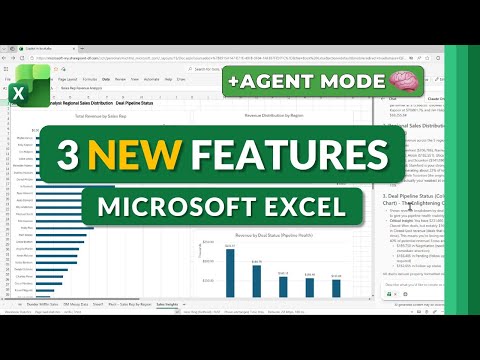
- Overview: A YouTube tutorial walks through three new Excel features released in Fall 2025 — Agent Mode, the COPILOT() function, and AI Formula Completion — and shows practical examples and step-by-step use.
It’s a hands-on demo, not official product documentation. - Agent Mode: Automates multi-step Excel tasks using natural language prompts.
It can inspect open sheets, build pivot tables, create charts, and assemble dashboards to complete workflows faster. - COPILOT() function: A cell-level AI function that turns a plain-language prompt into formulas, summaries, charts, or text categorization.
Use it to score sentiment, classify feedback, or generate reusable formulas without manual coding. - AI Formula Completion: Excel predicts and finishes formulas as you type and can translate natural-language requests into correct formula syntax.
This reduces errors and shortens the learning curve for complex functions. - Benefits: Boosts Productivity by automating repetitive work, improves Accuracy with AI suggestions, and raises Accessibility by letting users use natural language instead of memorizing syntax.
These features speed insight discovery and integrate directly into the Excel interface. - Access & considerations: These features require an active M365 Copilot subscription and may need admin enablement in organizations.
Check your data and privacy policies before using AI tools and confirm feature availability in your tenant.
Introduction
Mike Tholfsen’s recent YouTube tutorial walks viewers through three significant Excel updates arriving in Fall 2025, focusing on Agent Mode, the new COPILOT() function, and improved AI Formula Completion. The video presents demonstrations and practical tips for using these tools to speed up workflows and reduce manual work in spreadsheets. Importantly, access requires a M365 Copilot subscription, which the presenter highlights early in the walkthrough. Consequently, organizations must weigh licensing needs before planning any rollout.
What the New Features Do
First, Agent Mode acts as an automation engine that can analyze open workbooks, apply formulas, generate charts, and assemble dashboards using natural language instructions. Next, the COPILOT() function brings large language model capabilities into single cells, allowing users to turn a prompt into formulas, classifications, or simple analyses. Finally, AI Formula Completion predicts and completes complex formulas as you type, reducing syntax errors and lowering the learning curve for advanced spreadsheet tasks. Together, these features aim to make data work faster and more accessible for a wider range of users.
How These Capabilities Work
The video explains that these updates rely on integrated AI and cloud-based reasoning to interpret goals and generate actions inside Excel. In particular, Agent Mode uses agentic decision-making to chain steps—such as cleaning data, creating pivots, and producing visual summaries—without manual setup. Meanwhile, COPILOT() leverages language models to map plain-language prompts to formulas or text-based outputs directly in cells, which simplifies many analysis tasks. As a result, Excel moves from static spreadsheets toward a more conversational and goal-driven experience.
Tradeoffs and Technical Challenges
However, the video also highlights tradeoffs that administrators and power users must consider, especially around accuracy and control. Although the AI speeds up routine work, it can also produce incorrect outputs or unexpected formulas, so validation remains essential to avoid deploying flawed results. Moreover, because these features use cloud processing, organizations face privacy and compliance questions that require clear data governance and settings management. Therefore, balancing automation benefits with verification practices and policy oversight is crucial.
Practical Use Cases and Adoption Tips
Tholfsen demonstrates practical scenarios where the new features help most, such as automating dashboard builds, categorizing survey feedback, and generating complex calculations from plain-English prompts. He advises users to start with pilot projects and to keep manual checks in place, since a human review often catches subtle errors that AI might miss. Furthermore, the presenter recommends clear internal guidance about when to trust AI-generated outputs and when to run traditional validation tests. By taking this staged approach, teams can gain productivity without sacrificing accuracy.
Outlook and Recommendation
Overall, the video portrays these Excel updates as a meaningful shift toward conversational and agent-driven spreadsheet work, which should appeal to both analysts and casual users. Yet, adoption will depend on cost, training, and regulatory constraints, so IT leaders should plan for phased rollouts, user education, and governance frameworks before scaling up. In conclusion, Tholfsen’s tutorial offers a useful preview of how Agent Mode, COPILOT(), and AI Formula Completion can change everyday spreadsheet tasks, while also reminding viewers to pair automation with careful oversight.

Keywords
Excel 2025 new features, Excel Agent Mode, Excel Copilot function, Excel AI formulas, Copilot in Excel tutorial 2025, AI-powered Excel formulas, Excel Agent Mode guide, Excel AI features 2025