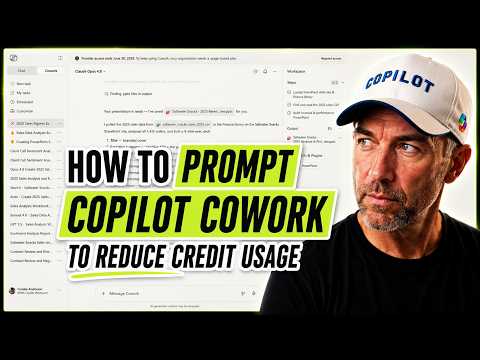
Copilot Cowork: 3 Prompts, $1.66–$4.14
A Microsoft MVP 𝗁𝖾𝗅𝗉𝗂𝗇𝗀 develop careers, scale and 𝗀𝗋𝗈𝗐 businesses 𝖻𝗒 𝖾𝗆𝗉𝗈𝗐𝖾𝗋𝗂𝗇𝗀 everyone 𝗍𝗈 𝖺𝖼𝗁𝗂𝖾𝗏𝖾 𝗆𝗈𝗋𝖾 𝗐𝗂𝗍𝗁 𝖬𝗂𝖼𝗋𝗈𝗌𝗈𝖿𝗍 𝟥𝟨𝟧
Microsoft Copilot Cowork: better prompts cut Copilot Credits and speed PowerPoint creation with WorkIQ
Key insights
- YouTube test: A recent video tested Copilot Cowork as a digital coworker that turns user intent into action across Microsoft apps.
It summarizes observed behavior and costs from real runs, not an official product announcement. - agentic AI in Microsoft 365: The tool delegates complex tasks and executes them across Outlook, Teams, Word, Excel, and PowerPoint.
It plans steps, runs actions, and asks for approval before final changes. - multi-step workflows and check-in behavior: Copilot Cowork breaks requests into discrete actions, gathers evidence from calendars, transcripts, chats, emails, and files, then checks in with the user before sending or altering anything.
This keeps the AI collaborative and reduces unintended changes. - 90% automation and iterative retrieval: The system can automate many routine admin tasks and uses repeated evidence-gathering to improve accuracy and produce leadership-ready outputs.
That makes summaries and action plans more complete than one-pass responses. - cost spread: Three runs of the same job showed large cost differences — lazy prompt: 327 credits ($3.27); specific prompt: 165.5 credits ($1.66); lazy + WorkIQ search: 413.7 credits ($4.14).
Credits cost $0.01 each, so better prompts can cut costs by more than half (about 2.5x difference observed). - four-piece prompt and governance: Best practice is to name the outcome, list inputs, set the output structure, and scope tools to save time and credits.
The system uses Anthropic Claude for reasoning and has a data boundary policy — the Anthropic subprocess is disabled by default in EU/EFTA/UK tenants and needs IT enablement for use.
In a recent YouTube video, Daniel Anderson [MVP] walks viewers through a hands-on test of Copilot Cowork, showing how prompt style can drive both results and costs. He runs the same task three times — producing a board-ready PowerPoint from a CSV of 2025 sales figures — and compares outcomes, slide counts, and the number of Copilot Credits consumed. The video highlights a striking cost spread, with identical work ranging from $1.66 to $4.14 depending on how the prompts were written.
What the Video Demonstrates
Anderson stages a practical experiment that illustrates the real-world implications of prompt design when using Copilot Cowork. The first run uses a lazy, open-ended prompt and produces an eight-slide deck for 327 credits, equivalent to $3.27. By contrast, a specific prompt that sets output constraints yields a five-slide deck for 165.5 credits ($1.66), while a lazy prompt combined with an unbounded WorkIQ search consumes 413.7 credits ($4.14).
These runs show the same final objective achieved with very different resource costs, underscoring how pre-run prompt structure acts as a free and effective cost lever. Anderson timestamps the video to walk viewers step-by-step, so teams can reproduce the test and observe the tradeoffs firsthand. He also shares a four-piece prompt pattern that guides prompt construction for delegation-style requests.
Cost Versus Quality: The Prompting Trade-offs
The core tradeoff Anderson outlines is between breadth and efficiency. A broad, exploratory prompt can discover more context or edge-case details, but that extra retrieval work drives higher credit use and may require further iterations to narrow outputs. Conversely, a tightly scoped prompt reduces computation and cost, but it might miss useful signals that a broader search could surface.
Therefore, teams must balance the need for thoroughness against budget and latency. If a task demands exhaustive evidence gathering, accepting a higher credit cost may be reasonable. However, for routine, repeatable outputs such as concise slide decks or standardized reports, careful prompting and clear output constraints often deliver equal value at a fraction of the cost.
How Copilot Cowork Operates and Data Considerations
Anderson describes Copilot Cowork as an agentic experience within Microsoft 365 that turns user intent into multi-step action across Outlook, Teams, Word, Excel, and PowerPoint. Rather than returning a single chat response, it plans and executes tasks, then checks in before applying sensitive changes like sending emails or scheduling meetings. This design aims to keep humans in the loop while automating routine workflows.
The video also highlights an important data governance point: the feature is powered in part by Anthropic’s Claude, which has implications for regions with strict data handling rules. In the EU, EFTA, and UK, the Anthropic subprocessor is disabled by default and requires admin enablement, so organizations must consider compliance and configuration choices when enabling agentic features. These constraints create a natural tradeoff between advanced reasoning capabilities and regional data controls.
Best Practices and the Four-Piece Prompt Pattern
To help viewers improve outcomes, Anderson recommends a four-piece prompt pattern: name the outcome, list the inputs, define the output structure, and scope the tools. By explicitly specifying slide counts, data ranges, and formatting expectations, users can reduce unnecessary retrieval and iteration. This approach not only improves predictability but also often reduces the overall credit bill.
Additionally, Anderson advises scoping external tool use such as WorkIQ searches to avoid open-ended exploration that multiplies cost. He emphasizes that these steps cost nothing to write but can cut compute use dramatically, turning good prompting into both a quality and budgeting strategy. Teams should incorporate these practices into standard templates to scale the benefits across users.
Challenges for Adoption and Governance
Despite clear benefits, the video also outlines several adoption challenges. Many users bring a “throw-it-at-Copilot” habit from chat-style prompting, which can lead to wasted credits and bigger bills on first-run attempts. Training users to think in terms of delegation and to provide constraints requires time and governance effort.
Organizations must also weigh safety, auditability, and admin controls when enabling agentic features at scale. IT teams should set policies around tool access, cost monitoring, and data policies to avoid surprises. Moreover, measuring ROI requires tracking time savings, credit use, and downstream impact on work quality, which can be complex but necessary for responsible rollout.
In conclusion, Daniel Anderson [MVP] delivers a practical, repeatable demonstration that clarifies how prompt design affects both output and cost in Copilot Cowork. His test underscores that specificity pays: careful prompts can achieve the same results with far fewer credits, while broader searches can be valuable but more expensive. For teams adopting agentic AI, the video offers concrete techniques and governance considerations to balance value, cost, and safety.

Keywords
Microsoft Copilot prompts, Copilot Cowork prompts, Copilot prompt testing, prompt engineering for gig work, boost gig pay with prompts, prompt A/B testing, AI prompt optimization, increase task earnings with prompts