Microsoft Copilot: Feb 22, 2026 Changes
Certified Power Apps Consultant & Host of CitizenDeveloper365
Microsoft expert guide to Copilot Studio and Agent Instructions empowering Citizen Developers with Dynamics and Copilot
Key insights
- Agent Instructions: The video explains how to write clear, testable instructions for Copilot Studio.
Keep instructions short, use explicit examples, and structure steps so the agent can act reliably. - Copilot benefits: Microsoft expanded partner access to Copilot capacity packs and Copilot Studio features to accelerate AI adoption.
These benefits let partners prototype and scale AI-driven experiences faster. - Azure credits: Partners receive increased Azure credits for development and testing to lower upfront costs.
More credits speed up build-test cycles and reduce barriers to proof-of-concept work. - Partner Marketing Center Pro: Microsoft consolidated marketing tools into an AI-powered platform that simplifies campaign creation and deployment.
The new center replaces older toolsets and streamlines finding and customizing marketing assets. - Dynamics 365 ERP MCP Server: This server lets Copilot execute tasks inside Dynamics 365 by simulating user interactions.
Organizations can automate routine ERP work without rewriting interfaces, improving efficiency and reducing manual steps. - Microsoft Sentinel migration: Microsoft extended Sentinel retirement timelines to give partners time to migrate to the Defender portal.
Planned updates aim to add multi-tenant management and tighter Security Copilot integration by mid‑2026.
Griffin Lickfeldt (Citizen Developer) published a YouTube video that walks non-technical builders through using Copilot Studio and creating effective Agent Instructions. The video combines practical demos with a discussion of recent Microsoft announcements from February 2026 that affect partners and business applications. Consequently, the recording targets citizen developers who want hands-on guidance while keeping an eye on platform changes that will shape their work. This report summarizes the video, highlights tradeoffs, and outlines the main challenges that teams should expect.
Video content and structure
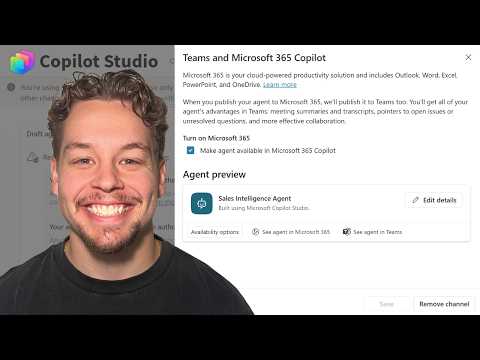
The video opens with a brief introduction and then moves into what the presenter labels as “good instructions” followed by an explicit framework for agent instructions. Specifically, Griffin breaks the material into timestamps that include instruction fundamentals, instruction objects, and a walkthrough inside Copilot Studio. Therefore, viewers get both theory and a visual tour of how instructions appear in the product interface. The presenter also references a free cheat sheet and offers coaching options for those who want deeper, one-on-one help.
How Copilot Studio and Agent Instructions work
Griffin emphasizes that clear, well-scoped instructions are the foundation of reliable agent behaviors. He explains that Agent Instructions should define the agent's goals, constraints, and acceptable actions, while keeping language simple enough for automated systems to parse. Furthermore, the video demonstrates that instruction objects act as structured building blocks, letting authors combine text, rules, and metadata to shape responses and tasks within Copilot Studio.
However, the presenter warns that overcomplicating instructions can backfire and reduce maintainability. He recommends starting with concise objectives, testing behavior iteratively, and then introducing conditional logic only when needed. This iterative approach supports faster troubleshooting and helps teams discover where human oversight remains necessary. As a result, citizen developers can balance speed and safety during rollout.
Additionally, Griffin covers practical pitfalls such as brittle phrasing, hidden dependencies, and context leakage between agent sessions. He shows examples where minor wording changes produce different outcomes, underscoring the need for regression testing and version control for instruction sets. Consequently, governance practices and collaboration with IT become important even for low-code teams. These steps reduce the risk of unexpected agent outputs in production.
Context from Microsoft’s February 2026 announcements
The video also places these practices within a broader product context by summarizing Microsoft’s February 2026 updates, which span partner benefits, Dynamics 365 innovations, Microsoft 365 changes, and security tooling. Notably, Microsoft enhanced partner benefits with additional Azure credits, increased Copilot capacity packs, and a new Partner Marketing Center Pro that consolidates marketing assets. Meanwhile, the arrival of the Dynamics 365 ERP MCP Server signals a move toward AI tools that can act directly inside ERP workflows.
These platform changes offer clear advantages, such as faster development cycles and new automation pathways for business processes. On the other hand, Griffin points out that some partner incentives introduce new consumption or marketplace commitments that smaller teams must evaluate carefully. Therefore, organizations should weigh the immediate productivity gains against potential contractual or budgetary obligations. In practice, these tradeoffs often determine whether to pilot features or to fully adopt them across the enterprise.
Security and migration timelines also surfaced as important themes in the video, with mentions of extended support for previous tools and a push toward multi-tenant management in newer portals. Griffin notes that teams moving from legacy consoles should plan migrations, test integrations, and ensure that security tools such as modern defender suites are configured correctly. Ultimately, the announcements will reshape operations, but they also require time and skilled coordination to implement safely.
Tradeoffs and practical challenges
Balancing ease of use and robust governance ranks high among the tradeoffs Griffin discusses. While citizen developers value speed and low-code simplicity, unchecked agent instructions can create compliance risks or inconsistent behaviors across users. Thus, organizations face a tension: empower builders while imposing enough guardrails to prevent data exposure and maintain auditability.
Testing and lifecycle management present another challenge because instruction objects evolve over time and can interact in unexpected ways. Griffin recommends maintaining clear naming, documentation, and test suites for instruction sets, and he highlights the need for role-based review workflows. Consequently, teams that adopt these practices can scale agent deployments with fewer surprises and faster remediation when problems appear.
Finally, licensing and partner commitments create practical constraints that affect planning and budgeting. Some new benefits require minimum consumption or marketplace activity, which can increase upfront costs or operational complexity for smaller teams. Therefore, decision-makers should run realistic pilots, measure value, and then expand usage in line with demonstrated return on investment.
Takeaways for citizen developers
First, start with concise, testable instructions and iterate quickly to uncover edge cases. Griffin’s walkthrough shows that simple, well-documented instruction objects reduce errors and make debugging easier, so teams should prioritize clarity over cleverness. Furthermore, adopt lightweight governance: version control, peer review, and basic test scripts deliver outsized benefits with minimal overhead.
Second, align pilots with platform changes such as those in February 2026 and monitor contractual commitments closely. Teams should confirm licensing needs and partner requirements before scaling, and they should coordinate with security and IT to prepare for migrations. By combining technical caution with iterative building, citizen developers can deliver value while avoiding common pitfalls described in the video.
In conclusion, Griffin Lickfeldt’s video offers a practical path for non-technical builders to use Copilot Studio effectively, while also framing those practices within larger Microsoft product shifts. The guidance balances hands-on tips and strategic considerations, and it underscores that careful instruction design, testing, and governance are essential for safe, scalable agent deployments. Thus, citizen developers who follow these steps can move faster and more confidently into AI-driven automation.

Keywords
2026.02.22 news, 2026-02-22 headlines, February 22 2026 events, Feb 22 2026 updates, 22 February 2026 highlights, 2026.02.22 sports results, 2026-02-22 tech announcements, 2026.02.22 market roundup