- All of Microsoft
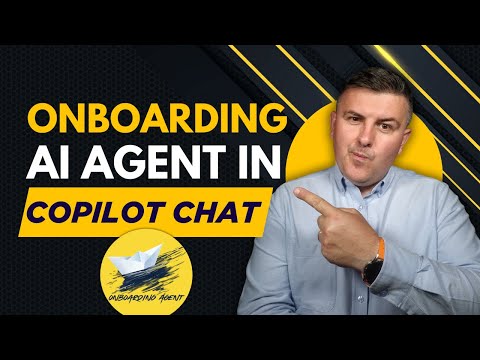
Copilot Chat: Free Onboarding Agent
Microsoft 365 atWork; Senior Digital Advisor at Predica Group
Create free Onboarding AI Agent in Copilot Chat with Microsoft Three Sixty Five for easy no-code employee onboarding
Key insights
- Microsoft 365 Copilot Chat — The video shows Microsoft now offers a free Copilot Chat experience that lets business users create AI agents inside Microsoft 365 without the previous $30/month per-user Copilot license.
- Onboarding AI Agent — You can build an onboarding agent in minutes to deliver company history, executive info, and policies to new hires using public websites, uploaded files, or internal data.
- Copilot Studio — Copilot Studio provides a simple, no-code interface to design, customize, and deploy agents so non-developers can automate tasks quickly.
- Pay-as-you-go pricing — Agents run on a consumption-based model, reducing upfront costs and letting organizations scale AI use based on actual usage.
- Integration with Microsoft 365 — Agents work across Word, Excel, PowerPoint, Outlook and Teams, and support collaboration through Copilot Pages for real-time teamwork.
- GPT-4o-powered automation — The agents use advanced language models to analyze files, monitor inboxes, manage calendars, and perform automated workflows for practical workplace tasks.
Overview of the video and its purpose
The recent YouTube video by Szymon Bochniak (365 atWork) demonstrates how to build a free onboarding assistant using Microsoft 365 Copilot Chat. The presenter shows that anyone with basic chat skills can create an Onboarding Agent in minutes, using company information available on public sites and uploaded files. Consequently, the video frames this capability as a practical way to streamline new-employee orientation without requiring developer skills or additional licensing fees for the full Copilot service.
Moreover, the clip outlines timestamps and a concise demo so viewers can follow along step by step. It emphasizes the democratization of AI within organizations by highlighting a new pay-as-you-go model for agent usage. Therefore, the segment sets expectations for accessibility, costs, and immediate use cases like company history, leaders, and core processes.
How to create the Onboarding Agent
The video walks through creating the agent inside Copilot Studio, showing the simple inputs and grounding sources required for meaningful responses. First, the creator points the agent at public web pages or uploads a set of files that contain the company’s key information, then configures the agent’s persona and response style. Next, the agent is tested through a chat interface where prompts reveal how well the model retrieves and synthesizes relevant information.
Importantly, the narrator stresses that no code is needed, which lowers the barrier for HR teams and people operations staff. At the same time, he notes that careful selection of source material helps accuracy, so preparation remains necessary. Ultimately, the walkthrough demonstrates that building an onboarding assistant is a practical, low-friction project for many organizations.
Technology and integration
The video explains that this functionality runs on the chat-based interface branded as Microsoft 365 Copilot Chat, powered by models such as GPT-4o. In addition, agents can ground responses using enterprise data exposed through Microsoft Graph, web content, or uploaded documents, which enables situationally aware answers. The presenter also mentions integration points like Copilot Pages, which help teams collaborate around AI-generated content and tasks.
However, the video makes clear that underlying model capabilities and data quality determine usefulness, so integration is only one piece of the puzzle. While the tech stack promises smooth interaction with Word, Excel, Outlook, and Teams, it requires thoughtful setup to prevent misinformation. Therefore, organizations should plan for ongoing maintenance and data curation as part of deployment.
Benefits and tradeoffs
According to the video, the main advantage is cost-effectiveness: the new model uncouples the chat experience from the full paid Copilot license and adds pay-as-you-go pricing for specific agent usage. Consequently, smaller teams can experiment without large subscription commitments, which could speed adoption and innovation. Furthermore, creating targeted agents like an onboarding assistant can improve new-hire experience by surfacing consistent, on-brand answers quickly.
Nevertheless, tradeoffs exist between ease of use and control. For instance, while non-developers can launch agents rapidly, they may lack governance practices that IT and security teams expect. Similarly, customizing behavior increases usefulness but also raises maintenance costs and the risk of outdated responses if source documents are not regularly refreshed. Thus, balancing accessibility, governance, and accuracy becomes a key strategic decision.
Challenges and recommended practices
The video acknowledges several challenges, including data privacy, hallucination risk, and the need for clear ownership of agent content. Therefore, successful deployment requires cross-functional collaboration among HR, IT, and legal teams to define acceptable sources and retention policies. Moreover, regular testing and human review of agent outputs reduce the chance of incorrect or misleading answers.
Practically speaking, the presenter recommends grounding agents in reliable documents and exposing only the data necessary for the use case, which limits exposure and eases compliance. In addition, organizations should implement simple monitoring and feedback loops so employees can flag problems and administrators can iterate on prompts and sources. Ultimately, a disciplined process balances speed with safety and keeps the onboarding assistant aligned with business expectations.
Conclusion and next steps
In summary, the video by Szymon Bochniak (365 atWork) presents a clear, approachable path to building a free onboarding AI agent in Microsoft 365 Copilot Chat. It highlights immediate benefits such as low friction and reduced upfront cost, while also pointing out the need for governance, data curation, and testing. Consequently, organizations that follow the steps shown can quickly pilot an onboarding assistant, provided they plan for ongoing oversight and improvements.
For teams considering adoption, the pragmatic takeaway is to start small, select high-quality sources, and involve necessary stakeholders early. By doing so, businesses can harness the potential of AI agents to improve onboarding outcomes while managing risks and operational tradeoffs.
Keywords
Onboarding AI agent, Free Copilot Chat onboarding agent, Create onboarding AI agent Copilot, Copilot Chat onboarding tutorial, Microsoft Copilot onboarding agent, Build onboarding agent Copilot Chat, Employee onboarding AI Copilot, Setup Copilot Chat onboarding agent