- All of Microsoft
Power Platform: Top Conference Impacts
Certified Power Apps Consultant & Host of CitizenDeveloper365
Microsoft expert take on Power Platform Conference: low-code, ALM, DevOps, Copilot Studio, Power Automate, Dynamics
Key insights
- Microsoft 365 App Builder
Microsoft now unifies app creation, workflow automation, and AI inside Microsoft 365 so teams can build no-code apps and automations where they work. This connects Copilot Studio, Power Automate, and Microsoft Graph for faster prototyping and real-time data access. - Copilot Studio
Copilot Studio powers custom Copilot bots and in-app AI that help users complete tasks and interpret data. Expect more AI-driven templates and integrations across Dynamics 365 and Power Automate to boost everyday productivity. - Governance & Managed Environments
New admin controls—like Environment Group Admins, Read-Only roles, and Service Principals—give IT finer control and better audit options. These features help organizations scale securely while keeping compliance and oversight. - Computer Use Agents
AI agents can now interact with desktop apps, browsers, and files to perform human-like tasks. This advances RPA by automating complex, cross-application workflows and cutting manual effort. - ALM and DevOps
The conference highlighted stronger Application Lifecycle Management and DevOps for low-code solutions, including automated testing and improved pipelines. Teams can deploy more reliable apps faster and manage releases with repeatable processes. - Career Opportunities
The updates expand roles for citizen developers and technical professionals who learn low-code, Copilot tools, governance, and automated testing. Developers should focus on AI integration, ALM practices, and cross-platform automation to stay competitive.
Overview
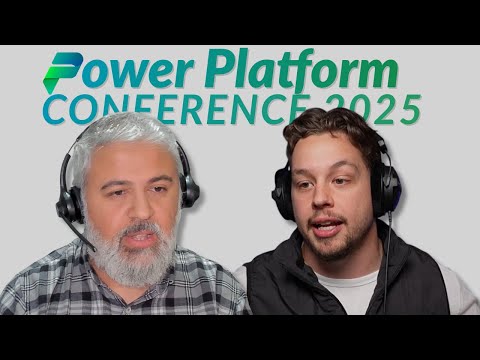
In a recent YouTube episode of PowerTalks, Griffin Lickfeldt (Citizen Developer) interviewed Parvez Ghumra to unpack major takeaways from the Power Platform Conference 2025. The video summarizes announcements that aim to reshape low-code development, automation, and AI within Microsoft’s ecosystem. Moreover, the conversation highlights how developers and business users may adopt new tools and what organizations should prepare for in the coming months.
As a news summary, this story focuses on the practical impacts discussed in the video rather than offering a personal view from the hosts. Consequently, readers will find clear descriptions of the new features, governance changes, and the evolving role of AI-driven assistants. The coverage also points to implications for careers, processes, and enterprise scale deployments.
Standout Announcements from the Conference
Griffin and Parvez emphasize several headline items, including the Microsoft 365 App Builder, Workflow Agents, and improvements in Copilot Studio. These tools combine to let business users create contextual apps and automations inside familiar Microsoft 365 surfaces like Teams and Outlook. Furthermore, the integration with Microsoft Graph promises real-time data access, which could accelerate prototyping and get solutions into production faster.
Importantly, the speakers also noted announcements in Power Automate and Dynamics 365 Sales that extend AI capabilities across workflows. As a result, organizations can expect richer automation that blends conversational assistants and backend processes. However, the excitement comes with a reminder: successful adoption still requires planning, training, and alignment between makers and IT teams to avoid shadow IT risks.
Finally, the episode calls attention to sessions that inspired attendees, including real-world demos and customer stories. These examples illustrated how low-code is moving from small departmental tools toward solutions that can support broader business processes. Thus, the conference message was clear: low-code plus AI is meant to scale, but scaling demands structure and governance.
Impacts on ALM and DevOps
The video dedicates time to how new releases affect ALM and DevOps for Power Platform projects. Parvez explains that improved pipelines and testing tools aim to reduce friction when moving solutions between environments, which should speed delivery cycles. Moreover, automated testing features can catch regressions earlier, helping teams maintain stability while shipping more frequently.
Nevertheless, the panelists underline tradeoffs between agility and control: faster deployments increase the risk of configuration drift unless organizations invest in robust processes. Therefore, teams will need to update their toolchains and governance playbooks to realize the benefits without creating new operational debt. In short, the platform provides stronger ALM building blocks, but organizations must adopt them deliberately.
Governance and Administration
Governance updates were another major theme, with new roles such as Environment Group Admins, Read-Only roles, and expanded support for Service Principals. These capabilities make it easier to assign responsibilities and audit activity without granting full access to every user. Consequently, IT and security teams gain finer control, which helps align Power Platform usage with compliance mandates and corporate risk policies.
Yet, implementing fine-grained governance introduces its own challenges. For instance, defining environment boundaries and access policies takes time and clear ownership, and poorly designed rules can slow citizen developers. Therefore, organizations must balance oversight with enablement so that makers still move quickly while security teams retain necessary visibility.
Computer Use Agents and Copilot Evolution
One of the most forward-looking topics in the episode is the arrival of Computer Use Agents, AI-driven agents that can interact with desktop apps and browsers to automate complex tasks. These agents can replicate human actions, enabling automation across legacy interfaces that previously resisted integration. As a result, businesses can automate scenarios that required manual steps, unlocking new productivity gains across departments.
However, Parvez and Griffin caution about reliability and governance concerns for such agents. Since agents mimic user activity, they may be sensitive to UI changes or permissions, which means teams must invest in monitoring and resilient design. In addition, organizations will need to consider privacy and security implications before rolling agents into production at scale.
Tradeoffs, Challenges, and Next Steps
Overall, the video paints a promising picture of the Power Platform’s future while noting practical tradeoffs. Rapid innovation means more capabilities for business users, but it also increases complexity for IT teams charged with governance and lifecycle management. Thus, stakeholders should prioritize training, updated governance models, and incremental adoption to manage risk while taking advantage of new features.
To conclude, Griffin Lickfeldt’s episode with Parvez Ghumra provides a useful roadmap for organizations watching the Power Platform Conference 2025 outcomes. For leaders, the invitation is clear: plan proactively, test thoroughly, and align makers with IT so new features become reliable business enablers rather than operational headaches. Moving forward, companies that balance speed and control will likely extract the most value from these platform advances.

Keywords
Power Platform conference highlights, PowerTalks Ep 77, Must know Power Platform impacts, Microsoft Power Platform updates, Power Automate new features, Power Apps conference insights, Power BI announcements, Power Platform best practices