- All of Microsoft
Copilot Studio: Real-Time Threat Defense
IT Program Manager @ Caterpillar Inc. | Power Platform Solution Architect | Microsoft Copilot | Project Manager for Power Platform CoE | PMI Citizen Developer Business Architect | Adjunct Professor
Shield Copilot Studio agents with Microsoft Defender by inspecting tool calls and blocking prompt injection in real time
Key insights
- Real-Time Threat Protection: The video demos how Microsoft Defender inspects Copilot Studio agents at the moment they try to act.
It evaluates planned actions and can block risky calls before they run. - Copilot Studio agents: Agents can send emails, call APIs, and move data, which adds power and new security risks.
Defender watches each tool call to stop unsafe or unintended actions. - Tool invocation inspection: Before an agent executes a tool, Defender checks the invocation for suspicious content or behavior.
If a call looks dangerous, Defender blocks it, notifies users, and logs an incident for investigation. - Prompt injection: The system defends against common attacks like prompt injection and zero-click exploits by stopping malicious instructions before they run.
This reduces data leaks, credential exposure, and unsafe automation. - Requirements and licensing: You must connect Copilot Studio to Microsoft Defender and assign proper admin roles.
Some protection features need specific licenses, including the new Agent 365 license for the Agent 365 experience after July 1, 2026. - Limits and operational notes: The feature is a preview feature and behavior may change; it currently supports Copilot Studio custom-engine agents.
Teams can choose audit-only or block modes, and Defender can correlate events with XDR signals for deeper investigation.
Overview: a practical demo from Rafsan Huseynov
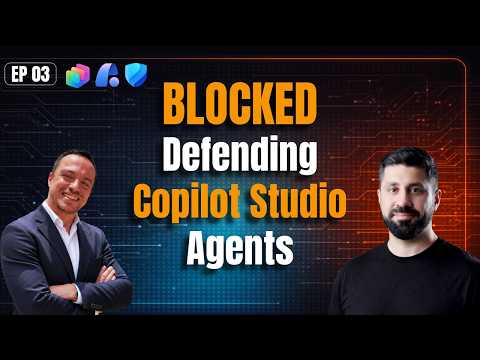
The YouTube video by Rafsan Huseynov, co-presented with David Lorenzo, demonstrates how to add runtime security to AI agents built in Copilot Studio using Microsoft Defender. The presenters explain that agents are not just chatbots: they can send emails, call APIs, and move data, which creates new operational risks. Consequently, the video focuses on a capability Microsoft calls Real-Time Threat Protection, which inspects planned agent actions right before execution and can block risky calls.
Throughout the demonstration, the hosts show both conceptual flow and hands-on steps, including a live test where Defender detects and blocks a prompt-injection style attack. They emphasize that the feature is currently in preview, that behaviors and screens may change, and that administrators should validate the approach before deploying it widely. Overall, the presentation mixes practical setup guidance with a security-first rationale.
How the real-time inspection works
In the video, the workflow is clear: the AI agent composes a tool invocation, Microsoft Defender evaluates that invocation in real time, and Defender either allows or blocks the action before it runs. When Defender blocks an action, the user is notified immediately and an alert or incident is created in the Defender portal for further investigation. Thus, the protection happens at runtime rather than only in post-event logs, which shifts some defensive control to the moment of decision.
The presenters also describe how Defender correlates the tool invocation with broader threat signals to support triage and response. Importantly, Microsoft says this protection can be added without changing an agent’s internal orchestration logic, which helps teams adopt it without major refactoring. During the demo, viewers see how defenders can choose between auditing suspicious calls or actively blocking them, giving teams a choice between visibility-first or prevention-first modes.
Benefits, tradeoffs, and operational challenges
Real-time blocking offers a clear benefit: it can stop attacks such as prompt injection and attempts to exfiltrate credentials before they succeed, reducing potential damage. However, the video also makes clear that this prevention approach brings tradeoffs, including the risk of false positives, the need to tune rules, and potential latency introduced into tool calls. Therefore, teams must balance strictness and availability, choosing whether to start with auditing mode and then move to blocking once confidence grows.
Another challenge is visibility versus control: while Defender raises incidents that help security teams investigate, it also depends on administrators having the right roles and licensing to act on alerts. The presenters note that performance, rule tuning, and incident fatigue are practical concerns; thus, organizations will need robust testing, monitoring, and playbooks to manage alerts without disrupting legitimate agent workflows.
Setup, scope, and limits
Rafsan Huseynov walks through the setup steps required to connect Copilot Studio agents to Microsoft Defender, noting prerequisites such as admin privileges and appropriate licensing. The demonstration highlights the components needed for connection and shows a sample PowerShell script and configuration steps to register the integration. Yet, the hosts repeatedly warn that the capability is in preview and that official documentation may change, so production rollouts should be cautious and staged.
Moreover, scope limits matter: as of the video, the protection focuses on AI agents created with Copilot Studio custom engines and depends on the Defender capabilities Microsoft exposes. That means some agent scenarios or third-party orchestration layers might not be covered, and teams should validate which tool invocations are inspected. The video also touches on licensing shifts and upcoming requirements, so administrators must track Microsoft’s licensing guidance before committing broadly.
Takeaways and recommended approach
The key takeaway from the video is that runtime inspection for AI agents is a meaningful new control that can prevent dangerous actions before they execute, but it is not a silver bullet. In practice, defenders should adopt a layered approach: start with auditing to understand normal agent behavior, tune detection rules to reduce false positives, and then consider progressive enforcement. Additionally, integrating Defender alerts with existing response processes will make investigation and remediation faster and more effective.
Finally, the presenters recommend careful testing and staged deployment because the preview status and evolving threat landscape mean surprises are possible. Organizations that balance prevention with measured operational controls — and that invest in rule tuning and incident playbooks — will gain the most from this capability while keeping disruption to a minimum. The video by Rafsan Huseynov offers a useful, hands-on starting point for teams evaluating runtime protection for AI agents.
Keywords
Real-time threat protection Copilot Studio, Microsoft Defender Copilot agent security, Copilot Studio malware detection, Threat detection for Copilot agents, Copilot agent endpoint protection, Microsoft Defender for AI agents, Copilot Studio security best practices, Real-time threat monitoring Microsoft Defender