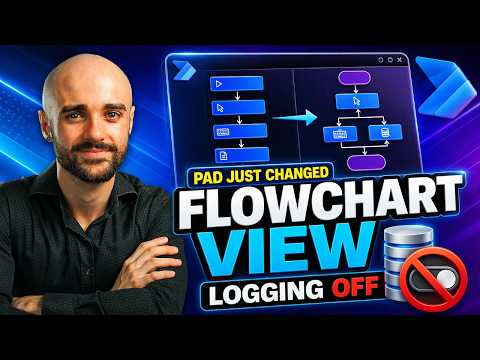
Power Automate Desktop adds flowcharts and templates
Ronan Vico Technologies highlights a preview flowchart view, action-level logging controls and reusable templates for desktop flows.
Key insights
- The flowchart view is in preview, and the video advises saving a flow before using it.
- The walkthrough covers retrieving Power Platform environment variables in desktop flows.
- Users can disable logging for individual actions to reduce unnecessary Dataverse storage.
- Templates can hold reusable structures such as variables and error handling.
Ronan Vico Technologies recently published a video introducing several Power Automate Desktop features: a flowchart view, environment-variable retrieval, action-level logging controls and reusable templates. The central takeaway is practical rather than a claim of a broad platform change: desktop-flow makers can explore a visual way to inspect flow logic and reuse common structures, while the flowchart feature remains in preview.
What's new
The video describes a new flowchart view in Power Automate Desktop Studio. It presents this as another way to view a desktop flow and says the feature is still in preview. The description specifically cautions viewers to save a flow before using the view, and says the video covers its current limitations.
The other topics concern managing data and repeated flow structures. The walkthrough covers retrieving Power Platform environment variables and disabling logging for selected actions, with the stated purpose of reducing unnecessary Dataverse storage. It also demonstrates the idea of creating reusable templates for variables, error handling and other standard automation structures.
These are distinct tasks rather than one combined feature. The flowchart view concerns how a maker views automation logic; logging controls concern what is recorded for actions; and templates are presented as a way to reuse a familiar starting structure when building flows.
Why it matters
For desktop-flow makers, a visual flow view may offer another way to inspect automation logic instead of relying only on the existing view. That could be useful when explaining or reviewing a flow, though the source description does not provide examples of particular flow types or measure whether the view makes that work faster. Because the view is in preview, makers should treat it as an option to evaluate rather than assume it is suitable for production use.
The logging topic may matter to teams mindful of Dataverse storage. The video description says makers can disable logging for individual actions to reduce unnecessary storage, but it does not quantify the amount saved or explain what records remain available afterward. Teams should therefore consider the trade-off between reducing logs and retaining the information they need to troubleshoot runs.
Reusable templates may help makers avoid rebuilding standard pieces such as variables or error handling each time. The description says the video covers publishing templates and creating a new desktop flow from one. It does not specify who can publish or access them, where templates are stored, or whether any permissions or licensing requirements apply.
For administrators, the source offers no tenant-wide configuration or governance detail. For end users, it does not describe a direct change to how they interact with desktop automations. The described benefits mainly concern the people who build, maintain or inspect desktop flows.
How it works
The published description gives a topic outline, not a complete set of instructions or exact interface steps. It names the actions covered, but does not provide enough detail to reproduce the clicks, settings or prerequisites. Based on that outline, the walkthrough covers this sequence of tasks:
- Open the flowchart view in Power Automate Desktop Studio, and save the flow before using the preview feature.
- Retrieve Power Platform environment variables as part of a desktop-flow scenario.
- Disable logging on specific actions where the maker wants to reduce unnecessary Dataverse storage.
- Build a reusable template, publish it, and create a new desktop flow from that template.
The steps above summarize the topics named by the publisher, not a verified configuration guide. The source does not identify the exact environment-variable action, logging setting, template publication workflow or any prerequisites. Makers who need those details will need to consult the video itself and check the behavior in their own environment.
Limitations and open questions
The clearest stated limitation is that the flowchart view is in preview. The description warns that it has current limitations and recommends saving before using it, but does not enumerate which flow actions or scenarios may be affected. It also does not say which Power Automate Desktop version, operating-system configuration or licensing is required.
Logging behavior is similarly underspecified in the supplied material. It says selected actions can have logging disabled to reduce Dataverse storage, but does not explain the effect on run history, troubleshooting, retention or compliance. The template section does not clarify whether templates can be shared across environments or how published templates are managed.
We could not verify rollout scope, availability by region or license, or the detailed mechanics from the provided description. The video is the primary source for the feature walkthrough; the available source material does not support broader claims about product availability or production readiness.
Sources
Frequently asked questions
Is the flowchart view generally available?
The video description says the feature is still in preview. It does not specify rollout scope or availability by license or region.
Why disable logging for individual actions?
The stated reason is to reduce unnecessary Dataverse storage. The supplied material does not explain which run details remain available afterward.
What can the reusable templates contain?
The description gives variables and error handling as examples, along with other standard automation structures. It does not explain template permissions or sharing.