- All of Microsoft
- Power Platform
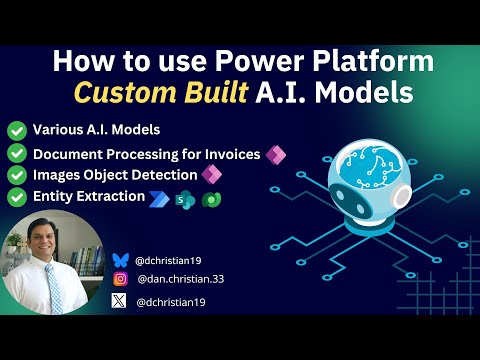
How to use Power Platform Custom Built A.I. Models
Lead Infrastructure Engineer / Vice President | Microsoft MCT & MVP | Speaker & Blogger
Power Platform, Power Apps, Power Automate, AI Builder, Dataverse
Key insights
- Power Platform's AI Builder: A tool to create and deploy custom AI models, integrated into Power Apps and Power Automate, leveraging Azure AI capabilities in a low-code environment.
- Customization and Flexibility: Allows users to tailor AI solutions for specific business needs, addressing unique challenges or opportunities within their organization.
- Low-Code Development: Accessible to non-technical users, enabling the creation of AI solutions without extensive programming skills.
- Pre-built Models and Custom Model Creation: Offers pre-built models for common scenarios and allows users to create custom models by connecting business-specific data and automatically training them.
- Enhanced Features: Includes a new prompt library for generative AI actions, an enhanced interface supporting multi-modal inputs, and updates for advanced model capabilities like GPT.
- AI Governance and Administration: Provides administrators with control over AI capabilities such as capacity management, usage monitoring, ensuring responsible deployment within organizations.
Exploring Power Platform Custom Built AI Models: Insights from Daniel Christian [MVP]
In a recent informative YouTube video, Daniel Christian [MVP] provided an in-depth exploration of Microsoft's Power Platform AI Builder. This platform allows users to create customized artificial intelligence (AI) models without extensive coding knowledge. Throughout the video, Daniel Christian clearly explained key terminologies, demonstrated various model-building options, and showcased practical examples of integrating these models with Power Apps and Power Automate.
Understanding the Basics of Power Platform AI Builder
Initially, Daniel Christian introduced viewers to the fundamental concepts behind the Power Platform AI Builder. He explained that this tool leverages Azure AI capabilities, enabling users to build, customize, and deploy AI models within a low-code environment. The AI Builder is particularly beneficial for organizations seeking tailored solutions to automate processes, analyze data, and enhance decision-making.
Furthermore, Daniel highlighted two primary approaches available to users: pre-built models and custom-built models. Pre-built models offer ready-to-use AI solutions for common business scenarios, allowing quick deployment without extensive customization. On the other hand, custom-built models provide more flexibility, enabling users to train AI models specifically designed for their unique business needs and data sets.
Document Processing for Invoices: A Practical Demonstration
Transitioning into practical applications, Daniel Christian demonstrated how to utilize custom AI models for invoice document processing. He began by guiding viewers through the process of creating collections—a vital step in organizing and preparing data for training the AI model. By clearly outlining this initial stage, he emphasized the importance of accurate data collection and categorization.
Subsequently, Daniel showed the training phase of the AI model. He explained how the AI Builder analyzes the provided data, recognizes patterns, and learns to identify essential invoice details. Throughout this phase, he discussed the balance between providing sufficient data for accurate training and avoiding excessive complexity that could slow down the process or lead to inaccuracies.
After successfully training the model, Daniel proceeded to the analysis and publishing stages. He demonstrated how users can verify the model's accuracy, make necessary adjustments, and finally publish it for integration into business applications. To illustrate practical integration, he showcased how the trained AI model could be seamlessly embedded into a canvas app within Power Apps. This integration enables users to automatically extract relevant invoice information, significantly streamlining business operations.
Image Object Detection: Leveraging AI for Visual Data
Moving forward, Daniel Christian explored another compelling use case—image object detection. He explained how AI Builder's object detection model allows users to identify and categorize specific items within images. Daniel outlined the steps involved in setting up this model, emphasizing the importance of clearly defining the objects to be detected and providing ample representative images for accurate training.
Additionally, he addressed the challenges associated with image-based AI models, such as ensuring high-quality image data and balancing the quantity of training images to achieve optimal accuracy without overwhelming the system. After training the model, Daniel demonstrated its practical integration into a canvas app. This integration allows businesses to automate visual inspection tasks, reduce manual effort, and improve operational efficiency.
Entity Extraction for Travel Feedback: Enhancing Text Analysis
Transitioning to text-based AI applications, Daniel Christian introduced viewers to entity extraction for analyzing travel feedback. He explained that entity extraction models identify and categorize specific information within textual data, such as customer reviews or feedback forms. Daniel guided viewers through the creation and training of this model, highlighting the importance of clearly defining entities and providing diverse textual examples for robust training.
Furthermore, Daniel demonstrated how to effectively store extracted data using Dataverse tables, ensuring organized and accessible information management. He then showcased practical integration with Power Automate, illustrating how automated workflows could leverage the AI model to quickly process and analyze customer feedback. This automation significantly enhances responsiveness and enables businesses to rapidly identify trends or issues requiring attention.
Recent Enhancements and New Features
In addition to practical demonstrations, Daniel Christian also highlighted recent updates and enhancements to the Power Platform AI Builder. One notable advancement is the introduction of a prompt library and prompt builder, designed to simplify the creation and reuse of generative AI prompts. These tools streamline the process, making it easier for users to craft effective AI-driven actions across multiple business solutions.
Moreover, Daniel discussed improvements to the AI Builder interface, including support for multi-modal inputs such as documents and images. These enhancements enable users to build more advanced AI models capable of handling diverse data types. He also emphasized new governance features, providing administrators greater control over AI usage, capacity management, and lifecycle management. These governance tools ensure responsible and secure deployment of AI solutions within organizations.
Balancing Tradeoffs and Addressing Challenges
Throughout the video, Daniel Christian consistently addressed the tradeoffs and challenges associated with building custom AI models. He emphasized the importance of balancing model complexity with usability, noting that overly complex models may become difficult to maintain or integrate effectively. Conversely, overly simplistic models might lack accuracy or fail to meet specific business requirements.
Additionally, Daniel highlighted challenges related to data quality and quantity, explaining that inadequate or poorly organized data can negatively impact model performance. He encouraged viewers to carefully consider their data preparation strategies, ensuring sufficient, high-quality data for effective AI training. By openly discussing these challenges, Daniel provided valuable insights into successfully navigating the complexities of AI model development and integration.
Conclusion: Unlocking AI Potential with Power Platform
In conclusion, Daniel Christian's comprehensive video offered valuable insights into leveraging Microsoft's Power Platform AI Builder for custom AI model creation. By clearly demonstrating practical applications, recent enhancements, and addressing common challenges, Daniel effectively showcased the platform's potential to significantly enhance business processes and decision-making capabilities.
Organizations seeking to harness AI technology without extensive coding expertise will find Power Platform AI Builder an accessible and powerful solution. With continued advancements and user-friendly features, this platform is well-positioned to help businesses unlock the full potential of artificial intelligence.
Keywords
Power Platform AI Models Custom Built How to Use Microsoft Automation Data Integration Machine Learning Business Solutions