- All of Microsoft
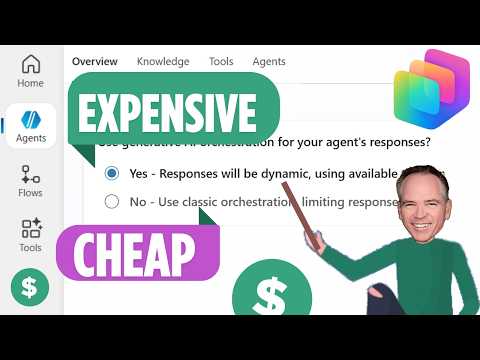
Copilot Studio Pricing: What It Costs
Solutions Architect, YouTuber, Team Lead
Microsoft guide to Copilot Studio pricing credits pay-as-you-go capacity packs AI Builder Power Platform licensing costs
Key insights
-
Copilot Studio is a low-code platform for building custom AI agents that connect to Microsoft 365, Azure, and external apps.
It powers automated workflows, multi-channel bots, and data-driven copilots for internal or customer-facing scenarios. -
Billing uses Copilot Credits, consumed per agent action and response; complex tasks and long prompts use more credits.
Features like deep reasoning or heavy data grounding cost extra, so plan which capabilities you need. -
Two main pricing models: a tenant Capacity Pack (prepaid 25,000-credit packs, commonly sold at about $200/pack/month) and Pay-as-you-go (roughly $0.01 per credit).
Capacity packs suit predictable, high-volume use; PAYGO fits testing, variable loads, or early pilots. -
Microsoft 365 Copilot ($30/user/month) includes basic Studio usage and access subject to fair-use limits, while developers can get free build/test access before publishing.
Use included entitlements for small deployments and switch to capacity or PAYGO as usage grows. -
Real-world costs vary because usage is uneven across users and scenarios; per-user flat fees can fail when a few agents drive most consumption.
Focus on per-agent patterns and token usage to forecast scaling and avoid surprise charges. -
Practical cost controls: buy prepaid credits for steady demand, use PAYGO for tests, choose simpler models over premium reasoning when possible, and set monitoring/alerts to track credit burn.
Consider pre-purchase discounts and continuous usage reviews to find the most cost-effective mix.
The newsroom reviewed a recent YouTube video by Sean Astrakhan (Untethered 365) that explains how Microsoft Copilot Studio pricing works and why real-world costs often exceed simple per-user estimates. In the video, Astrakhan interviews Microsoft licensing specialist Michael Morrison to clarify how Copilot Credits are consumed, what the main pricing models look like, and when different options make financial sense. Consequently, the discussion moves beyond headline figures to show concrete examples and math that teams can use to forecast spend. Overall, the video aims to help IT and finance Teams plan for both steady-state and spiky usage patterns.
Overview of the video and context
The presenters first set the scene by explaining that labeling Copilot Studio as a flat "$30 per user" solution is misleading once you consider production usage. Moreover, the platform bills on a tenant-wide credit model rather than strictly per-user messages, which changes how organizations should budget. The interview stresses that uneven usage patterns—such as seasonal peaks or a few power users—drive costs much more than average-user counts. Therefore, understanding consumption drivers becomes essential for predictable budgeting.
How Copilot Credits and pricing work
The video clarifies that every agent action—responses, flows, and advanced reasoning—consumes Copilot Credits, and rates vary by complexity. For instance, basic responses use fewer credits while newer features labeled deep reasoning or extensive data grounding cost more per action. Additionally, Microsoft offers two main commercial tracks: prepaid capacity packs and metered PAYGO, each with different tradeoffs in predictability and unit price. The presenters also note that Microsoft 365 Copilot licenses include some Studio rights and fallback consumption paths, which can moderate early-stage costs.
Specifically, the video highlights that prepaid packs commonly contain 25,000 credits per unit and often come at a discount if purchased in volume, while PAYGO charges operate at a per-credit rate. Consequently, organizations that can forecast consistent high-volume usage may save with capacity packs, whereas teams experimenting or running pilots benefit from metered billing. However, the choice is not purely financial; administrative overhead, governance, and the need to avoid sudden credit depletion also influence the right approach. In short, you trade unit price for flexibility and vice versa.
When PAYGO, capacity packs, or pre-purchase credits make sense
The video walks viewers through decision points for each option. For example, small teams or pilot projects should favor PAYGO because it reduces upfront commitment and allows learning without large purchases, whereas enterprise deployments with predictable volumes lean toward prepaid packs for lower per-unit costs. Moreover, pre-purchase credit commitments can offer discounts but require accurate forecasting to avoid overspending or unused capacity. Therefore, the recommended path depends on the organization’s risk tolerance, expected growth, and the variability of agent interactions.
Real-world cost drivers and examples
Astrakhan and Morrison use practical scenarios to show how credits can be consumed rapidly when agents run complex flows or access multiple data sources. For instance, agents that execute back-and-forth flows, call external APIs, or use advanced reasoning will consume credits far faster than simple Q&A bots, and consequently raise monthly bills. The video also explains how features that ground answers in tenant data or external documents add both value and incremental cost. Thus, technical design choices—such as how often a bot re-queries a data source—directly affect the bottom line.
They also demonstrate how a single high-volume agent can justify a capacity pack, while many low-volume agents may be cheaper on PAYGO. Importantly, the presenters recommend building telemetry and cost alerts early so Teams can see which flows burn credits. With those controls, Teams can resize commitments or change prompts to reduce consumption without sacrificing critical capabilities.
Tradeoffs, challenges, and practical recommendations
The video acknowledges several challenges: estimating token usage, predicting spikes, and balancing agent intelligence against cost. For instance, enabling features like multi-step reasoning improves output quality but increases credit consumption, so teams must prioritize which tasks require premium processing. Furthermore, governance and security review add time and can restrict rapid experimentation, which complicates cost learning. Consequently, the speakers emphasize iterative testing, conservative pilot budgets, and prompt engineering to contain spend while validating value.
In closing, Sean Astrakhan’s discussion with Michael Morrison offers a pragmatic lens on managing Copilot Studio economics: start with metered experiments, instrument usage, and then consider prepaid packs if patterns stabilize. Moreover, Teams should treat credits as a capacity resource to monitor and optimize through design choices and governance guardrails. Ultimately, the right balance depends on each organization’s appetite for price certainty versus operational flexibility.

Keywords
Copilot Studio pricing, Copilot Studio cost, Microsoft Copilot Studio pricing 2025, Copilot Studio pricing tiers, Copilot Studio subscription plans, Copilot Studio per user pricing, Copilot Studio enterprise pricing, Copilot Studio free trial