- All of Microsoft
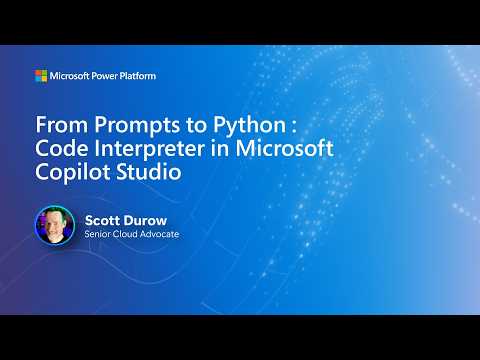
Copilot Studio: Python Code Interpreter
Software Development Redmond, Washington
Copilot Studio with Python Code Interpreter enables agents to run secure Python for charts, Excel and Dataverse insights
Key insights
-
The Code Interpreter in Copilot Studio runs Python code generated from natural-language prompts in a secure sandboxed Python environment.
It converts user requests into executable code to analyze data, make charts, and edit files like Excel or PDF without manual scripting. -
To enable it, turn on Code interpreter under agent Settings > Generative AI > File processing capabilities, or add a Prompt tool in an agent or in AI Hub.
Agents then generate Python (using models such as GPT-4.1), execute it in the platform runtime, and return results like summaries, charts, or updated files. -
Inputs and outputs: the tool accepts Excel, CSV, uploaded files and SharePoint sources, and integrates with Dataverse.
It produces charts, modified files, tables, and downloadable outputs while running code in a managed sandboxed runtime with common libraries preinstalled. -
Business value includes cost efficiency by cutting LLM calls, reliable automation for precise computations and file updates, and accessibility for no-code makers who can work via natural language.
This reduces manual steps and speeds repeatable data tasks like forecasting and aggregation. -
Common use cases: lead-source analysis, table joins and merges, forecasting, chart generation, Excel formula updates, and PDF table extraction.
Agents can pull data from SharePoint or uploads, run analysis, and produce ready reports or updated files for downstream workflows. -
Security and governance: execution runs in a secure sandbox, so follow organizational security rules and validation steps before publishing results.
The feature counts toward premium licensing for generative AI and is available in public clouds (not in sovereign clouds). Emphasize strong prompt design, test outputs, and enable the feature at environment, agent, or prompt levels.
Microsoft video highlights a new Code Interpreter in Copilot Studio
The YouTube video published by Microsoft walks viewers through a new Code Interpreter feature in Copilot Studio. It shows how natural-language prompts can trigger Python code that runs in a secure sandbox to produce charts, enriched files, and Dataverse insights. The presentation targets makers, developers, and business analysts who want more deterministic logic than language models alone can provide. Consequently, the video frames the feature as a bridge between conversational AI and reliable programmatic outputs.
Overview of what the video demonstrates
First, the presenter demonstrates enabling the feature at the environment, agent, and prompt levels inside Copilot Studio. Then, viewers see agents generate Python on the fly to analyze uploaded files such as CSV and Excel, and to create visualizations or modify Office documents. The video also shows how agents can integrate with SharePoint and Dataverse as data sources, making it easier to build end-to-end workflows. Overall, the demonstration emphasizes practical use cases rather than theoretical capabilities.
Next, the session walks through how code execution is sandboxed for safety and runs with preinstalled libraries chosen for business workflows. Viewers watch examples where agents answer questions like “How many leads come from each source?” by generating, executing, and validating Python code. The narrator also explains how the agent can output files such as updated Excel sheets, charts, or PDF summaries. Thus, the feature aims to reduce manual coding while producing reproducible results.
How the Code Interpreter works in practice
According to the video, setup starts in an agent’s settings under generative AI and file processing, where administrators toggle the Code Interpreter option. Makers then add a Prompt tool in the agent’s Tools tab, configure expected inputs, and let the agent create Python code using models like GPT-4.1. The platform executes that code in a controlled runtime and returns results to users without exposing raw environment internals. Therefore, the experience remains low-code while leveraging procedural Python logic behind the scenes.
The feature accepts common business file types and integrates with platform services for actions like creating Dataverse records or sending emails. In the video, the code runtime handles table joins, statistical summaries, forecasting, and chart generation, and it can update Excel formulas and formatting. The approach reduces back-and-forth between data exploration and report creation by automating the middle steps. Consequently, teams can focus on interpreting insights rather than on repetitive data plumbing.
Business value and advantages shown
Importantly, the presenter highlights cost and efficiency gains: by moving deterministic logic into Python, agents can reduce large language model calls and associated expenses. Moreover, the video stresses that code-based computation gives more accurate numeric results than relying solely on natural language outputs. Visual outputs and file edits become straightforward, enabling business analysts to generate charts and reports within conversational workflows. Thus, the feature promises to speed up analysis and improve reproducibility for routine tasks.
In addition, the video makes a point about accessibility: non-developers can leverage powerful Python-driven logic without writing code themselves, because agents handle code generation and execution. This lowers the barrier to sophisticated automation and analytics across departments that already use Office and Power Platform tools. At the same time, the sandboxed runtime preserves security boundaries and aligns with enterprise integration patterns. Consequently, the functionality fits into many existing enterprise processes.
Tradeoffs and challenges to consider
Despite the benefits, the video acknowledges several tradeoffs that organizations must weigh when adopting the feature. For example, sandboxed execution limits what code can do for safety, which may restrict custom libraries or specialized computing needs. In addition, the runtime environment differs from local Python setups, so reproducibility across environments can be a concern when moving beyond the platform. Therefore, teams must plan for these constraints when designing agent workflows.
Another challenge involves governance and licensing: the video notes that Code Interpreter counts as a premium generative AI capability and may incur extra costs, and it is not available in sovereign clouds. Moreover, relying on model-generated code introduces a dependency on the underlying LLM for correct synthesis and intent interpretation. Consequently, organizations should balance automation benefits against auditability, compliance, and ongoing maintenance efforts.
Best practices and implications for makers
The presenter offers practical prompt-design tips and recommends validating generated code outputs automatically inside workflows. For instance, agents can run quick checks and produce summaries or visualizations that surface anomalies before downstream actions. Makers should also design prompts to supply clear data contracts and expected output formats so the agent produces consistent results. Thus, careful prompt engineering reduces surprises in production scenarios.
Lastly, the video advises combining design-time instructions with on-the-fly Python generation to balance predictability and flexibility. While static templates ensure consistency, dynamic code allows agents to handle unexpected data shapes more robustly. As a result, teams can choose where to prioritize control versus adaptability, depending on use case risk and complexity. Ultimately, the demonstration positions Copilot Studio’s Code Interpreter as a practical option for organizations that want programmatic accuracy without losing conversational ease.

Keywords
Microsoft Copilot Studio, Python code interpreter, prompt engineering for code, prompts to Python code, Copilot Python tutorial, AI code generation, Copilot Studio walkthrough, Python debugging with Copilot